iScanner - PDF Scanner App
Let's talk about an app that's been making waves in the productivity category: iScanner - PDF Scanner App. In a world where going paperless is the norm, having a reliable scanner app on your smartphone can be a game-changer. Trust me, this app has got you covered when it comes to scanning documents on the go.
Turning Your Phone Into a Pocket Scanner
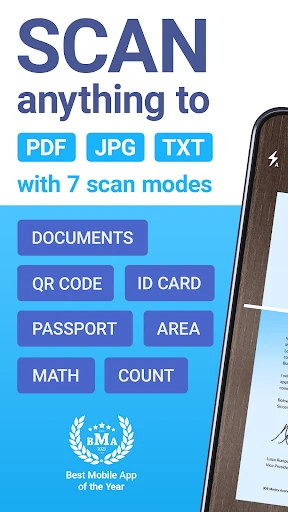
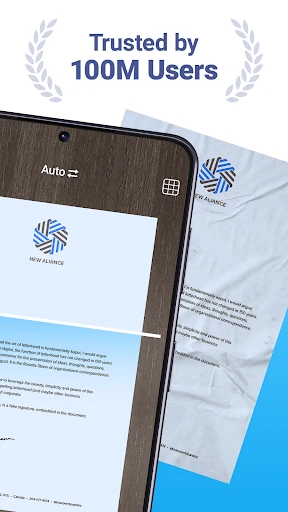
Have you ever been in a situation where you needed to send an urgent document but didn't have access to a scanner? Enter iScanner. It turns your phone into a portable scanner, making it super easy to scan documents, receipts, or even whiteboards in a jiffy. I’ve tried a handful of scanner apps, but this one stands out for its simplicity and effectiveness. The app uses your phone's camera to capture the image, and the built-in image processing ensures that your scans are crisp and clear.
Features That Make Life Easier
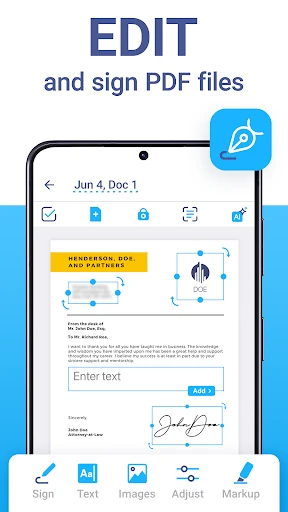
One of the things I love about iScanner is its range of features that cater to both personal and professional needs. Need to scan a multi-page document? No problem – you can do that in one go. The app also offers options to annotate your scans and add electronic signatures, which is a huge plus if you’re working remotely. Another nifty feature is the OCR (Optical Character Recognition) technology, which extracts text from images, making it easier to edit or share the content.
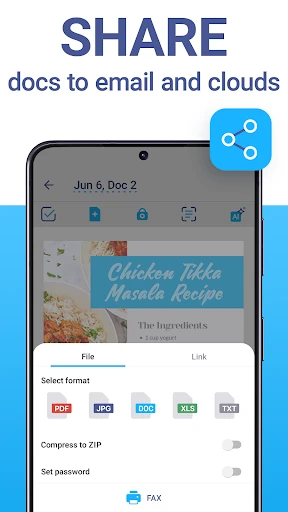
The app also integrates seamlessly with cloud storage services like Google Drive and Dropbox. This means you can save your scans directly to the cloud and access them from any device. Plus, the app supports a range of file formats, including PDF and JPEG, giving you flexibility based on what you need.
Usability and Interface
Now, let's talk about the user interface. iScanner sports a clean, intuitive design that even the least tech-savvy users will find easy to navigate. The main screen is clutter-free, and everything you need is just a tap away. I've found the scanning process to be straightforward – just point, shoot, and you’re done. The app also provides some on-screen tips to help you get the best scan possible, which is a nice touch.
Another aspect worth mentioning is the app's speed. It processes scans quickly, so you’re not left waiting around. And if you're concerned about security, the app has you covered with password protection for your confidential documents.
Final Thoughts
In conclusion, iScanner is a must-have app for anyone looking to streamline their document management process. Whether you’re a student, a professional, or just someone who likes to keep things organized, this app is worth checking out. It’s packed with features, yet simple enough to use without a steep learning curve. So, next time you need to scan something on the fly, iScanner might just be your new best friend in the digital age.
- Developer
- BP Mobile LLC
- Version
- 5.67.11
- Installs
- 10,000,000+
- Android Version
- 10
- Content Rating
- Everyone
- Price
- Free
- Fast and accurate scanning.
- User-friendly interface.
- Supports multiple file formats.
- OCR technology included.
- Secure document storage.
- Contains in-app ads.
- Premium features are costly.
- Limited free features.
- Occasional app crashes.
- Requires internet for cloud storage.