My Total Wireless: Account App
When it comes to staying connected on a budget, finding a reliable wireless service can be quite the challenge. Enter My Total Wireless, an app that promises to simplify your wireless experience while keeping costs down. But does it really deliver on its promises? I took a dive into this app to find out if it’s worth your time and money.
Getting Started with My Total Wireless
First things first, getting started with My Total Wireless is a breeze. The app is available for both Android and iOS, making it accessible to a wide range of users. After downloading, I was greeted with a clean and straightforward interface that guided me through the setup process smoothly. You’ll need to create an account or log in if you’re already a user. Once logged in, the app’s dashboard becomes your new best friend.
Features That Stand Out
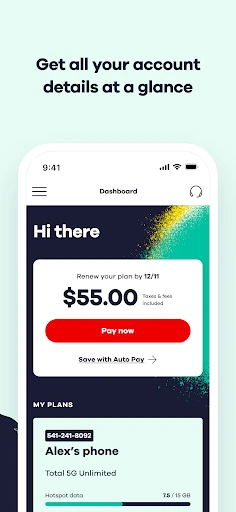
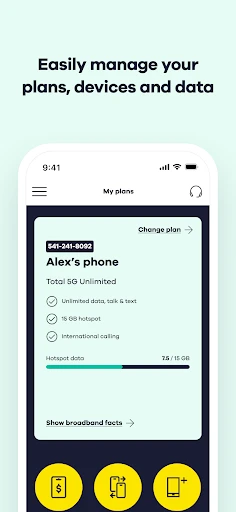
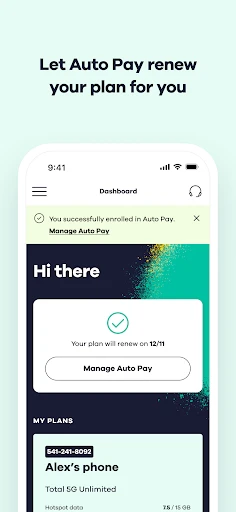
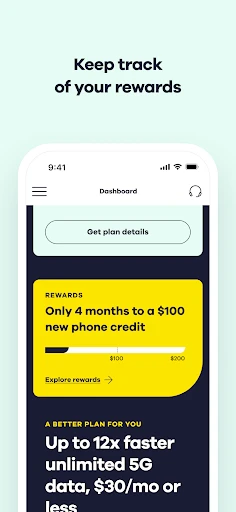
What caught my attention right away was how easy it was to manage my wireless plan directly from the app. No more waiting in long queues or spending hours on customer service calls. From the dashboard, you can view your current plan details, track data usage, and even make payments. It’s all about convenience here.
One feature I found particularly handy was the ability to add data or change plans with just a few taps. Whether you’re running low on data or need a more flexible plan, the app offers various options to suit your needs. Plus, with its real-time usage alerts, you’ll never be caught off guard by unexpected charges again.
User Experience and Design
The user experience on My Total Wireless is quite impressive. The app is designed with the user in mind, featuring intuitive navigation and a responsive interface. The colors are easy on the eyes, and the icons are self-explanatory, making it easy for anyone to navigate, regardless of their tech-savviness.
One thing I appreciated was the detailed help section within the app. If you ever find yourself stuck, you can quickly access FAQs and troubleshooting guides. And if that doesn’t solve your issue, there’s an option to contact customer support directly from the app.
Performance and Reliability
Performance-wise, My Total Wireless didn’t disappoint. The app runs smoothly without any noticeable lag, and all features worked as expected during my testing. However, like any service, your experience might vary depending on your location and network coverage.
Reliability is key when it comes to wireless services, and My Total Wireless seems to understand this well. I didn’t experience any downtime or connectivity issues, which is crucial for anyone relying on their phone for daily communications.
Final Thoughts on My Total Wireless
Overall, My Total Wireless is a solid choice for anyone looking to take control of their wireless service without breaking the bank. Its user-friendly interface, combined with a robust set of features, makes it a standout in the sea of wireless apps. Whether you’re tech-savvy or a beginner, you’ll find this app easy to use and reliable.
While it might not have all the bells and whistles of some premium services, it covers the essentials well. If you’re in the market for a straightforward, no-nonsense wireless service app, My Total Wireless is definitely worth considering. So why not give it a try and see if it makes your wireless experience a little less complicated?

- Developer
- Total Wireless
- Version
- R27.3.0
- Installs
- 1,000,000+
- Android Version
- 7.0
- Content Rating
- Everyone
- Price
- Free
- Affordable plans with no contracts.
- Nationwide coverage with reliable service.
- Easy to switch from other carriers.
- Simple user interface for account management.
- Supports international calling options.
- Data speeds can be inconsistent.
- Limited customer service availability.
- No unlimited data plan option.
- Roaming charges apply outside network.
- Text and call quality may vary.