Messenger Kids – The Messaging
Hey there, fellow parents! So, have you heard about Messenger Kids? It’s this messaging app from Facebook that’s tailored just for the little ones. I recently installed it to see what all the fuss is about, and I’m here to spill the beans. Let’s dive into the world of Messenger Kids, shall we?
What is Messenger Kids?
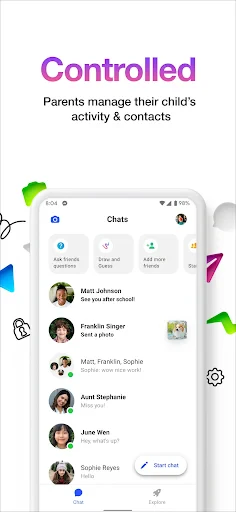
Okay, so imagine a messaging app that’s like a mini version of Facebook Messenger but with a kid-friendly twist. Yep, that’s Messenger Kids for you. It’s designed for kids under 13, giving them a safe space to chat, video call, and share fun stuff with friends and family—all under the watchful eyes of parents. And trust me, the parental controls are pretty robust!
User Interface and Design
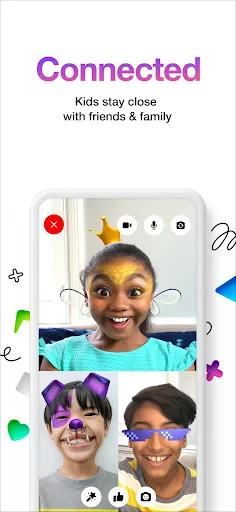
The first thing that caught my eye was the colorful and playful design. It’s super engaging for kids, with cute animations and easy-to-navigate menus. The interface is straightforward, which is perfect because kids can get right into it without a steep learning curve. I mean, who wants to spend time figuring out buttons when you can just hop into a video call with grandma?
Features That Stand Out
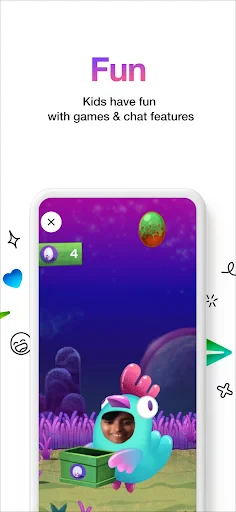
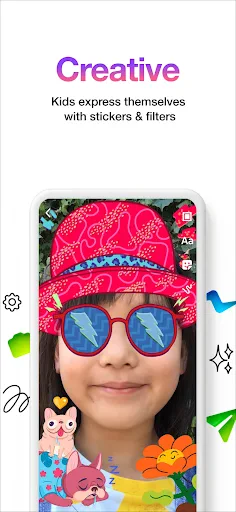
Now, let’s talk features. Messenger Kids comes packed with a bunch of cool stuff. There are kid-friendly stickers, GIFs, and drawing tools that let kids express themselves creatively. The video calling feature is smooth, and there’s even a filter option that makes calls more fun. Think of it as Snapchat filters but specifically for kids. Plus, kids can send voice notes, which is a nice touch!
Safety First!
Safety is a big deal, right? And Messenger Kids gets it. Parents have full control over the contact list, so no random strangers can slide into your kid’s messages. You can also monitor conversations if you’re the kind of parent who likes to keep tabs on things. There’s even an option to set usage limits, which is super handy to avoid those long screen time battles.
My Personal Take
Honestly, I’m pretty impressed with Messenger Kids. It strikes a good balance between fun and safety. As a parent, knowing that I can manage my child’s contacts and oversee their activity is a huge relief. The app doesn’t push ads or in-app purchases, which is a big win in my book.
On the flip side, I did notice that some features require a Facebook account from the parents to manage settings, which might be a bit of a hassle if you’re not already on Facebook. But hey, it’s a small price to pay for peace of mind, right?
So, there you have it! If you’re looking for a messaging app that’s safe, fun, and lets your kids stay in touch with family and friends, Messenger Kids could be worth checking out. Give it a try and see if it’s the right fit for your family’s needs.

- Developer
- Meta Platforms, Inc.
- Version
- 294.0.0.68.123
- Installs
- 50,000,000+
- Android Version
- Varies With Device
- Content Rating
- Everyone
- Price
- Free
- Parental controls for safe communication.
- No phone number needed for signup.
- Interactive stickers and GIFs.
- Ad-free environment for kids.
- Video chat with fun filters.
- Limited to contacts approved by parents.
- No option for unsupervised messaging.
- Requires Facebook account for setup.
- Limited educational content.
- Privacy concerns over data usage.