
Samsung Internet Browser
Exploring the Samsung Internet Browser: A Refreshing Alternative
Ever found yourself stuck in the cycle of using the same old internet browsers and wanting something fresh, yet equally efficient? Well, let me introduce you to the Samsung Internet Browser, a nifty web browser that's been catching quite a lot of attention lately. Don’t worry if you haven’t heard of it before; it’s like that hidden gem in a tech world dominated by the likes of Chrome and Safari.
First Impressions Matter
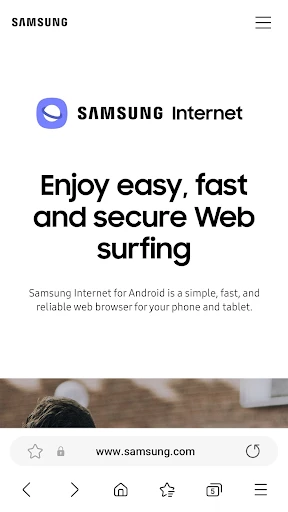
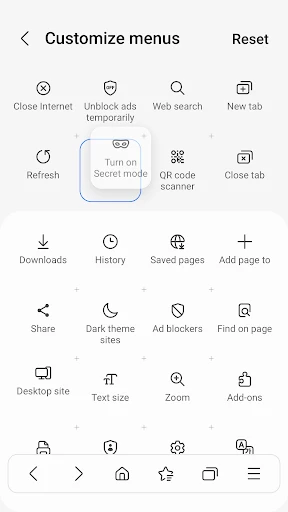
When I first downloaded the Samsung Internet Browser, I was drawn in by its clean and intuitive interface. It’s like stepping into a well-organized library where everything is just a tap away. The design is sleek and doesn’t bombard you with unnecessary buttons or options. It’s quite evident that the developers focused on user-friendliness, which is a big plus for someone like me who just wants to get things done without a hassle.
Features That Stand Out
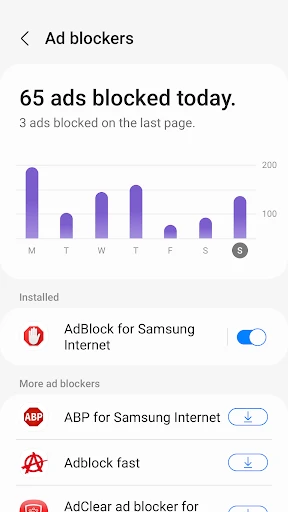
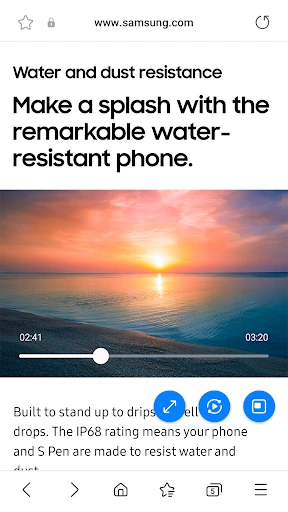
One of the coolest features that immediately caught my eye was the ad-blocker. We all know how annoying pop-ups can be, and Samsung Internet Browser seems to tackle this issue head-on. Browsing without interruptions? Yes, please! Plus, it supports extensions, so you can customize your browsing experience just the way you like it. I found myself enjoying the Video Assistant feature, which offers a smooth transition when playing videos, making binge-watching series online an absolute breeze.
The browser also offers a Secret Mode, similar to incognito modes in other browsers, but with a bit more finesse. It allows you to browse privately without leaving a trace, which is perfect for those times you want to keep your internet activities under wraps.
Performance and Reliability
Speed is crucial when it comes to browsing, and here, the Samsung Internet Browser doesn’t disappoint. It’s quick, responsive, and handles multiple tabs without breaking a sweat. I’ve opened countless tabs while researching, and not once did I encounter any lag or crash. This reliability makes it a fantastic option for daily use, whether you’re working, studying, or just surfing the web.
Compatibility and Accessibility
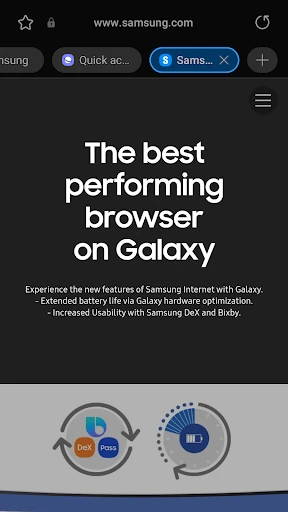
One might wonder, is it just for Samsung devices? Nope! Although it’s optimized for Samsung devices, it’s available for download on any Android device, which broadens its accessibility. It’s also equipped with a Dark Mode, perfect for late-night browsing, saving your eyes from strain and your battery from draining too fast.
Final Thoughts
In a digital landscape dominated by a few big players, the Samsung Internet Browser is a breath of fresh air. It’s versatile, reliable, and packed with features that make browsing not just efficient but enjoyable. Whether you’re a tech enthusiast looking for something new or an everyday user seeking simplicity and functionality, this browser is worth giving a shot. So, why not step out of your comfort zone and try something new? Who knows, you might just find your new favorite browser!
- Developer
- Samsung Electronics Co., Ltd.
- Version
- Varies With Device
- Installs
- 1,000,000,000+
- Android Version
- Varies With Device
- Content Rating
- Everyone
- Price
- Free
- Fast and efficient browsing experience.
- User-friendly interface with easy navigation.
- Advanced privacy and security features.
- Offline reading mode available.
- Supports extensions and add-ons.
- Limited availability on non-Samsung devices.
- Occasional compatibility issues with websites.
- Pre-installed on Samsung devices
- non-removable.
- Consumes more battery than some competitors.