LinkedIn: Jobs & Business News
Exploring LinkedIn: Jobs & Business News
If you’ve ever found yourself lost in the swirling vortex of job hunting or business networking, you’re not alone. Let me introduce you to LinkedIn: Jobs & Business News, a powerhouse app that’s like your favorite coffee but for your career—invigorating and essential.
The Networking Game Changer
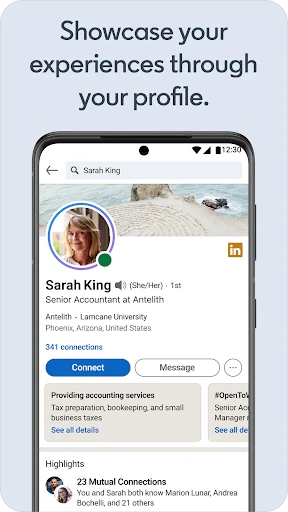
Picture this: You’re sitting at a bustling cafe, sipping your latte, and suddenly decide it’s time to level up your professional life. You whip out your phone, tap on the LinkedIn app, and bam! You’re instantly connected to a world of opportunities. With over 700 million users, LinkedIn isn’t just about slapping your resume online. It’s a thriving community where you can build your personal brand, showcase your skills, and engage with industry leaders. Seriously, it’s like having a never-ending networking event at your fingertips.
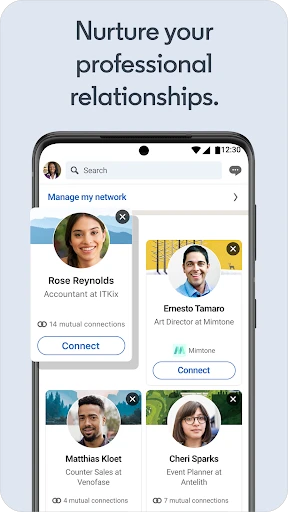
One of the standout features? The People You May Know section. It’s eerily accurate, like it’s reading your mind, introducing you to potential connections that could lead to your next big career move. Plus, the ability to join groups and participate in discussions means you’re never out of the loop on the latest industry trends.
Job Hunting Made Easy
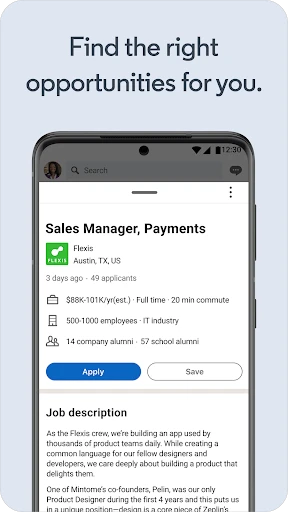
Let’s chat about the job search feature, shall we? It’s like having a personal recruiter who’s on duty 24/7. The app’s job recommendations are tailored to your profile, experience, and interests. So whether you’re on the hunt for a new gig or just keeping an eye on the market, LinkedIn’s got your back. And the in-app application process? Smooth as butter. You can apply for jobs with just a few taps, eliminating the hassle of repetitive data entry.
But here’s the kicker: LinkedIn doesn’t just list jobs; it gives you insights. You get to see how many applicants there are, the skills you need to beef up, and even the salary range. It’s like getting a sneak peek into the employer’s mind—pretty nifty, right?
Stay Ahead with Business News
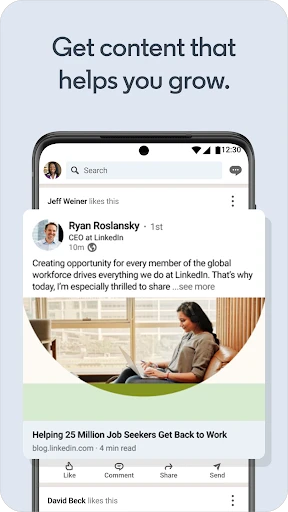
If you’re anything like me, staying updated with the latest business news is crucial. LinkedIn’s got a dedicated section for that. From articles penned by industry experts to breaking news alerts, you’ll always be in the know. It’s like having a personal news assistant that curates content that actually matters to you.
And let’s not forget about LinkedIn Learning. Ever wanted to polish your skills or learn something new? Whether it’s mastering Excel or diving into digital marketing, there’s a course for that. The best part? Most of these are led by industry leaders, giving you insights from the best in the biz.
Final Thoughts
In a nutshell, LinkedIn: Jobs & Business News is like your own personal career coach, news anchor, and networking event rolled into one. It’s a must-have for anyone looking to make waves in their professional life. Whether you’re climbing the corporate ladder or just starting out, this app is a trusty companion. So go ahead, download it, and take the plunge into a world of endless possibilities. Happy networking!

- Developer
- Version
- 4.1.1074
- Installs
- 1,000,000,000+
- Android Version
- 9
- Content Rating
- Everyone
- Price
- Free
- Wide professional network access.
- Job alerts and recommendations.
- In-depth company insights.
- Skill endorsements from peers.
- Mobile-friendly interface.
- Limited free features.
- Frequent notifications.
- Overwhelming for beginners.
- Privacy concerns over data.
- Occasional irrelevant ads.