Arch - AI Home Design
Have you ever found yourself daydreaming about transforming your home into a more modern, chic, or cozy space, but felt overwhelmed by the endless possibilities? Well, let me introduce you to Arch - AI Home Design, an app that just might make those dreams a reality without breaking a sweat. As someone who loves playing around with interior design ideas but lacks the time and expertise, this app seemed like the perfect companion. So, I downloaded it, and here’s what I discovered.
Getting Started with Arch
First things first, downloading and setting up Arch is a breeze. Available on both Android and iOS, it doesn’t take up much space on your device, which is always a bonus. Upon opening the app, you’re greeted with a sleek, user-friendly interface that’s both intuitive and visually appealing. The app walks you through a quick tutorial on how to use its features, which is super helpful if you’re not tech-savvy.
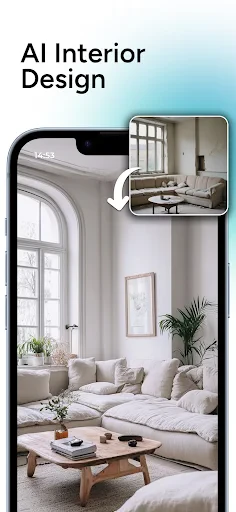
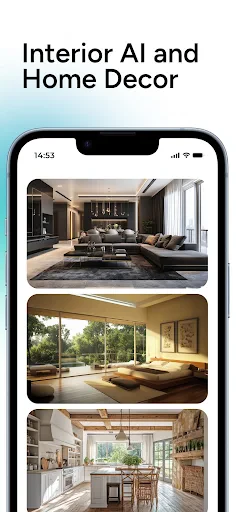
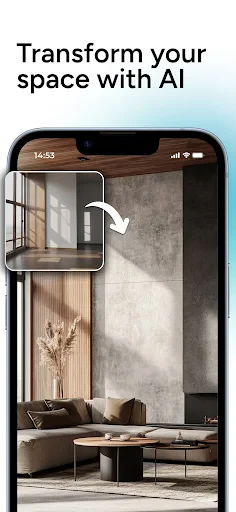
Once you’re set up, you can dive into the world of AI-powered home design. The app allows you to either upload photos of your current space or use sample rooms to start experimenting with different design elements. Let’s just say, the temptation to redesign my entire house was strong!
Features That Stand Out
What really sets Arch apart are its AI-driven suggestions. The app analyzes your space and offers design recommendations based on the latest trends, your personal style preferences, and even the current layout of your room. It’s like having a professional interior designer at your fingertips 24/7.
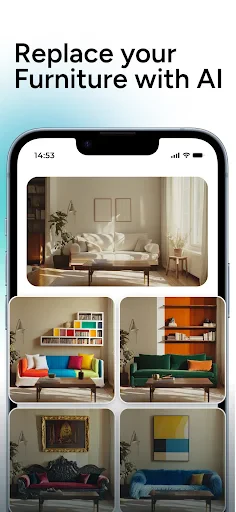
Another feature I loved was the augmented reality (AR) mode. It’s one thing to see design ideas on your screen, but being able to visualize them in your actual space is a total game-changer. I spent hours moving virtual furniture around my living room, testing color palettes, and experimenting with different styles. It’s both fun and practical, especially if you’re serious about redecorating.
User Experience
Now, let’s talk about user experience. Arch is designed to cater to both beginners and seasoned designers. The controls are straightforward, and the app doesn’t bombard you with ads, which is a huge relief. Plus, if you ever get stuck, there’s a comprehensive help section that answers most questions you might have.
One thing to keep in mind is that while the basic features are free, some advanced options require a subscription. It’s worth considering if you’re planning a major redesign, but for casual users, the free version offers plenty to play around with.
Final Thoughts
All in all, Arch - AI Home Design is a fantastic tool for anyone looking to spruce up their home with minimal hassle. Whether you’re a design newbie or a seasoned pro, this app offers a little something for everyone. The AI suggestions and AR capabilities make it stand out in the crowded world of design apps, and it’s definitely worth a try if you’re itching to give your home a fresh new look.
So, if you’re ready to embark on a home design adventure, why not give Arch a shot? It’s fun, easy to use, and might just inspire you to create the space of your dreams.

- Developer
- APPNATION AS
- Version
- 2.9.1
- Installs
- 1,000,000+
- Android Version
- 8.0
- Content Rating
- Everyone
- Price
- Free
- User-friendly interface enhances design experience.
- Wide variety of design templates available.
- AI offers personalized design suggestions.
- Seamless integration with smart home devices.
- Regular updates with new features and improvements.
- Occasional lag on older devices.
- Limited free features
- premium needed for full access.
- Requires stable internet connection.
- Complex features may have a learning curve.