
Hyundai Digital Key
Unlocking Convenience: My Experience with the Hyundai Digital Key
Ever found yourself juggling keys, bags, and a cup of coffee, wishing for an extra hand? Well, let me introduce you to a game-changer in the automotive world—the Hyundai Digital Key. This nifty app allows you to ditch the traditional car key in favor of your smartphone, giving you a taste of the future right in your pocket.
Setting Up: Easier Than You Think
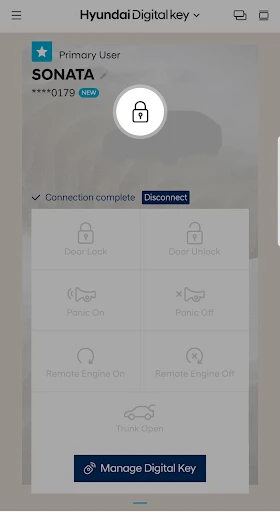
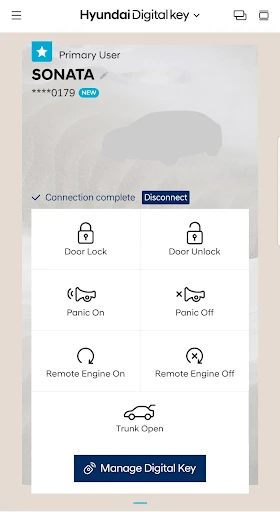
Getting started with the Hyundai Digital Key was surprisingly straightforward. After downloading the app from the Google Play Store or Apple App Store, I was guided through a seamless setup process. All it took was a couple of taps, and my phone was ready to unlock, lock, and even start my Hyundai vehicle. The app utilizes NFC technology, which means I just need to tap my phone on the door handle or the start button to get going. It’s like magic, and honestly, I’m here for it!
The Daily Drive: Convenience at Its Best
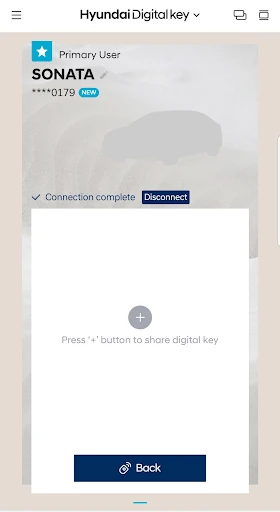
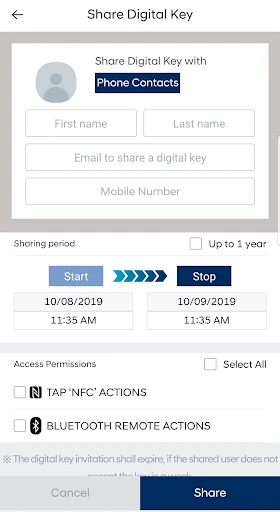
Using the digital key in my daily routine was a breeze. No more fumbling in my bag for keys—my phone does it all. Whether I’m running errands or heading out on a road trip, the Hyundai Digital Key keeps things simple and stress-free. Plus, I can share access with friends or family through the app, which is perfect for those days when someone else needs to use the car.
One of the coolest features? The ability to set up personalized driver profiles. The car adjusts the seat, mirrors, and even climate controls based on who’s driving. It’s like having a personalized concierge service every time I get behind the wheel.
Security: Peace of Mind
Now, I know what you’re thinking—what about security? Hyundai has got that covered. The digital key uses advanced encryption to ensure that only authorized users can access the car. Plus, if your phone gets lost or stolen, you can quickly revoke access, which is a huge relief. It’s clear that Hyundai has put a lot of thought into keeping your vehicle safe from digital threats.
Room for Improvement: The Techie Details
While the Hyundai Digital Key is a fantastic tool, there are a couple of areas where it could improve. For instance, the app requires your phone to be fully charged and operational—something to keep in mind if you’re prone to running low on battery. Also, at the moment, it’s only compatible with select Hyundai models, so not everyone can jump on the bandwagon just yet.
Final Thoughts: A Step Towards the Future
In conclusion, the Hyundai Digital Key is a brilliant blend of technology and convenience. It’s a glimpse into the future of driving, making life just that little bit easier. Whether you’re a tech enthusiast or just someone who appreciates a bit of convenience, this app is worth checking out. As car technology continues to evolve, I’m excited to see how digital keys like this one will shape our driving experiences. So, if you own a compatible Hyundai model, give it a try and unlock a new level of convenience.
- Developer
- Hyundai Motor America
- Version
- 1.0.28.1
- Installs
- 100,000+
- Android Version
- 7.0
- Content Rating
- Everyone
- Price
- Free
- Convenient keyless entry and start.
- Easy to share keys with family.
- Secure with Bluetooth technology.
- Compatible with most Hyundai models.
- User-friendly app interface.
- Limited to newer Hyundai models.
- Requires smartphone with NFC.
- May drain phone battery quickly.
- Initial setup can be confusing.
- Dependent on Bluetooth connection.