How To Draw Comics
Alright, so I’ve just spent some quality time with the app How To Draw Comics, and let me tell you, it's a game-changer for anyone who’s ever wanted to try their hand at comic book artistry. As someone who loves doodling but isn’t exactly Michelangelo, I was curious to see if this app could actually teach me something. Spoiler alert: it did, and I’ve got some cool drawings to prove it!
Getting Started with Your Comic Journey
First things first, jumping into How To Draw Comics is super simple. The app greets you with an intuitive interface that makes navigating a breeze. Whether you’re a complete beginner or you’ve got a little artistic flair, you’ll find tutorials tailored to your level. I was impressed by the range of styles they offer, from classic superhero vibes to more modern, edgy looks. You’re not just learning to draw; you’re discovering what kind of artist you can be.
Features That Make You Feel Like a Pro
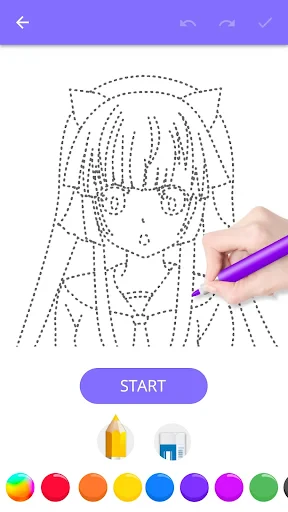
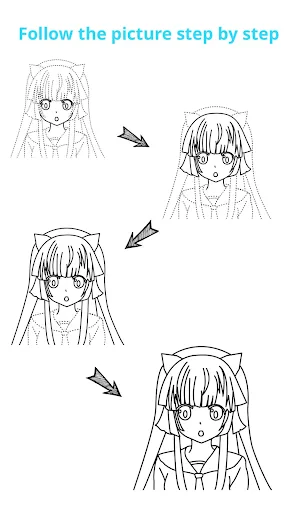
One of the standout features has to be the step-by-step instructions. The app breaks down complex drawings into manageable steps, so you’re never overwhelmed. I appreciated how each step included diagrams and written explanations, making it easy to follow along. Plus, there's a nifty zoom feature that lets you get up close and personal with the finer details, which is perfect for precision work.
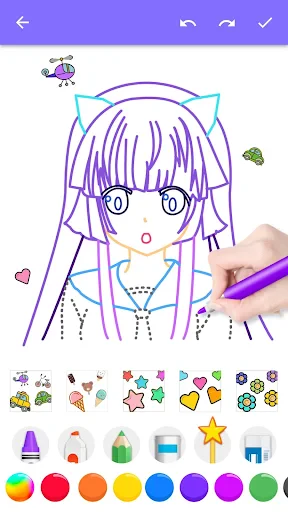
Another great aspect is the variety of tools available. You’ve got everything from different brush types to color palettes that rival some desktop drawing software. It’s like having a mini art studio right in your pocket, and it’s especially handy for sketching on the go. I found myself reaching for my phone during lunch breaks just to add a few more strokes to my latest masterpiece.
Why You’ll Keep Coming Back
What keeps the app engaging is the community aspect. There’s a feature that lets you upload your drawings and get feedback from other users. It’s awesome to see how others interpret the same instructions and put their unique spin on things. Plus, the app hosts regular challenges that push you to try new techniques and styles. It’s not just about learning; it’s about becoming part of a global community of comic enthusiasts.
And let’s talk about motivation. The app rewards your progress with badges and levels, which adds a bit of gamification to the learning process. I found myself eagerly completing lessons just to see what new badge I could earn next. It’s a small touch, but it makes a difference in keeping you engaged and eager to improve.
Final Thoughts
If you’ve ever dreamt of creating your own comic book, How To Draw Comics is definitely worth a download. It’s packed with features that cater to both novices and seasoned artists, and it’s designed to make learning fun and interactive. Whether you’re drawing for fun or looking to hone your skills for a future career, this app provides a solid foundation and endless inspiration. So grab your stylus, unleash your creativity, and dive into the world of comic art. Trust me, your inner artist will thank you!


- Developer
- Creative APPS
- Version
- 1.1.14
- Installs
- 1,000,000+
- Android Version
- 5.0
- Content Rating
- Everyone
- Price
- Free
- User-friendly interface for beginners
- Wide variety of comic style options
- Step-by-step drawing tutorials
- Offline access to saved tutorials
- Regular updates with new content
- Limited free content available
- In-app purchases can be expensive
- Ads can be intrusive at times
- Some tutorials lack depth
- No community sharing features