Cartoon Comic Strip Maker
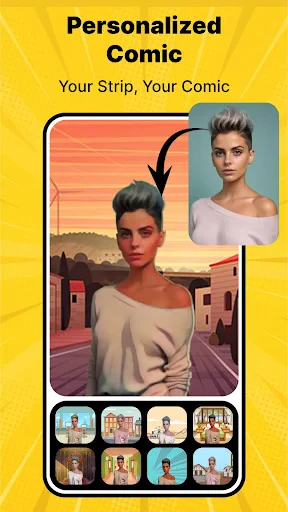
Have you ever wanted to bring your own comic strip to life, just like the ones you used to enjoy in the Sunday newspaper? Well, let me introduce you to the Cartoon Comic Strip Maker app, a fun and incredibly versatile tool that lets you create your own unique comic strips right from your smartphone or tablet. Whether you're an aspiring cartoonist or just looking for a creative outlet, this app offers a delightful way to express your stories visually.
Getting Started: A User-Friendly Experience
One of the first things you’ll notice when you fire up the Cartoon Comic Strip Maker is its intuitive interface. It’s designed to be as user-friendly as possible, so even if you’re a complete beginner, you’ll find yourself navigating through the app with ease. The main screen offers a clear layout where you can start a new project or edit an existing one. There’s a helpful tutorial to guide you through the basics, which I found really useful when I was getting started.
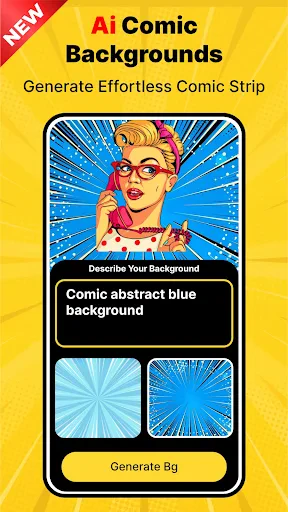
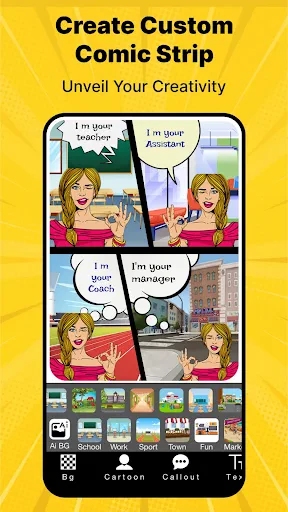
The app provides a variety of templates to choose from, which is perfect if you’re not sure where to start. You can select different panel layouts, adjust their sizes, and even customize the background colors. It’s like having a digital canvas where you can let your creativity flow.
Tools and Features: Let Your Creativity Shine
Cartoon Comic Strip Maker is packed with a wide range of tools and features to help bring your comic strip ideas to life. You have access to a vast library of pre-made characters and objects, which is great if you want to quickly populate your comic. But if you’re feeling more artistic, you can draw your own characters using the app’s drawing tools. These tools are surprisingly sophisticated, offering different brush styles, colors, and layers to work with.
Adding text is also a breeze. You can choose from various speech bubble styles and fonts, making it easy to add dialogue and narration to your comic. I particularly enjoyed experimenting with different font styles to give my characters unique voices.
Sharing Your Masterpiece
Once you’ve created your comic strip, sharing it with the world is just a few taps away. The app allows you to export your creations in different formats, suitable for social media sharing or printing. I found it incredibly satisfying to see my work come to life in a tangible form, ready to be shared with friends or published online.
Moreover, the app integrates seamlessly with platforms like Instagram, Facebook, and Twitter, so you can showcase your comic strips to a broader audience without any hassle. This feature is perfect for those who want to build a portfolio or simply share their creativity with the world.
Overall, the Cartoon Comic Strip Maker app is a fantastic tool for anyone interested in creating comics. Its user-friendly interface, coupled with a rich array of features, makes it accessible for both beginners and seasoned artists. Whether you’re crafting a simple comic strip for fun or working on a more elaborate project, this app offers everything you need to bring your ideas to life. So why not give it a try and start creating your own comic stories today?


- Developer
- Csmartworld
- Version
- 7.8
- Installs
- 1,000,000+
- Android Version
- 7.0
- Content Rating
- Everyone
- Price
- Free
- User-friendly interface for easy creation
- Wide variety of customizable templates
- Rich library of characters and props
- Export options in multiple formats
- Regular updates with new features
- Limited free version features
- Occasional app crashes reported
- In-app purchases can be pricey
- Requires internet for some features
- Ads can be intrusive at times