House Design 3D - Home Planner
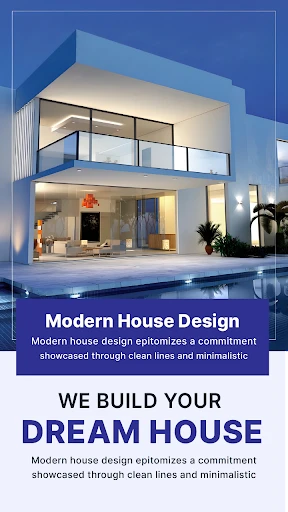
Have you ever dreamed of designing your perfect home without lifting a single brick? Well, with House Design 3D - Home Planner, those dreams can become virtual reality! I recently dived into this app, curious to see if it could transform my wild architectural ideas into something tangible (or at least visible on my screen). Spoiler alert: I was quite impressed.
Getting Started: A User-Friendly Introduction
As soon as you open House Design 3D, you're greeted with a sleek and intuitive interface. I was a bit apprehensive at first, thinking, “Oh boy, this might be one of those apps where you need a degree in architecture to understand.” But to my pleasant surprise, it was quite the opposite. The app offers a tutorial for beginners, which is straightforward and gets you designing in no time. Even if you're like me and your architectural knowledge is limited to building Lego houses as a kid, you'll find this app incredibly approachable.
Features that Stand Out
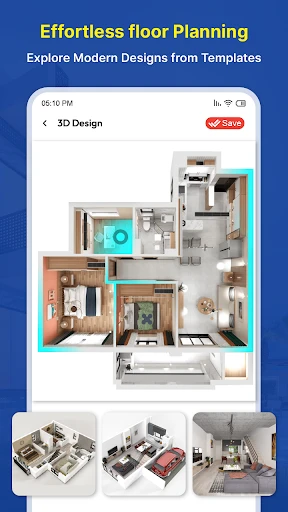
What really sets House Design 3D apart are its robust features. First off, the 3D rendering is just fantastic. You can zoom in, zoom out, and rotate your design, giving you a full perspective of your creation. It's almost like walking through your dream house!
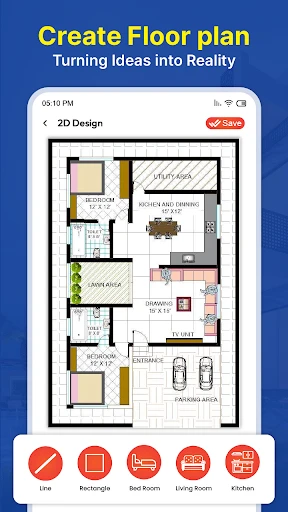
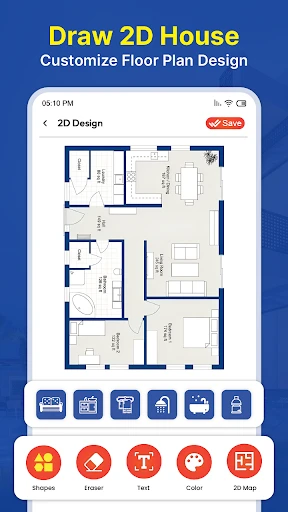
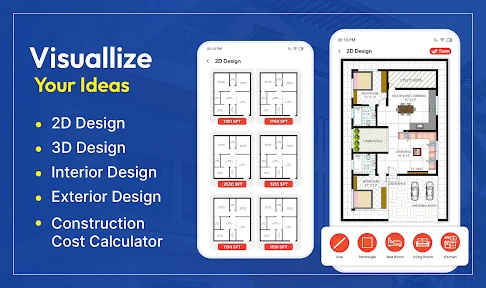
Another feature I found particularly handy is the ability to switch between 2D and 3D views. Planning in 2D gives you the precision for measurements and placements, while 3D offers a more realistic view. It's like having the best of both worlds, and for a visual person like me, this is a game-changer.
Customization Galore
The app offers a wide range of furniture, decor items, and materials to choose from. Want to see how a plush red sofa looks against a navy blue wall? Or maybe you're curious if wooden flooring matches your modern aesthetic? Go wild! The customization options are practically endless, allowing you to tweak every nook and cranny until your virtual space feels just right.
For those of us who love to share our creations (or need a second opinion), House Design 3D lets you export your designs and share them with friends or even potential contractors. So, not only can you design like a pro, but you can also collaborate like one!
Room for Improvement?
While I've been singing its praises, no app is perfect. I noticed that on older devices, the app tends to lag a bit, especially when working on larger, more detailed projects. It's not a deal-breaker, but something to keep in mind if your phone is on the older side.
Additionally, while the free version of the app is quite generous, offering a lot of features, there are some premium options that are locked behind a paywall. If you're someone who loves going all out with design, you might find yourself tempted to shell out a bit for those extra goodies.
Overall, House Design 3D - Home Planner is a fantastic tool for budding designers and seasoned pros alike. Whether you're planning a small room makeover or your dream home, this app has got you covered. Grab your tablet, let your imagination run wild, and who knows? You might just create something amazing!
- Developer
- Digital Grace App
- Version
- 2.2.0
- Installs
- 1,000,000+
- Android Version
- 6.0
- Content Rating
- Everyone
- Price
- Free
- User-friendly interface for easy navigation.
- Realistic 3D rendering of home designs.
- Extensive library of furniture and decor.
- Offline mode for designing without internet.
- Supports multi-floor and complex designs.
- Limited free version features.
- Occasional app crashes reported.
- High-quality output may require in-app purchases.
- Some users find loading times slow.
- Complex designs may drain battery quickly.