
Hearing Clear: Sound Amplifier
Ever found yourself straining to catch every word during a conversation in a noisy cafe or struggling to hear your favorite podcast on a bustling street? Let me introduce you to Hearing Clear: Sound Amplifier, an app that promises to turn your smartphone into a sophisticated hearing assistant. After spending some quality time with this app, I’m here to spill all the beans.
Getting Started with Hearing Clear
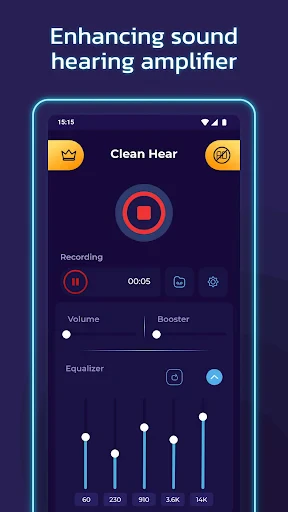
First things first, downloading and setting up Hearing Clear: Sound Amplifier is a breeze. Available for both Android and iOS, it’s just a quick search away in your app store. Once installed, the app greets you with a clean and user-friendly interface. Navigating through the app is straightforward, even for the less tech-savvy among us. The design is intuitive, making it easy to access its features without a steep learning curve.
Features That Stand Out
One of the standout features of this app is its ability to enhance ambient sounds. Whether you’re attending a lecture, hanging out at a party, or just trying to catch the latest gossip over a cup of coffee, Hearing Clear amplifies the sounds you want to hear while minimizing background noise. It’s like having a tiny sound engineer in your pocket!
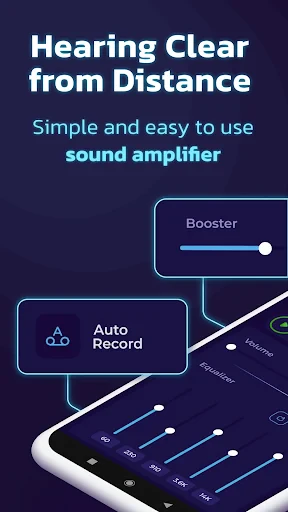
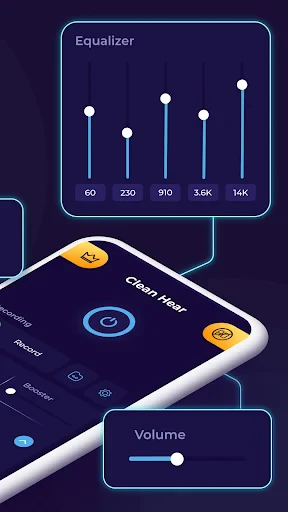
Another neat feature is the customizable sound settings. You can tweak the sound frequencies to suit your personal hearing preferences. Whether you need a little boost in the bass or a sharper treble, the app’s got you covered. This level of customization is not something you find in every sound amplifier app out there.
Real World Testing
I put this app through its paces in various environments, from quiet rooms to bustling streets. In a quiet setting, the app performed admirably, enhancing conversations without any noticeable lag. In noisier environments, it did a pretty decent job of reducing background noise, though there were moments when the amplification felt a bit overwhelming. But hey, nothing a little tweaking in the settings couldn’t fix!
The battery consumption was something I kept a close eye on, and I’m happy to report that it didn’t drain my phone’s battery noticeably faster than usual. This is a big win, especially if you’re planning on using the app for extended periods.
Wrapping It Up
Overall, Hearing Clear: Sound Amplifier is a robust tool for anyone looking to enhance their hearing experience without investing in expensive hardware. It’s perfect for those everyday moments when you need just a little extra auditory help. While it’s not a replacement for professional hearing aids, it’s a nifty solution for situational hearing challenges.
So, if you’re curious and ready to give your ears that extra edge, why not give Hearing Clear a try? It might just make your daily auditory experiences a whole lot clearer and more enjoyable.
- Developer
- TarrySoft
- Version
- 2.7.7
- Installs
- 5,000,000+
- Android Version
- 5.0
- Content Rating
- Everyone
- Price
- Free
- User-friendly interface for all ages
- Customizable sound settings
- Improves hearing in noisy environments
- Supports Bluetooth hearing aids
- Low battery consumption
- Limited to certain device models
- Occasional app crashes reported
- Requires Android 8.0 or higher
- No offline mode available
- Limited language support


