Hammer: Truck GPS & Maps
Getting Started with Hammer: Truck GPS & Maps
Hey there, fellow road warriors! Today, I'm diving into the world of Hammer: Truck GPS & Maps, an app designed specifically for truck drivers like us. Whether you're a long-haul trucker or just someone who drives a big rig occasionally, this app promises to make your journey smoother and more efficient. Let's see if it delivers on that promise.
First Impressions
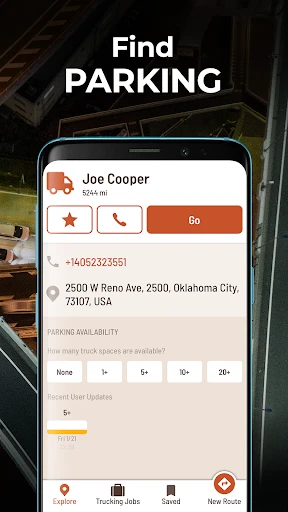
Upon firing up the app, the first thing that strikes you is its user-friendly interface. It's pretty intuitive, which is great because, let's face it, nobody wants to deal with a complicated app when they're trying to focus on the road. The main screen offers easy access to all the essential features, such as routing, maps, and traffic updates.
The app's design is clean and straightforward, which is crucial when you're driving a massive vehicle and need to minimize distractions. The fonts are large enough to read at a glance, and the buttons are big enough to tap without fuss. So, initial impressions? Pretty darn good!
Features Worth Talking About
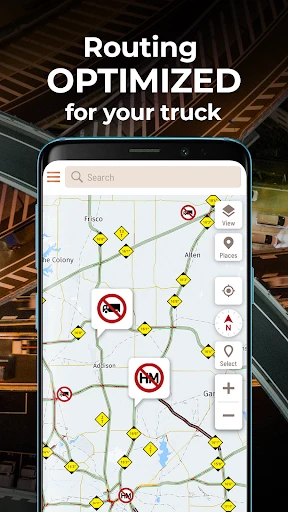
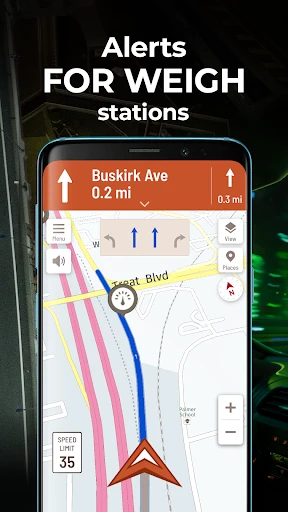
Now, onto the meat of the app. Hammer: Truck GPS & Maps offers a plethora of features that are specifically tailored for truck drivers. One of the standout features is the truck-specific routing. Unlike regular GPS apps, Hammer takes into account the size and weight of your vehicle, avoiding low bridges and weight-restricted roads. This is a lifesaver and can save you from some seriously sticky situations.
The app also provides real-time traffic updates, which is a huge plus. Nobody likes being stuck in traffic, and with Hammer, you can avoid congested areas and find alternative routes. Plus, it updates you on road hazards, so you can steer clear of any unwanted surprises.
Maps and Navigation
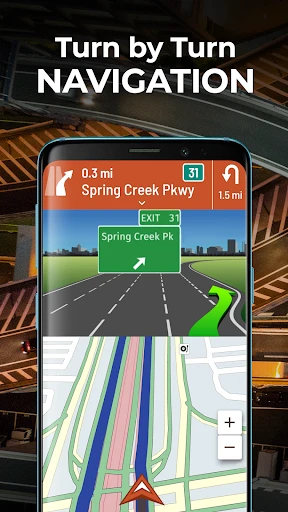
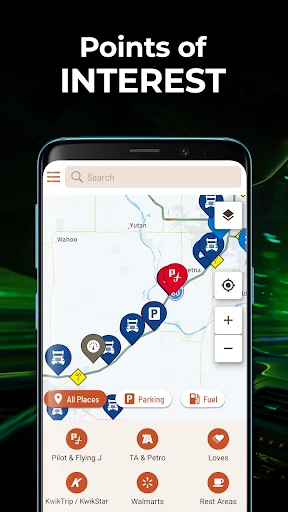
The maps on Hammer are detailed and accurate. They offer both 2D and 3D views, which is pretty neat. I found the navigation voice commands to be clear and precise, reducing the need to constantly glance at the screen. Another cool feature is the night mode, which dims the screen and makes it easier on the eyes during those late-night drives.
One thing I particularly appreciated is the offline maps feature. We all know how unreliable mobile signals can be in remote areas, so having access to maps without needing an internet connection is a huge advantage.
Room for Improvement
Of course, no app is perfect, and Hammer has its quirks. Occasionally, the app takes a while to load certain features, which can be a bit frustrating when you're in a hurry. Also, while the app covers a lot of roads, there are still some remote areas where the map details could be improved.
Another point to consider is the battery usage. As with many GPS apps, Hammer can be a bit of a battery hog, so make sure you have a charger handy during long trips.
Final Thoughts
Overall, Hammer: Truck GPS & Maps is a solid choice for truckers looking for a reliable navigation tool. It excels in providing truck-specific routes and real-time traffic updates, making it a valuable companion on the road. While there are a few areas for improvement, the app's benefits far outweigh its drawbacks.
If you're a truck driver in search of a dependable GPS app, give Hammer a shot. It's like having a trusty co-pilot who knows the roads just as well as you do. Safe travels!
- Developer
- TruckersReport.com
- Version
- 2.6.1
- Installs
- 1,000,000+
- Android Version
- 7.0
- Content Rating
- Everyone
- Price
- Free
- Accurate GPS for truck-specific routes
- Real-time traffic updates
- Customizable route preferences
- Offline maps available
- Easy interface for truck drivers
- Large app size
- Consumes significant battery
- Limited free features
- Occasional map glitches
- Requires constant internet for updates