Microsoft Family Safety
Have you ever wished for a simple way to ensure your family stays safe in this digital age? Enter Microsoft Family Safety — a comprehensive app designed to help you protect what matters most. As someone who's navigated the bustling corridors of parenting in a tech-driven world, I can tell you that this app is like having a guardian angel watching over your family's online activities.
Getting Started with Microsoft Family Safety
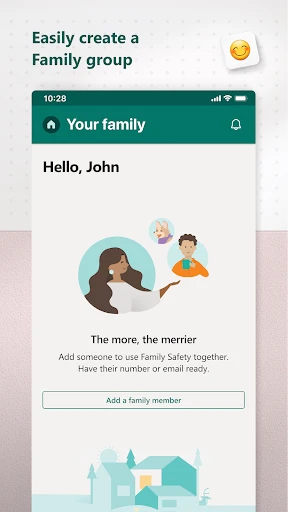
First things first, setting up the app is a breeze. I remember thinking, “Oh boy, another app to configure!” but I was pleasantly surprised. You just need a Microsoft account, and you're good to go. The interface is intuitive, so even if you're not the most tech-savvy person, you'll find your way around without much fuss.
Features That Make Life Easier
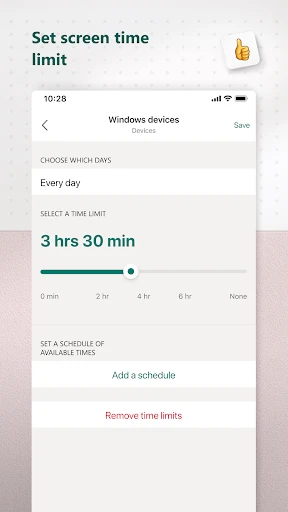
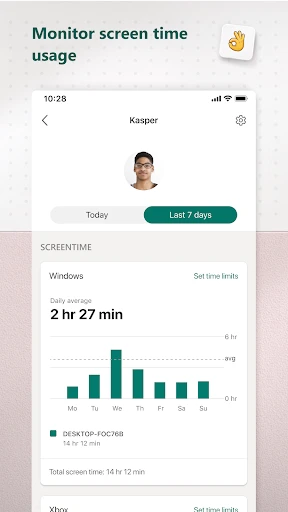
Now, let's dive into the features. One of my favorites is the screen time management. You can set limits on how long your kids can use their devices. It's like magic — no more endless negotiations or "Just five more minutes, pleeease!"
Location sharing is another gem. You can see where your family members are, and they can see where you are. It's not about spying, it's about peace of mind. I’ve found it especially handy when my kids are out on their bikes or visiting friends.
Keeping Tabs on Online Activities
The web and search filters are perfect for keeping tabs on what your kids are diving into online. I was amazed at how effectively it blocks mature content, allowing me to breathe easy knowing my kids are safe from the darker corners of the internet.
Another cool feature is the ability to track spending. If your kids have a habit of racking up charges on your credit card, this feature will be your best friend. You can set spending limits and receive notifications about their purchases.
Real-Life Impact
Using Microsoft Family Safety has genuinely impacted our family's dynamics. My kids have learned to balance their screen time with other activities, which was a massive win for us. Plus, they appreciate the freedom they have with location sharing, knowing we trust them to explore their world safely.
Before I had this app, managing our digital lives felt like a full-time job. But now, I can confidently say that Microsoft Family Safety has been a game-changer. It's as if I've got a digital toolkit that helps me keep my family safe and sound.
In a world where technology can sometimes feel like a double-edged sword, it's reassuring to have tools like Microsoft Family Safety. It’s more than just an app; it’s a partner in parenting, helping you navigate the complexities of the digital age. So, if you're on the fence about trying it, I'd say give it a shot — it might just be the peace of mind you've been looking for.

- Developer
- Microsoft Corporation
- Version
- 2.0.2.1058
- Installs
- 5,000,000+
- Android Version
- 9
- Content Rating
- Everyone
- Price
- Free
- Comprehensive parental control features.
- Real-time location sharing for family.
- Screen time limits and app blocking.
- Activity reports and alerts.
- Cross-platform compatibility.
- Requires Microsoft account login.
- Limited free features available.
- Some features need premium subscription.
- May affect device performance.
- Complex initial setup process.