Google Classroom
If you’ve ever had to juggle multiple assignments or struggled to keep track of class schedules, then Google Classroom might just be your new best friend. It’s like having a personal assistant dedicated to your academic life, and trust me, that’s a game-changer.
The Ultimate Organizer
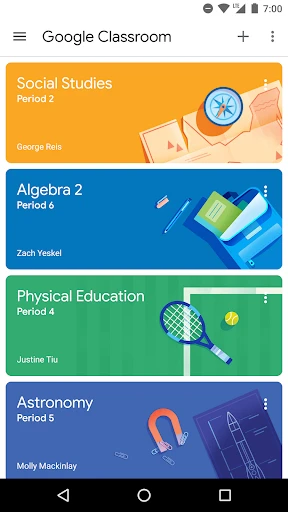
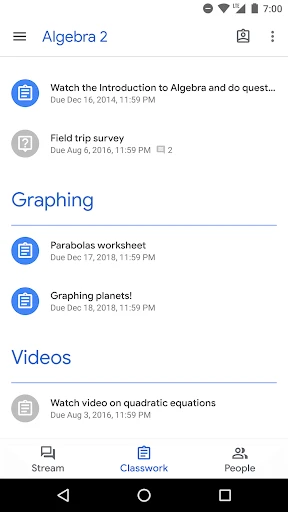
Let’s talk about the main event here: organization. Google Classroom is designed to streamline the way you manage your classes. The app brings together all your classes, assignments, and feedback in one neat place. Imagine not having to fish through emails or scramble around different platforms just to find that one document your teacher sent last week. With Google Classroom, all the important stuff is right at your fingertips.
What I really love is how it integrates with other Google apps like Google Drive, Docs, and Calendar. It’s like a seamless ecosystem where everything just works together. You can easily access Drive to attach files, use Docs to draft assignments, and Calendar to keep track of deadlines. It’s a beautiful symphony of productivity.
Engage and Interact
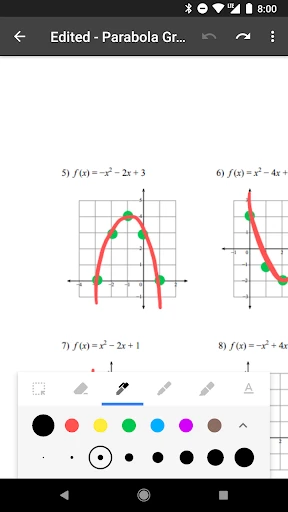
Google Classroom isn’t just about keeping things tidy. It’s also a platform for communication. Teachers can post announcements, create discussion threads, and even give real-time feedback on assignments. As a student, this means you’re always in the loop. No more guessing games about what’s due when. Plus, the ability to ask questions and get quick responses is invaluable.
The app also encourages collaboration. Group projects become less of a hassle when everyone is on the same page. You can share resources, discuss ideas, and work on projects together, all within the app. It’s like having a virtual study group available 24/7.
Flexibility and Accessibility
One of the standout features of Google Classroom is its accessibility. Whether you’re on a computer, tablet, or smartphone, you can access your classes anytime, anywhere. This flexibility is perfect for students who are always on the move. Plus, the interface is clean and user-friendly, so you won’t find yourself getting lost in a sea of tabs and buttons.
Another great thing is how it supports different learning styles. Whether you’re a visual learner who benefits from videos and images, or someone who prefers reading text, Google Classroom caters to all. Teachers can upload a variety of resources to suit everyone’s needs.
Final Thoughts
In the grand scheme of educational apps, Google Classroom stands out as a reliable, efficient, and user-friendly platform. It’s not just an app; it’s a tool that enhances the learning experience. Whether you’re a student trying to manage your studies or a teacher looking for a better way to connect with your students, Google Classroom is worth checking out.
In a world where digital learning is becoming the norm, having an app like Google Classroom that’s built to support and enhance that experience is crucial. So, if you haven’t already, give it a try. You might find that it makes your educational journey just a little bit easier.
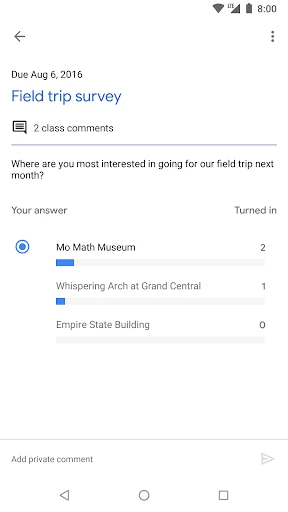
- Developer
- Google LLC
- Version
- 3.28.734598321
- Installs
- 100,000,000+
- Android Version
- 7.0
- Content Rating
- Everyone
- Price
- Free
- User-friendly interface for easy navigation
- Integrates well with other Google services
- Facilitates communication between teachers and students
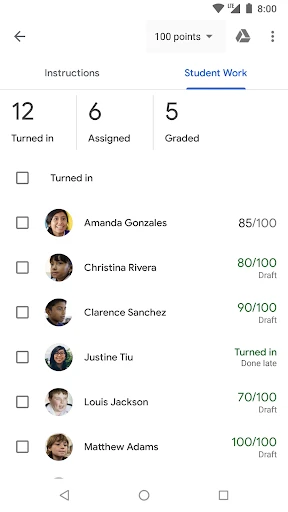
- Supports assignment tracking and grading
- Free to use for schools and personal use
- Limited customization options for teachers
- Requires internet connection to access
- Notifications can be overwhelming
- Lacks some advanced features for grading
- Depends heavily on Google ecosystem