
Google Maps Go
Discovering the World with Google Maps Go
Hey there, fellow explorers! Today, I’m diving into the intriguing world of Google Maps Go, the lighter version of the popular Google Maps app. If you're someone who loves to travel or just navigate through your city's nooks and crannies without gobbling up your phone’s resources, this app might just be your next best friend.
A Lightweight Marvel
First off, let’s chat about why Google Maps Go is a game-changer. Unlike its beefier counterpart, this app is designed to be super lightweight. Imagine having the power of navigation without weighing down your phone. It's like carrying a map in your pocket without actually feeling it there! For those of us constantly battling storage issues, this app is a savior. It’s optimized to work smoothly even on devices with limited RAM and storage, making it a fantastic choice for older devices or those running on Android Go.
All the Essentials, None of the Fuss
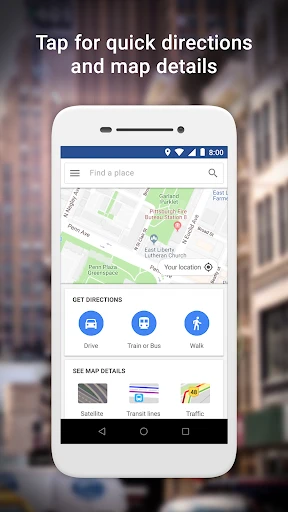
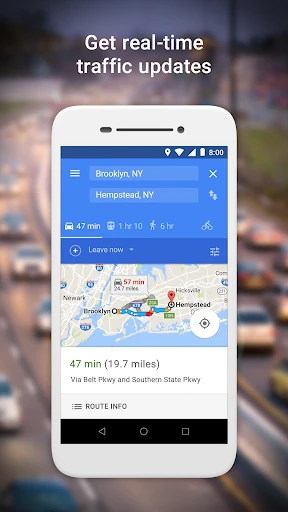
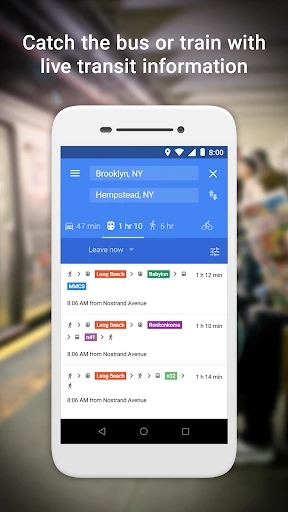
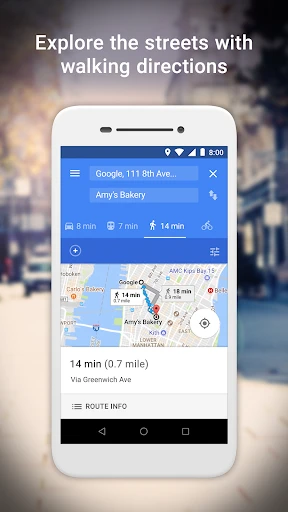
Despite being a toned-down version, Google Maps Go doesn’t skimp on essential features. You still get the usual suspects: real-time GPS navigation, transit information, and directions for driving, walking, and biking. The interface is clean and straightforward, perfect for those who want functionality without the fluff. Plus, it integrates seamlessly with other Google apps, so switching between them is a breeze.
Perfect for On-the-Go
Now, you might be wondering, "What’s the catch?" Well, Google Maps Go is primarily a Progressive Web App (PWA), meaning it relies heavily on your internet connection. So, while it’s great for urban adventurers with solid network coverage, it might not be the best option for tackling remote trails or off-the-grid locations. But hey, if you’re mostly city-bound, this little app is a gem.
Efficient and User-Friendly
Using Google Maps Go is as easy as pie. The app is designed to be intuitive, so even if you’re not a tech whiz, you’ll find your way around effortlessly. I found the transit options particularly helpful, especially when navigating public transport in busy cities. The app updates routes in real-time, ensuring you’re always on the fastest path.
Limitations? What Limitations?
Alright, let’s address the elephant in the room. Yes, there are a few features from the full-fledged Google Maps that you won’t find here, like offline maps and Street View. But honestly, if you’re looking for a no-frills, efficient navigation tool, this app ticks all the right boxes. It’s about simplifying your experience without compromising on the essentials.
Final Thoughts
So, should you switch to Google Maps Go? If you’re someone who values storage space and efficiency over bells and whistles, absolutely! It’s a robust little app that delivers where it matters most. Think of it as your trusty old compass, reliable and straightforward.
In a world where apps are becoming increasingly complex, Google Maps Go offers a refreshing break from the norm. It’s a reminder that sometimes, less truly is more. So go ahead, give it a whirl, and let it guide you on your next adventure!
- Developer
- Google LLC
- Version
- Varies With Device
- Installs
- 1,000,000,000+
- Android Version
- Varies With Device
- Content Rating
- Everyone
- Price
- Free
- Lightweight
- saves storage space
- Fast and efficient for low-end devices
- Accurate location tracking
- Supports voice-guided navigation
- Lacks some features of full version
- Limited customization options
- No real-time traffic updates
- Requires internet for most features
- Not suitable for power users