Canvas Student
Getting Started with Canvas Student
Hey there, fellow students and lifelong learners! If you're anything like me, juggling between different courses, assignments, and deadlines can sometimes feel like herding cats. But don't worry, because Canvas Student is here to make your academic life a whole lot easier. So, let's dive into what makes this app a must-have for every student out there.
First Impressions
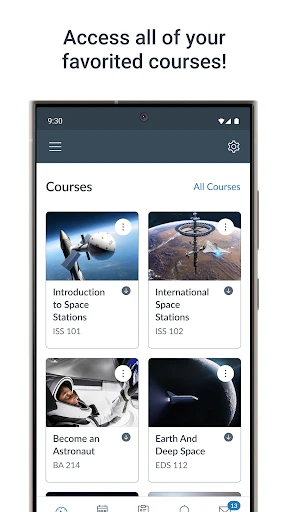
First off, when you download the Canvas Student app, available on both Android and iOS, you'll notice its clean and intuitive interface. It’s not just another educational app; it's like having a mini-classroom right in your pocket. The moment you log in, you’re greeted with a dashboard that lays out all your courses neatly. No more hunting down that elusive syllabus or assignment detail on a cluttered desktop – everything is at your fingertips!
Features That Make It Shine
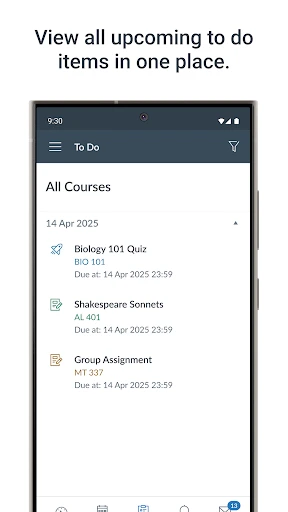
One of the standout features of Canvas Student is the assignment submission capability. Imagine this: You finish your essay at a coffee shop and realize you need to submit it before midnight. No problem! Just a few taps, and your assignment is uploaded. Plus, the app supports various file types, making it super flexible.
Need to check your grades? The Grades section gives you a breakdown of your scores, and you can even simulate potential grades to see how your upcoming assignments might affect your overall performance. It's like having your personal academic advisor on speed dial.
Staying Connected
Communication is key in any learning environment, and Canvas Student nails it with its discussion boards and messaging features. You can join class discussions, ask questions, and get feedback—all from the comfort of your couch. And the best part? You can customize notifications so you never miss out on important updates from your instructors.
Accessibility and Ease of Use
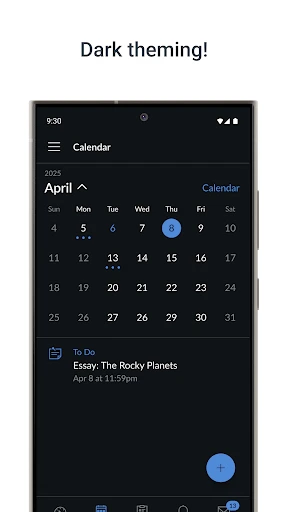
Another thing I love about the Canvas Student app is its accessibility. The app is designed to be user-friendly, even for those who aren't tech-savvy. Everything is just a tap away, and the app runs smoothly without any hiccups. Whether you're using a smartphone or a tablet, the user experience remains consistently seamless.
Final Thoughts
In a nutshell, Canvas Student is like that reliable friend who always has your back. It's a powerful tool that helps streamline your academic responsibilities, giving you more time to focus on what truly matters—learning. Whether you’re tracking assignments, checking grades, or engaging with peers, this app ensures you're always in the loop.
So, if you’re ready to take control of your student life and boost your productivity, give Canvas Student a try. Trust me, once you get the hang of it, you’ll wonder how you ever managed without it!


- Developer
- Instructure
- Version
- 7.12.0
- Installs
- 10,000,000+
- Android Version
- 8.0
- Content Rating
- Everyone
- Price
- Free
- User-friendly interface for easy navigation.
- Real-time notifications for updates.
- Offline mode for accessing materials.
- Integrates with various educational tools.
- Supports multimedia submissions.
- Requires internet for full functionality.
- Limited customization options.
- Occasional sync issues reported.
- Some features require in-app purchases.
- Can drain battery quickly on older devices.