FlipaClip: Create 2D Animation
Bring Your Animation Ideas to Life with FlipaClip
Hey there, fellow animation enthusiasts! If you're anything like me, you've probably spent hours doodling in your notebooks, dreaming of bringing those sketches to life. Well, dream no more because FlipaClip: Create 2D Animation is here to make your animated dreams a reality. Let me take you on a little tour of this fantastic app and show you why it's become my go-to for all things animation.
Unleashing Creativity with FlipaClip
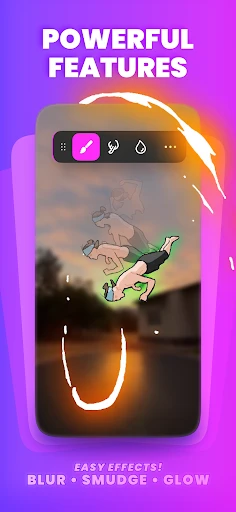
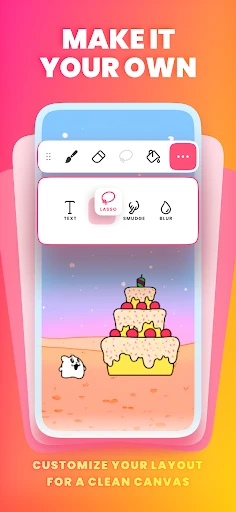
Right from the get-go, FlipaClip feels like a playground for creatives. The app's interface is super user-friendly, making it perfect for both newbies and seasoned animators. You don't need to be a professional to dive in and start animating. The tools are intuitive, with a variety of brushes, layers, and even an onion-skin feature that lets you keep track of your previous frames. It's like having a mini-animation studio in your pocket!
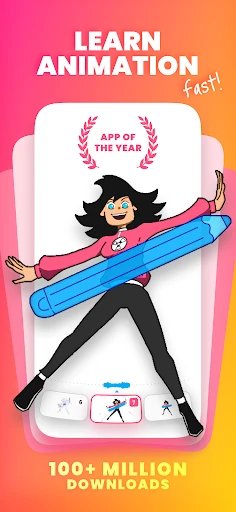
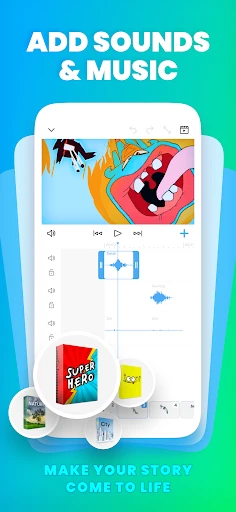
What really got me hooked was the app’s ability to let me work frame by frame. It’s reminiscent of those classic flipbooks we all loved as kids. And trust me, watching your drawings come to life one frame at a time is an exhilarating experience. Plus, with the option to add audio, you can truly make your animations pop!
A Community of Animators
One of the things that sets FlipaClip apart is its vibrant community. The app isn’t just about creating animations; it’s about sharing them too. You can easily export your projects and share them on social media or within the FlipaClip community. It’s inspiring to see what others are creating and it often sparks new ideas for my projects. Plus, there are regular contests and challenges that you can participate in, which is a great way to push your skills further.
Another neat feature is the app’s integration with various platforms, allowing you to import and export your work seamlessly. Whether you’re using an Android or iOS device, FlipaClip ensures that your creativity isn’t limited by technology.
Perfect for All Ages
What’s really cool about FlipaClip is its appeal across different age groups. Whether you're a kid who loves cartoons, a teenager exploring digital art, or an adult rekindling your love for animation, FlipaClip offers something for everyone. It’s educational too! The app encourages users to think like animators, understanding timing, movement, and storytelling.
As someone who’s tried (and failed) to animate on more complex software, FlipaClip is a breath of fresh air. It strips away the complicated parts and leaves you with the fun stuff. You can focus on your art and creativity, rather than getting bogged down by technical details.
Wrapping It Up
In conclusion, FlipaClip is a must-have app for anyone interested in animation, whether you're a complete beginner or a hobbyist looking to hone your skills. It's fun, accessible, and constantly evolving with new features and updates. Plus, the sense of community and shared passion for animation makes it a rewarding experience beyond just the app itself.
So, what are you waiting for? Grab your device, download FlipaClip, and start bringing those awesome ideas to life! Trust me, once you start animating, you won't want to stop. Happy animating!

- Developer
- Visual Blasters LLC
- Version
- 4.2.5
- Installs
- 50,000,000+
- Android Version
- 7.0
- Content Rating
- Everyone
- Price
- Free
- User-friendly interface for beginners.
- Offers a variety of drawing tools.
- Supports frame-by-frame animation.
- Includes layers for complex projects.
- Export animations in multiple formats.
- Free version has limited features.
- Ads can be intrusive at times.
- Some tools require in-app purchases.
- Performance issues on older devices.
- Limited sound editing options.