

AR Drawing - Sketchar App
Imagine transforming your daily doodles into impressive art pieces! That’s precisely what the AR Drawing - Sketchar app promises, and I had the pleasure of diving into it. So grab your virtual brushes and let’s explore what makes this app a creative gem.
Unleashing Creativity with Augmented Reality
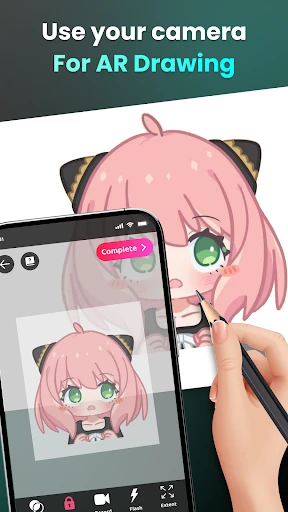
The first thing that caught my eye was the app’s use of augmented reality (AR) technology. With Sketchar, you're not just drawing on a flat surface; you're interacting with your environment, making the entire experience feel incredibly immersive. It’s like stepping into a future where your living room turns into a canvas. Can you imagine sketching a dragon on your wall or tracing a landscape on your tabletop? Well, with Sketchar, it’s all possible, and it’s seriously cool!
User-Friendly Interface
For an app packed with futuristic tech, Sketchar keeps it simple and intuitive. The interface is clean, with easy navigation that doesn't overwhelm you with options. I found the learning curve to be almost non-existent, which is a big plus for someone like me who likes to dive straight into creating without a tutorial marathon. The app guides you with subtle prompts, ensuring you’re never lost in the process.
Features That Stand Out
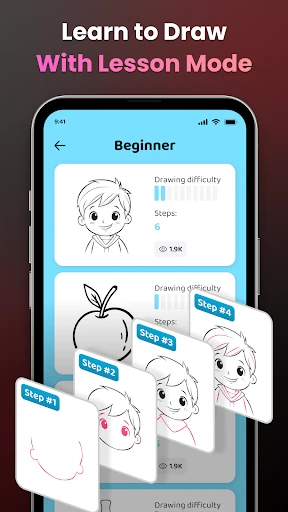
Sketchar isn’t just about drawing; it’s about learning and improving. One of the standout features is the interactive lessons. These lessons are structured to guide you from basic to advanced techniques, making it perfect for beginners and seasoned artists alike. I particularly enjoyed the variety of lessons available, from simple shapes to complex portraits.
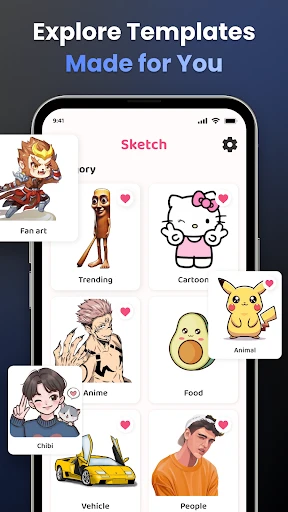
Another feature worth mentioning is the vast library of templates. Feeling a lack of inspiration? Just browse through the library, pick a design, and start drawing. It’s a fantastic way to kickstart your creativity when you’re feeling stuck.
Community and Sharing
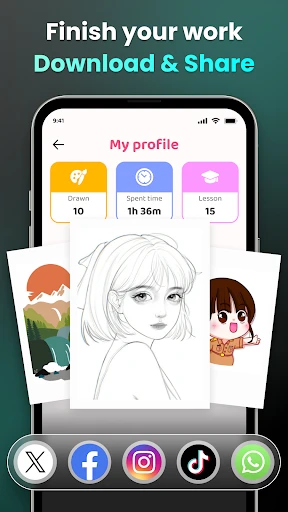
Art is meant to be shared, and Sketchar knows it well. The app has a built-in community platform where you can share your creations and get feedback from other artists. It’s like having a pocket-sized art community that’s available whenever you need it. Plus, seeing what others create with the same tools can be incredibly inspiring.
Challenges and Improvements
While Sketchar is packed with features, it’s not without its challenges. The AR functionality, while impressive, can sometimes be a bit finicky. You might need to experiment with lighting and surfaces to get the best results. Additionally, some users might find the subscription model a bit pricey, especially if they're only casual artists.
That said, the developers seem committed to ironing out these kinks. Regular updates and a responsive support team indicate that they’re listening to user feedback, which is always a good sign.
Final Thoughts
Overall, AR Drawing - Sketchar is a delightful blend of technology and creativity. It’s an app that invites you to play, learn, and create without limits. Whether you’re a hobbyist looking to dabble in digital art or a professional seeking new ways to express your creativity, Sketchar has something to offer. Just be prepared to lose track of time as you immerse yourself in this digital art studio. Happy sketching!
- Developer
- Braly JSC
- Version
- 1.9.15
- Installs
- 10,000,000+
- Android Version
- 7.0
- Content Rating
- Everyone
- Price
- Free
- Innovative AR drawing tool.
- User-friendly interface.
- Extensive art lesson library.
- Supports offline use.
- Regular updates with new features.
- Requires a stable AR-compatible device.
- Can be resource-intensive on older phones.
- Limited free version features.
- Occasional app crashes reported.
- In-app purchases can be expensive.


