FlashGet Kids:parental control
In today's digital age, keeping kids safe online is a priority for every parent. That's where FlashGet Kids: Parental Control swoops in like a digital superhero. This app promises to be the ultimate protector against the wild world of the internet while offering kids the freedom to explore and learn. So, let's dive into what makes this app stand out.
Setting Up: Easier Than You Think!
First things first, setting up FlashGet Kids is a breeze. You don't need a PhD in Computer Science to get started. Just install the app on both your phone and your child's device, and voila! You're ready to go. The user-friendly interface guides you through the initial setup, allowing you to customize settings based on your child's age and maturity level. No more headaches, just a few taps, and you're good to go.
Features That Make a Difference
Screen Time Management
If you've ever struggled to get your kids off their screens, this feature will be your new best friend. FlashGet Kids allows you to set daily screen time limits and schedule breaks. Imagine having dinner without the constant glow of a tablet!
App Control
With FlashGet Kids, you can decide which apps your child can access. Whether it's blocking social media apps or restricting games during homework time, you have the power to curate their digital world. No more sneaky downloads!
Web Filtering
Let's face it, the internet is a mixed bag of goodies and baddies. FlashGet Kids' web filtering feature ensures your child only accesses age-appropriate content. You can even customize filters based on your preferences. It's like having a digital watchdog!
Location Tracking and Alerts
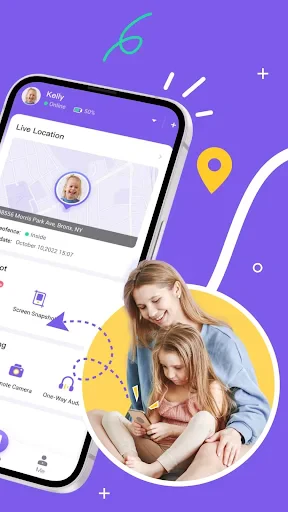
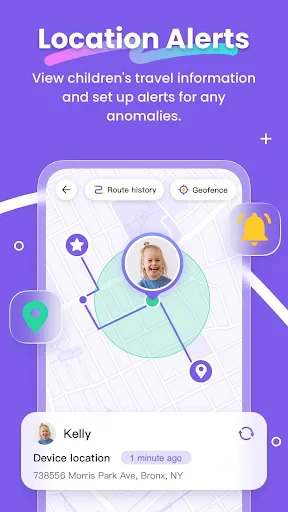
Worried about your child's whereabouts? FlashGet Kids has got you covered with its location tracking feature. You can receive alerts when your child arrives at or leaves a designated place. It’s peace of mind in your pocket.
Learning Opportunities
Unlike many other parental control apps, FlashGet Kids encourages learning. The app provides educational content recommendations tailored to your child's interests and age group. It's not just about restrictions but fostering growth and knowledge.
My Personal Take
After giving FlashGet Kids a thorough test run, I must say I'm impressed. The app strikes a perfect balance between safety and freedom. The interface is intuitive, making it easy for parents to use, and the features are comprehensive enough to cover all bases without being overly intrusive.
Sure, no app is perfect, and there might be a learning curve for some, but once you get the hang of it, FlashGet Kids becomes an indispensable tool in your parenting arsenal. With regular updates and responsive customer support, it feels like the developers truly care about the user experience.
Final Thoughts
In a world where digital threats loom large, FlashGet Kids: Parental Control app is a beacon of hope for concerned parents. It offers a robust suite of tools designed to keep kids safe while allowing them to explore the digital world responsibly. So, if you're a parent looking for a reliable partner in your child's digital journey, give FlashGet Kids a try. It's more than just an app; it's a digital guardian angel.

- Developer
- HONGKONG FLASHGET NETWORK TECHNOLOGY
- Version
- 1.2.2.2
- Installs
- 5,000,000+
- Android Version
- 7.0
- Content Rating
- Everyone
- Price
- Free
- Easy-to-use interface for parents
- Customizable screen time limits
- Real-time location tracking
- App usage monitoring
- Content filtering options
- Limited features in free version
- Requires internet connection
- Drains battery quickly
- Complex setup for some features
- No support for multiple devices