Color Portfolio
Unpacking the Vibrancy of Color Portfolio
Hey there, color enthusiasts! Have you ever found yourself staring at a wall, wondering what shade could transform your space from drab to fab? Enter Color Portfolio, the app that’s about to become your new best friend in the world of hues and tints. I took this app for a spin, and here’s my take on how it stacks up.
Getting Started: First Impressions
Diving right into Color Portfolio, the first thing that stands out is its sleek and user-friendly interface. Whether you’re a seasoned designer or just someone looking to refresh your living room, navigating through the app feels like a breeze. The layout is intuitive, with every feature neatly categorized and accessible. Trust me, you don’t need a degree in interior design to get the hang of this tool.
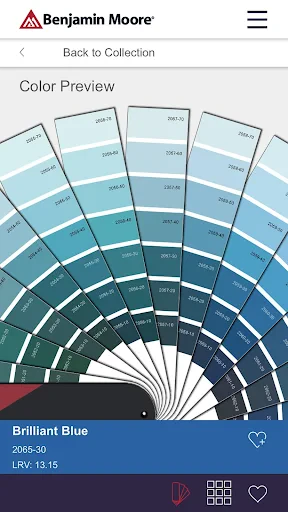
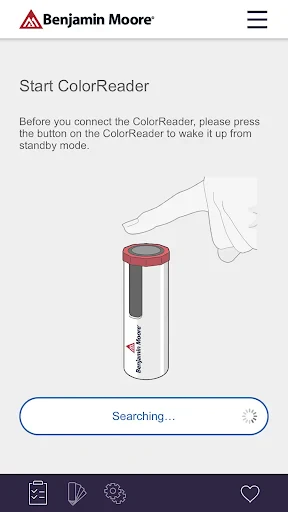
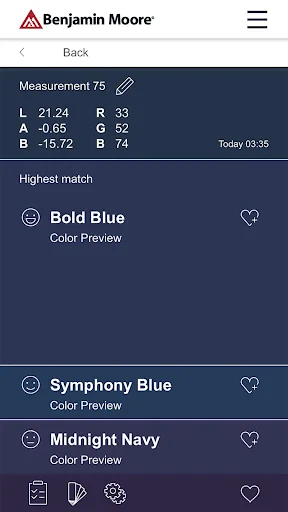
Upon launching, you’re greeted with a warm, inviting palette that just begs you to start experimenting. The app offers a rich database of colors to choose from, which is a total game-changer if you’re as indecisive as I am when it comes to picking the perfect shade.
Features That Make a Difference
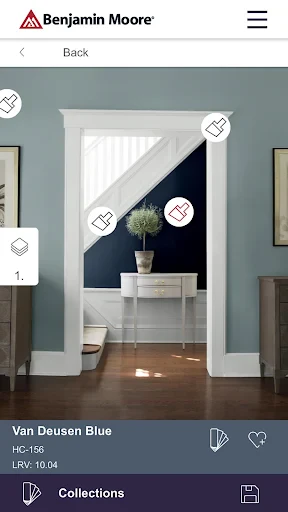
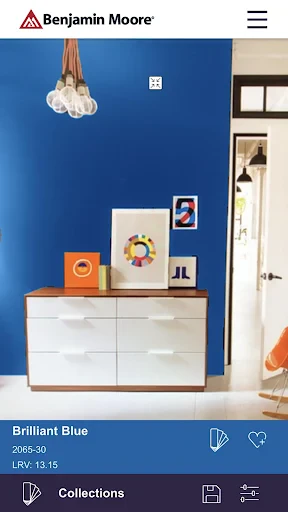
One of the standout features of Color Portfolio is its augmented reality capability. Yes, you heard it right! You can literally point your phone at a wall and see how different colors would look in real-time. It’s like having a magic wand for your home decor! This feature not only saves time but also helps you avoid the hit-or-miss game of picking out paint swatches.
Additionally, the app allows for custom color palettes. You can create and save your own palettes, which is perfect for those of us who like to keep our options open. Plus, the ability to match colors from photos means you can draw inspiration from literally anywhere—your latest vacation snap could very well dictate your next room makeover!
User Experience: Smooth Sailing or Rocky Road?
While the app is generally a pleasure to use, there are a couple of quirks worth mentioning. Occasionally, the augmented reality feature can be a bit laggy, especially on older devices. It’s not a deal-breaker by any means, but it’s something to keep in mind if you’re using a phone that’s seen better days.
On the brighter side, the app runs seamlessly for the most part, with quick load times and smooth transitions between features. Plus, the customer support is pretty responsive, which is always a plus in my book.
Final Thoughts: Is Color Portfolio Worth It?
So, is Color Portfolio the app you didn’t know you needed? In my opinion, absolutely. It’s a handy tool not just for professionals but for anyone looking to inject a bit of color into their lives. Whether you’re planning a major renovation or just a weekend DIY project, this app gives you the tools to make informed choices. With its range of features and user-friendly design, it’s hard not to fall in love with Color Portfolio.
In conclusion, if you’re ready to take the guesswork out of your color decisions, give Color Portfolio a try. It’s like having a personal color consultant right in your pocket. Happy coloring!
- Developer
- Benjamin Moore & Co.
- Version
- 2.3.5
- Installs
- 100,000+
- Android Version
- 7.1
- Content Rating
- Everyone
- Price
- Free
- User-friendly interface for easy navigation
- Wide range of color palettes available
- Supports high-resolution color images
- Integrates well with design software
- Offers offline access to color data
- Limited free version features
- Occasional app crashes reported
- Requires regular updates for new features
- May consume significant device storage
- Lacks interactive tutorials for beginners