Amazon Fire TV
Setting the Stage with Amazon Fire TV
Alright folks, let’s dive into the world of streaming with a device that has been a game-changer for many – the Amazon Fire TV. If you’re anything like me, having endless entertainment options at your fingertips is not just a luxury, it’s a necessity. Amazon Fire TV promises just that, with a sleek interface, a plethora of apps, and the ability to turn any TV into a smart TV. But does it deliver? Let me walk you through my experience.
The Setup: A Breeze or a Hiccup?
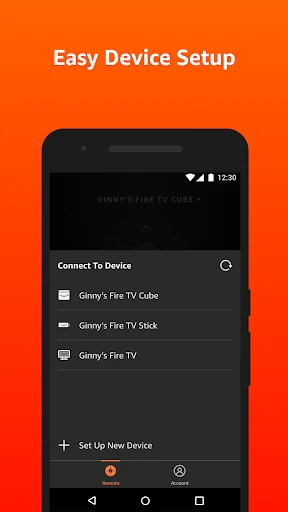
First things first, the setup process. Now, I’m no tech wizard, but setting up the Amazon Fire TV was surprisingly straightforward even for me. Plug it in, connect to Wi-Fi, sign in to your Amazon account, and boom, you’re ready to go. The on-screen instructions are as clear as day, guiding you through each step without any hiccups. I was up and streaming in under 10 minutes – can’t beat that!
Interface and Usability: Smooth Sailing
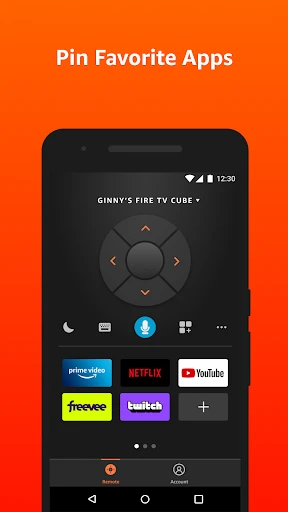
Once I got the device running, the interface was the next thing that caught my eye. It’s intuitive, with a sleek design and easy navigation. The home screen displays all your favorite apps and recently watched shows, making it super easy to pick up right where you left off. I found myself effortlessly flipping through channels and exploring new content without any lag – a major plus for someone as impatient as I am!
Content Galore: What’s on the Menu?
Now, onto the main course: the content. Amazon Fire TV offers a vast array of streaming services. From Netflix, Hulu, Disney+ to Amazon Prime Video, the options are endless. You can download a multitude of apps to customize your viewing experience. I love that I can catch up on the latest movies, binge-watch my favorite series, or even tune in to live sports. It's like having a cinema, library, and TV studio all rolled into one device!
Performance: Does It Hold Up?
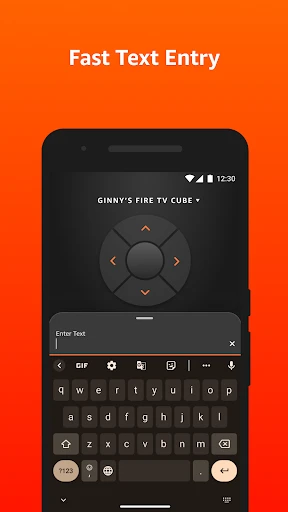
In terms of performance, the Amazon Fire TV does not disappoint. The streaming quality is top-notch, with 4K Ultra HD available for those with compatible TVs. The device handles high-definition content with ease – no buffering or pixelation in sight. The voice search function, powered by Alexa, is another neat feature that adds to the overall user-friendly experience. Just ask Alexa to find your favorite show, and she’ll pull it up in seconds.
Final Thoughts: Is It Worth It?
So, what’s the verdict on the Amazon Fire TV? In my humble opinion, it’s a solid investment for anyone looking to enhance their entertainment setup. The ease of use, wide range of content, and reliable performance make this a must-have device for any streaming enthusiast. Whether you're a movie buff, a sports fanatic, or just love binge-watching shows, the Amazon Fire TV has something for everyone. If you’re on the fence about getting one, I’d say go for it – you won’t be disappointed!
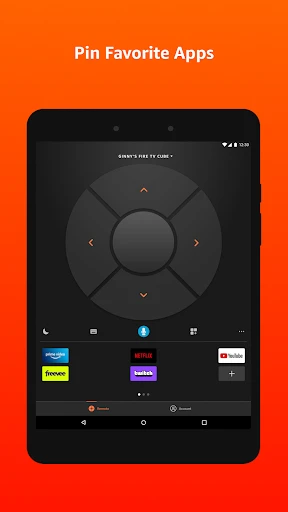
- Developer
- Amazon Mobile LLC
- Version
- 3.3.0
- Installs
- 10,000,000+
- Android Version
- 7.0
- Content Rating
- Everyone
- Price
- Free
- Easy integration with Alexa voice control.
- Wide range of streaming services available.
- Affordable compared to other streaming devices.
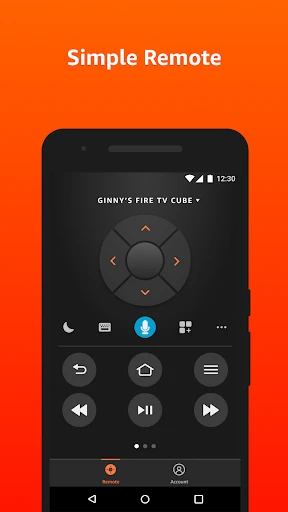
- User-friendly interface with simple navigation.
- Compact design fits easily in any setup.
- Limited app availability compared to competitors.
- Occasional lag in app performance.
- No support for 4K streaming on older models.
- Ads on the home screen can be intrusive.
- Remote control lacks backlighting for dark rooms.