Web Video Cast | Browser to TV
If you’re anything like me, you’ve probably found yourself wanting to watch your favorite videos on a bigger screen than just your phone or tablet. Enter Web Video Cast | Browser to TV, an app that promises to make streaming videos from your device to your TV a breeze. But does it really live up to the hype? Let’s dive in and find out!
Getting Started with Web Video Cast
First things first, setting up Web Video Cast is as simple as it gets. Just download the app from the Google Play Store or Apple App Store, fire it up, and you’re greeted with a friendly interface that’s pretty intuitive. The app doesn’t require you to sign up, which is a breath of fresh air considering how many apps demand your email these days. Instead, you just connect your phone to the same Wi-Fi network as your TV, and you’re good to go.
Features That Make Life Easier
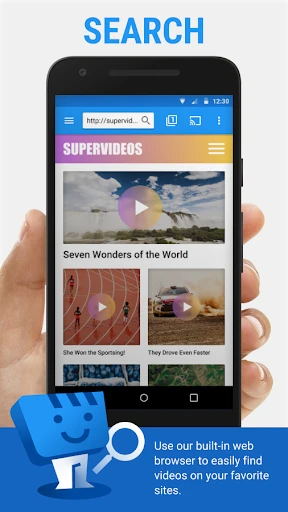
The standout feature of Web Video Cast is its ability to stream virtually any video you find online directly to your TV. Whether it’s a YouTube video, a movie from a random website, or even a live sports stream, this app handles it all. The built-in browser lets you surf the web just like you would on your computer, and when you find something you want to watch, it just takes a couple of taps to get it playing on your TV.
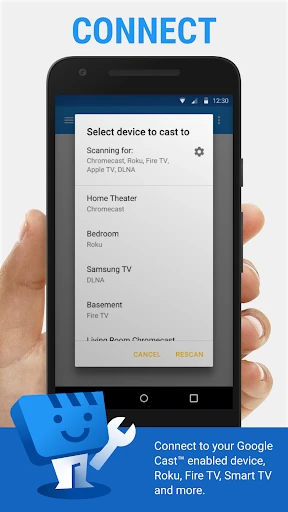
Another neat feature is its support for a wide range of formats and streaming devices. Whether you have a Chromecast, Smart TV, Roku, or Amazon Firestick, Web Video Cast has got you covered. And for those who are a bit more tech-savvy, it even supports DLNA devices.
Performance and Reliability
Now, let’s talk performance. I’ve used Web Video Cast with both my Chromecast and my friend’s Roku, and I have to say, the streaming quality is top-notch. Videos load quickly and play smoothly without annoying buffering. There were a couple of times when the app seemed to take a bit longer to connect to the TV, but it’s not a deal-breaker.
One thing to note, though, is that your streaming quality will largely depend on your Wi-Fi connection. If you’ve got a strong signal, you’ll be golden; if not, you might face some hiccups.
Is It Worth Your Time?
So, should you give Web Video Cast a try? If you’re looking for a straightforward, no-nonsense app to watch web videos on your TV, I’d say absolutely. It’s user-friendly, performs well, and supports almost any streaming device you might have.
While it’s not perfect—some users have reported occasional crashes and ads in the free version—it’s nothing that overshadows the convenience it offers. Plus, there’s a premium version available if you want to ditch the ads entirely.
All in all, Web Video Cast is a handy tool to have on your phone. It transforms your video streaming experience from a tiny screen to your living room TV seamlessly. So go ahead, give it a whirl and let me know how it works for you!


- Developer
- InstantBits Inc
- Version
- 5.12.2
- Installs
- 50,000,000+
- Android Version
- 5.0
- Content Rating
- Everyone
- Price
- Free
- Supports multiple TV brands and devices.
- Streams web videos with minimal buffering.
- User-friendly interface for easy navigation.
- Offers subtitle support for videos.
- Free version available with essential features.
- Ads in free version can be disruptive.
- Some features require a premium upgrade.
- Occasional connectivity issues.
- Limited offline playback options.
- Interface may seem dated to some users.