Waze Navigation & Live Traffic
Have you ever found yourself stuck in traffic, wondering if there’s a faster route? Yeah, been there, done that! Well, let me introduce you to Waze Navigation & Live Traffic, an app that promises to whisk you away from traffic jams and guide you through the best routes possible. I’ve taken it for a spin, and here’s the lowdown.
Getting Started with Waze
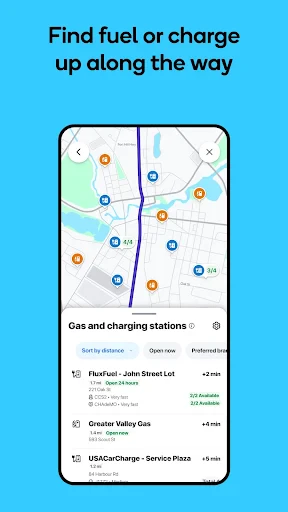
First things first, downloading and setting up Waze is a breeze. You can find it on both Android and iOS, so no one’s left out of the fun. Once you’ve got it installed, Waze greets you with a friendly interface. It’s straightforward and intuitive, making it easy for anyone to get accustomed to it. You just pop in your destination, and voila, it’s ready to navigate!
Features That Make Waze Stand Out
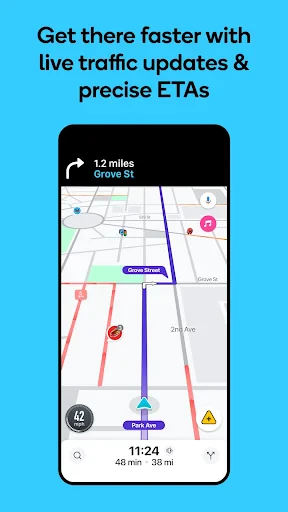
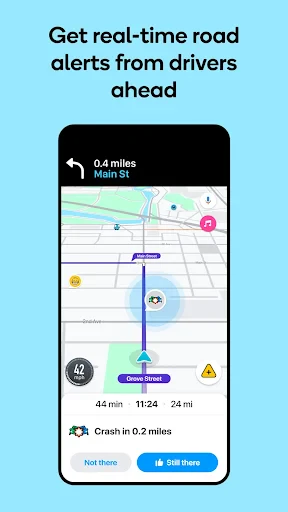
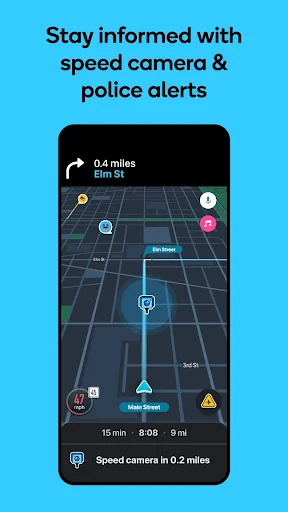
Now, let’s talk about what really makes Waze shine. One of its standout features is the real-time traffic updates. Unlike other navigation apps that rely solely on historical data, Waze uses real-time data provided by its community of users. This means you get up-to-the-minute information about traffic conditions, accidents, road closures, and even speed traps. It’s like having thousands of little helpers on the road with you!
Another cool feature is the ability to customize your routes. You can choose to avoid highways, tolls, or even those pesky dirt roads. Waze gives you the control to tailor your route according to your preferences, which is a godsend for those of us who like to take the scenic route every now and then.
Community and Social Integration
Waze isn’t just a navigation app; it’s a community. Users can report real-time incidents, share info on detours, and even send alerts about police sightings. This community-driven approach not only keeps the information fresh and relevant but also adds a social element to the app. You can even connect your app with Facebook, allowing you to see friends driving to the same destination. It’s like a mini road trip party!
Waze and Your Daily Commute
Using Waze has genuinely changed my daily commute. The app’s ability to predict arrival times based on current traffic conditions is eerily accurate. It’s saved me countless minutes (if not hours) by rerouting me around traffic snarls. Plus, there’s something oddly satisfying about getting to your destination faster than expected.
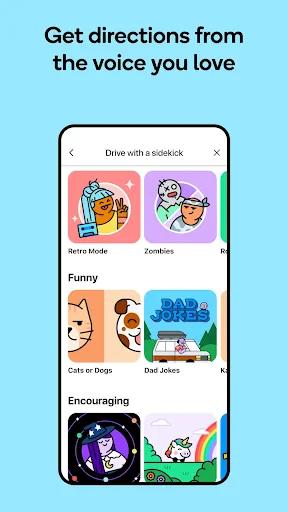
Waze also keeps things interesting with voice-guided navigation. You can choose from a variety of voices, including celebrity ones, to guide you. I’ll admit, having a famous voice giving me directions adds a touch of fun to my drive!
Final Thoughts
All in all, Waze Navigation & Live Traffic is a must-have app for anyone who spends a significant amount of time behind the wheel. Its real-time updates, community-driven features, and customizable routes make it a standout in the world of navigation apps. Whether you’re trying to shave minutes off your commute or avoid getting caught in a speed trap, Waze has got your back. So, next time you’re about to hit the road, make sure Waze is riding shotgun. You won’t regret it!
- Developer
- Waze
- Version
- Varies With Device
- Installs
- 500,000,000+
- Android Version
- Varies With Device
- Content Rating
- Everyone
- Price
- Free
- Real-time traffic updates.
- Community-based alerts.
- Accurate GPS navigation.
- Customizable routes.
- Free to use.
- Drains battery quickly.
- Requires internet connection.
- Ads can be intrusive.
- Occasional map inaccuracies.
- Limited offline functionality.


![Navigation [Huawei watches]](https://appnexuszone.com/wp-content/uploads/2025/11/image166304831526595115.webp)