Vmake AI Captions
Hey there, fellow app enthusiasts! Today, I want to share my thoughts on an app that’s been making waves in the creative space: Vmake AI Captions. If you’re into creating snazzy video content but dread the tedious task of adding captions, then this app might just become your new best friend. Let’s dive in and see what it has to offer.
Getting Started with Vmake AI Captions
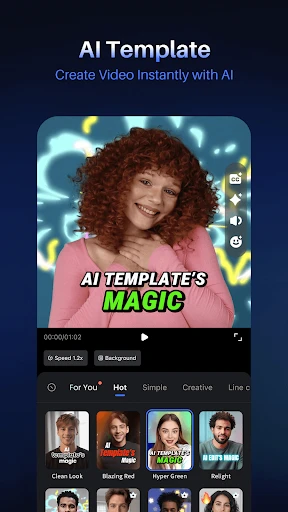
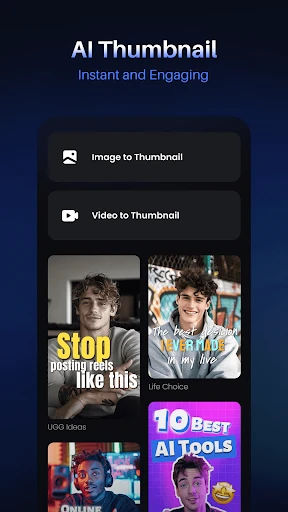
First off, let’s talk about the setup. Downloading and installing Vmake AI Captions is a breeze. Whether you’re using Android or iOS, the app is readily available on both platforms. Once installed, you’re greeted with a sleek and intuitive interface that doesn’t overwhelm you with options. The simplicity is quite refreshing, especially if you’re someone who doesn’t want to spend ages figuring out how things work.
Features That Stand Out
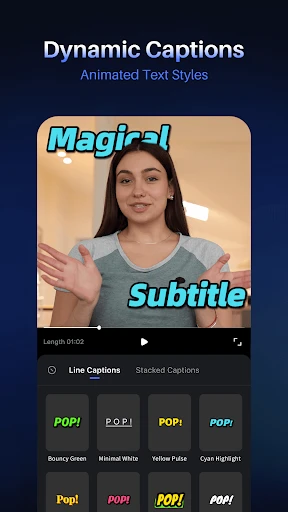
One of the standout features of this app is its ability to automatically generate captions using AI. Yep, you heard that right! The app listens to your video and crafts captions that match the dialogue. It’s like having a little personal assistant who’s always ready to lend a hand. The accuracy is impressive, and while it might not be perfect every single time, the AI definitely hits the mark more often than not.
Another cool feature is the variety of caption styles you can choose from. Whether you want something bold and eye-catching or subtle and understated, Vmake AI Captions has got you covered. You can customize fonts, colors, and even the positioning of the captions, allowing you to match them perfectly with your video’s vibe.
Using Vmake AI Captions in Real Life
So, how does this app hold up in real-world use? In one word: brilliantly. As someone who often finds themselves needing to add captions to social media clips, the time saved by using this app is a game-changer. Plus, it ensures that your content is accessible to a wider audience, including those who might be hard of hearing or prefer watching videos on mute.
However, it’s not just about functionality. The app also makes the whole process fun! Playing around with different styles and seeing how they change the look and feel of your video is surprisingly addictive. It adds an extra layer of creativity that I didn't expect to find in a captioning app.
Final Thoughts
In conclusion, if you’re looking for an app that takes the hassle out of captioning while also adding a dash of creativity, Vmake AI Captions is definitely worth checking out. It’s user-friendly, efficient, and surprisingly versatile. While no app is without its minor quirks, the benefits here far outweigh any small hiccups.
So, if you’re ready to elevate your video content without breaking a sweat, give this app a go. I’d love to hear what you think about it! Until next time, happy captioning!
- Developer
- Starii Tech Pty Ltd
- Version
- 2.8.10
- Installs
- 1,000,000+
- Android Version
- 8.0
- Content Rating
- Everyone
- Price
- Free
- Easy to use interface.
- Wide range of font styles.
- Quick video processing.
- Supports multiple languages.
- Customizable text animations.
- Limited free version features.
- Occasional app crashes.
- Slow customer support.
- Requires stable internet.
- Watermark on free version.