
@Voice Aloud Reader (TTS)
Have you ever wanted to give your eyes a break and just listen to your favorite articles or e-books? Well, let me introduce you to @Voice Aloud Reader (TTS), an app that’s all about making your reading experience more accessible and enjoyable. I took it for a spin, and here’s what I found out.
What’s the Buzz About?
So, @Voice Aloud Reader (TTS) is basically your personal reading assistant that reads aloud text from any app that supports sharing text or URLs, including web pages, news articles, emails, and even PDFs. It’s like having a friend read to you, and trust me, it’s pretty cool.
Getting Started
Setting up the app is a breeze. Once you download it, you can choose from a variety of voices and languages. I was pretty impressed with the range of voice options. You can go for a calm, soothing voice or something more upbeat. Plus, the app supports multiple languages, which is a game-changer for non-English speakers.
The interface is user-friendly, with a simple layout that makes it easy to navigate. You don’t need to be tech-savvy to get the hang of it. Just select the text you want to hear, and let the app do its magic.
Features Galore
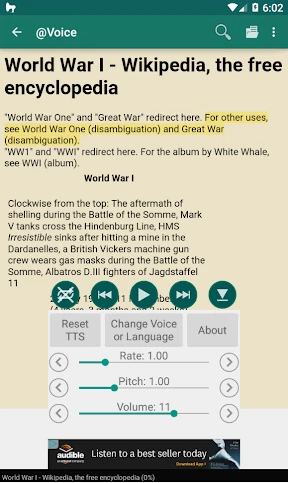
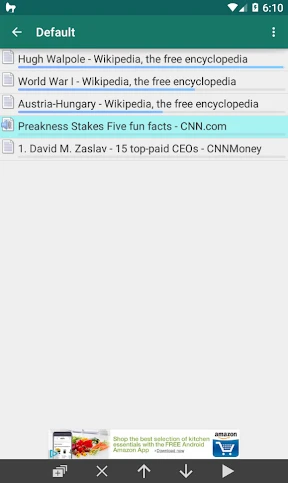
One of the standout features of this app is its ability to read content from other apps. You can share text from your browser, email, or document apps directly to @Voice Aloud Reader (TTS). It’s seamless and incredibly convenient.
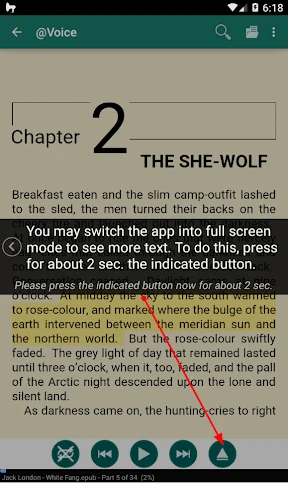
There’s also the option to adjust the reading speed, which is great if you want to slow things down or speed them up. The app even highlights the text as it reads, so you can follow along if you want. And if you’re someone who likes to multitask, you’ll appreciate the background reading feature that lets you listen while doing other things on your phone.
My Personal Take
I found the app to be incredibly useful, especially when I needed to give my eyes a break from screens. It’s perfect for long articles or when you’re on the go and can’t sit down to read. The ability to customize the voices and reading speed is a nice touch, making the listening experience more personalized.
However, it’s not perfect. There were times when the app struggled with complex formatting or technical jargon, but it’s nothing that breaks the experience. Also, while the free version is great, there are ads that can be a bit distracting. But hey, that’s what you get for free, right? You can always go ad-free if it bugs you too much.
Overall, @Voice Aloud Reader (TTS) is a nifty app to have, especially if you’re looking to make your reading sessions more flexible. Whether you’re commuting, exercising, or just lounging around, this app lets you enjoy your content hands-free.


- Developer
- Hyperionics Technology
- Version
- 34.0.8
- Installs
- 10,000,000+
- Android Version
- 8.0
- Content Rating
- Teen
- Price
- Free
- Supports multiple file formats.
- Customizable reading settings.
- Syncs with cloud services.
- User-friendly interface.
- Offline functionality.
- Limited voices available.
- Occasional pronunciation errors.
- Ads in free version.
- Battery consumption high.
- May lag with large files.