GHIN
If you've ever found yourself yearning for an app that merges technology with the timeless game of golf, then GHIN is your go-to companion. As an avid golfer myself, I understand the importance of keeping track of your scores and handicaps, and this app does just that with seamless ease.
What Makes GHIN Stand Out?
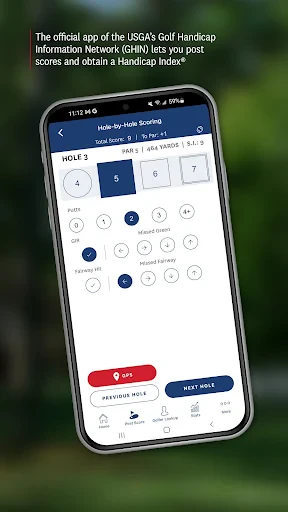
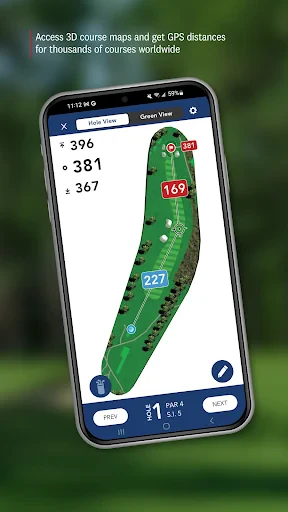
Let's dive right into the nitty-gritty of what makes the GHIN app an essential tool for golfers. First off, the interface is clean and intuitive. Even if you're new to the digital side of golf, navigating through the features feels like a walk in the park. With a few taps, you can enter your scores, check your handicap index, and even look at your past performances.
Score Tracking Made Easy
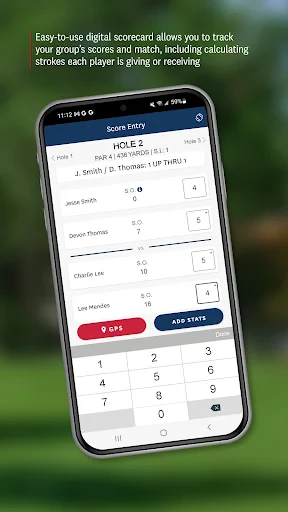
One of the most compelling features of GHIN is its score-tracking capability. You know how sometimes you finish a round and can't quite remember the score for each hole? Well, GHIN has got your back. You can input your scores hole by hole, and the app does all the calculations for you. It's almost like having a personal caddie in your pocket!
Handicap Index at Your Fingertips
Keeping track of your handicap index is crucial for any serious golfer. GHIN provides real-time updates, so you always know where you stand. The app syncs with the official USGA database, ensuring that your handicap is always accurate and up-to-date. It's a game-changer for those of us who like to keep tabs on our progress and brag about our improvements at the clubhouse.
Performance Analysis
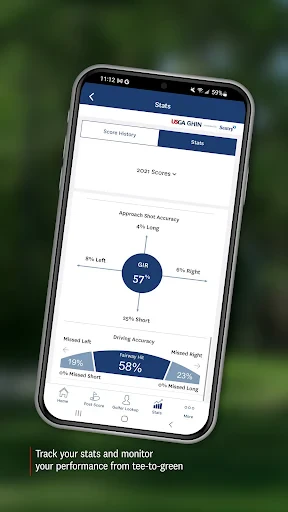
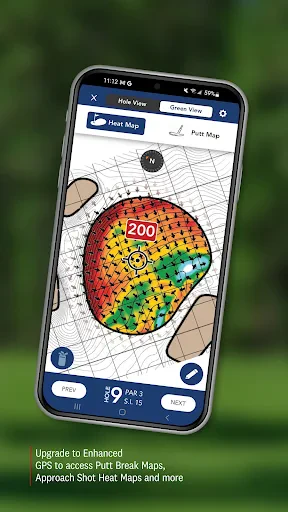
Ever wondered how you perform on different courses or conditions? GHIN offers a performance analysis feature that breaks down your game in various scenarios. This is particularly useful if you're looking to improve specific aspects of your play, like driving accuracy or putting efficiency. The insights you gain can help you tailor your practice sessions to focus on areas that need a little extra love.
Community and Social Features
Golf is as much a social sport as it is a competitive one. GHIN understands this and incorporates social features to keep you connected with your golf buddies. You can share your scores, compare stats, and even set up friendly competitions. It's like having a mini-golf social network right at your fingertips.
In conclusion, the GHIN app is more than just a digital scorecard; it's a comprehensive golfing tool that enhances your playing experience. Whether you're a weekend warrior or a seasoned pro, this app offers something for everyone. It's intuitive, feature-rich, and an absolute must-have for anyone serious about improving their game. So, next time you're hitting the links, make sure GHIN is part of your golf bag essentials.
- Developer
- Golf Handicap and Information Network
- Version
- 5.3.8
- Installs
- 500,000+
- Android Version
- 5.0
- Content Rating
- Everyone
- Price
- Free
- User-friendly interface
- easy to navigate.
- Comprehensive handicap tracking features.
- Regular updates with new features.
- Excellent customer support service.
- Requires a subscription for full features.
- Occasional bugs in the app.
- Limited offline functionality.
- High battery consumption.
- Infrequent notifications for updates.