Text Free: Second Call Number
Ever found yourself in a situation where you wished you had an extra phone number? Whether it's for dodging those incessant telemarketers or just keeping your personal life separate from work, Text Free: Second Phone Number swoops in like a digital superhero to save the day. Let’s dive into the nitty-gritty of this app and see if it truly lives up to the hype.
Setting Up and First Impressions
Getting started with Text Free is as easy as pie. Just download it from your app store, and you’re off to the races. The app doesn’t hit you with a barrage of ads right from the get-go, which is a pleasant surprise. You simply create an account, choose a number from a list of available options, and voila – you’ve got yourself a shiny new second phone number. The interface is intuitive, with a clean and straightforward design that even your tech-challenged aunt could navigate without breaking a sweat.
Features That Stand Out
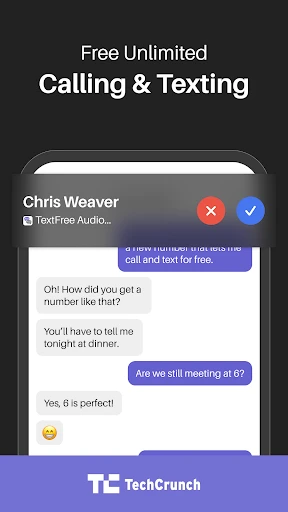
Text Free isn’t just about giving you a second phone number; it’s loaded with a bunch of handy features too. You can send text messages, make calls, and even customize your voicemail. The texting interface is reminiscent of your standard messaging app, making it super easy to transition. The call quality is quite decent, although it does rely on your Wi-Fi or data connection, so be prepared for a hiccup or two if you’re in a spotty service area.
One feature that I found particularly useful is the option to earn free minutes. Yep, you heard that right. By watching ads or completing offers, you can earn minutes to use for calls, which is a nifty little perk if you’re on a budget.
Customization and Usability
The app allows for a good deal of customization. You can change the theme, set custom ringtones, and even adjust notification settings to ensure you’re only disturbed when you want to be. The usability is top-notch, with a search function that lets you easily sift through your messages and contacts.
Performance and Reliability
In terms of performance, Text Free generally holds its ground. During my time using the app, there were no major crashes or glitches, which is a major plus. The messages send quickly, and call connections are established without much delay. However, as mentioned earlier, the call quality can dip if you’re not on a stable internet connection, so just keep that in mind.
In Conclusion
So, is Text Free worth your time? In my humble opinion, absolutely. It’s a fantastic solution for anyone needing a second phone line without the hassle of an extra SIM card or phone. It’s perfect for freelancers, online sellers, or anyone looking to keep their personal number under wraps. While it may not completely replace your primary phone line, it’s a solid backup that does exactly what it promises. Plus, the ability to earn free minutes is the cherry on top.
All in all, Text Free is a reliable, easy-to-use app that delivers on its promise of providing a second phone number. So why not give it a whirl? It might just be the app you didn’t know you needed.



- Developer
- Pinger, Inc
- Version
- 12.93
- Installs
- 10,000,000+
- Android Version
- 9
- Content Rating
- Everyone
- Price
- Free
- Free texting and calling options available.
- Customizable voicemail greetings.
- Easy-to-use interface for all ages.
- Supports multimedia messaging.
- Allows multiple phone numbers.
- Ads can be intrusive at times.
- Limited free calling minutes.
- Requires internet connection.
- Occasional app lag or crashes.
- Not ideal for primary phone number.