Tesla
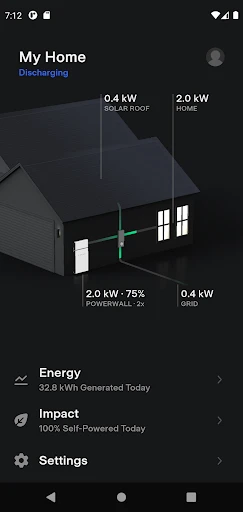
Alright, so let’s dive into the world of Tesla, an app that’s as electrifying as its namesake cars! If you haven’t already heard about Tesla's app, it’s your gateway to a smarter driving experience with your Tesla vehicle. This app isn’t just about controlling your car; it’s about enhancing the entire Tesla ownership experience. So buckle up, and let’s take a closer look.
Getting Started with Tesla
First things first, setting up the Tesla app is a breeze. Once you’ve downloaded it, you’ll have to log in with your Tesla account, and voilà, you’re in! The interface is sleek and intuitive, much like the interior of a Tesla car itself. Each feature is laid out clearly, and you can tell they’ve designed it with the user in mind.
Remote Control at Your Fingertips
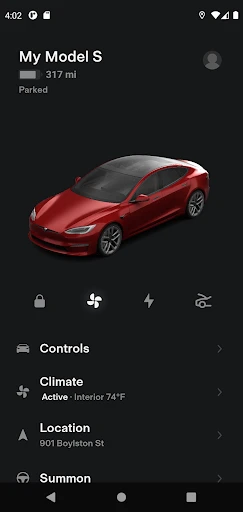
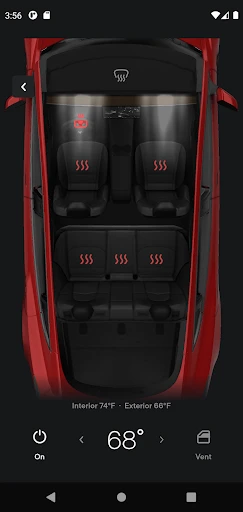
One of the coolest features is the remote control functionality. Imagine being able to unlock your car, start it, or even honk the horn from the comfort of your couch. That’s the kind of futuristic control we’re talking about here. The app also allows you to precondition your car, which means you can heat it up or cool it down before you even step inside. Perfect for those freezing mornings or blistering afternoons!
Monitoring and Maintenance
The Tesla app keeps you informed about your car’s status at all times. You can check the battery level, view charging progress, and even find nearby charging stations when you’re out and about. It’s like having a personal assistant dedicated to your car’s maintenance. Plus, the app will notify you about software updates, ensuring your car is always running the latest features.
Navigation and Trip Planning
Planning a road trip? The Tesla app’s navigation and trip planning features have got you covered. It calculates your route and provides information on charging stops along the way, so you’ll never have to worry about running out of juice. It’s all about making your journey as smooth and enjoyable as possible.
Security Features
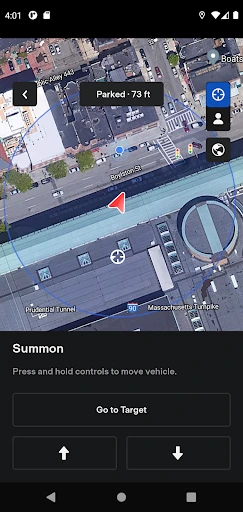
Security is another area where the Tesla app shines. With the ability to track your vehicle’s location and receive alerts if the alarm goes off, you can rest easy knowing your car is safe. Plus, the app allows you to set a speed limit for anyone else driving your car, adding an extra layer of control and peace of mind.
Overall, the Tesla app is a fantastic companion for any Tesla owner. It’s packed with features that not only enhance your driving experience but also provide peace of mind with its robust security options. Whether you’re a tech enthusiast or just someone who appreciates convenience, this app is sure to impress. So if you’re lucky enough to own a Tesla, make sure you’re taking full advantage of what this app has to offer. Trust me, you won’t regret it!
- Developer
- Tesla, Inc.
- Version
- 4.44.5-3304
- Installs
- 5,000,000+
- Android Version
- 7.0
- Content Rating
- Everyone
- Price
- Free
- Innovative electric car technology.
- Regular software updates.
- Comprehensive safety features.
- Impressive autopilot capabilities.
- Expansive charging network.
- High initial purchase cost.
- Limited service centers.
- Autopilot requires constant attention.
- Long charging times for some models.
- Variable range in cold weather.