myGMC
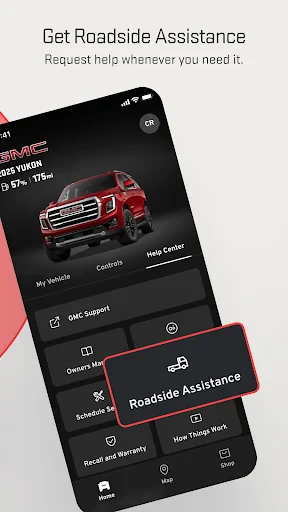
When it comes to staying connected with your vehicle, myGMC is the app that makes life on the road so much easier. If you're a GMC owner, you're in for a treat with this app that seems to blend functionality with convenience, almost as if it read your mind. Well, not quite, but it sure feels like it!
Getting Started with myGMC
First things first, let’s talk about the setup. The app is available on both Android and iOS, so you’re covered regardless of your smartphone allegiance. Once you've downloaded it, signing in is a breeze. Just make sure you have your GMC account credentials handy. The moment you log in, you’re greeted with a sleek dashboard that screams sophistication but in a friendly tone, like a buddy who knows you well.
Features That Stand Out
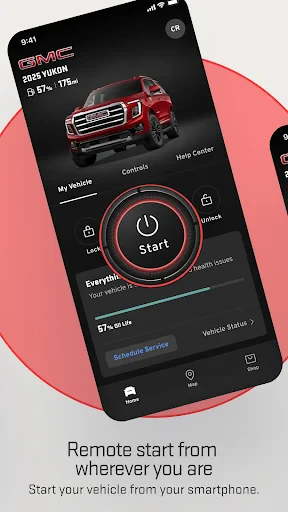
The myGMC app is packed with features that can make any tech enthusiast giddy with excitement. Remote access is, without a doubt, the star of the show here. Imagine being able to start your engine from the comfort of your home on a chilly morning. Yes, you read that right. Cold winter starts have never been this pleasant.
But that's not all. Locking and unlocking your vehicle remotely is another nifty feature that comes in handy more often than you'd think. Forgot where you parked? No worries, the app’s got your back with a vehicle locator. It’s like having a personal assistant dedicated to your car.
Navigating the Roads with Confidence
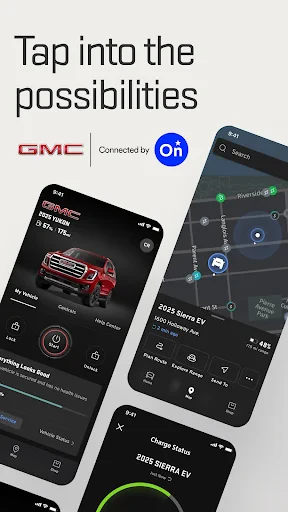
Another standout feature is the navigation and map assistance. Real-time traffic updates ensure that you’re always on the best route possible, saving you precious time and, let’s be honest, a good chunk of sanity. It’s like having a co-pilot who actually knows the roads.
If you’re planning a road trip, the app allows you to send destinations directly to your vehicle’s navigation system. It’s seamless and makes planning your journey feel less like a chore and more like an adventure.
Keeping Track of Your Vehicle’s Health
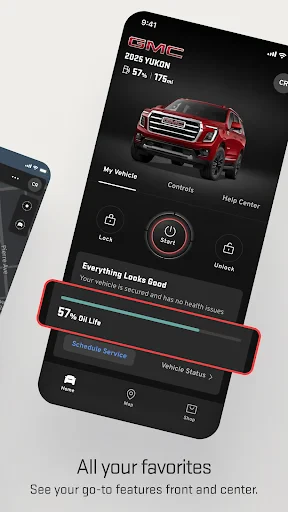
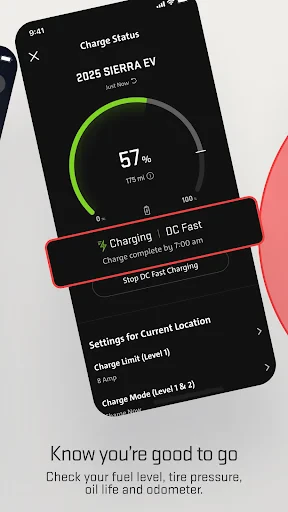
For anyone who’s a bit of a car hypochondriac, the vehicle status feature will put your mind at ease. It offers insights into your car’s health, from fuel levels to tire pressure, all in real-time. It’s akin to having a doctor’s check-up available 24/7, right in your pocket.
Scheduled maintenance alerts ensure you never miss a service date. It’s a handy reminder that keeps your vehicle in tip-top shape without you having to keep a mental note.
Ending Thoughts
In a nutshell, myGMC is not just an app; it’s a companion that enhances your driving experience. Whether it’s the convenience of remote access or the peace of mind from real-time vehicle diagnostics, this app covers all bases. It’s like having a Swiss Army knife for your car, ready to tackle any task with ease.
For anyone who has ever wished for a smarter way to interact with their vehicle, myGMC is a dream come true. So, if you haven’t already, give it a whirl and see how it transforms your driving experience. You won’t regret it!
- Developer
- General Motors (GM)
- Version
- 7.8.0
- Installs
- 1,000,000+
- Android Version
- 10
- Content Rating
- Everyone
- Price
- Free
- User-friendly interface for easy navigation.
- Comprehensive vehicle diagnostics feature.
- Remote start and stop functionality.
- Real-time location tracking for vehicles.
- Maintenance reminders and alerts.
- Limited compatibility with older GMC models.
- Occasional connectivity issues with app.
- Requires stable internet for optimal performance.
- Some features need in-app purchases.
- Battery drain observed on prolonged use.