Show My Colors: Color Palettes
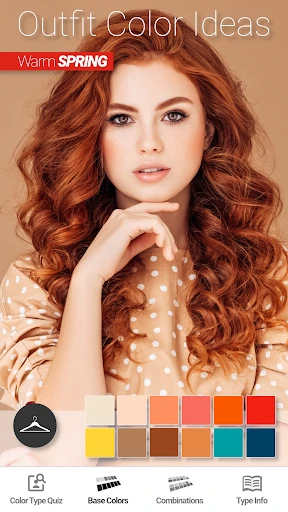
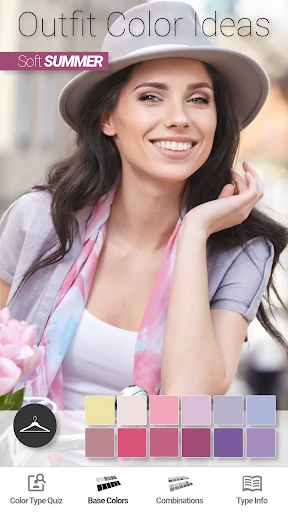
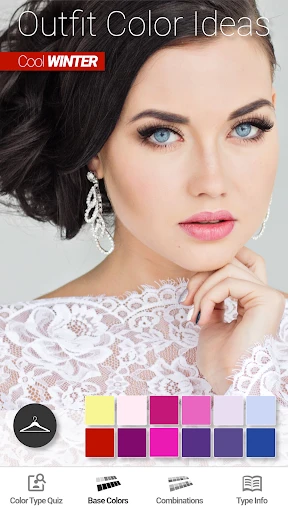
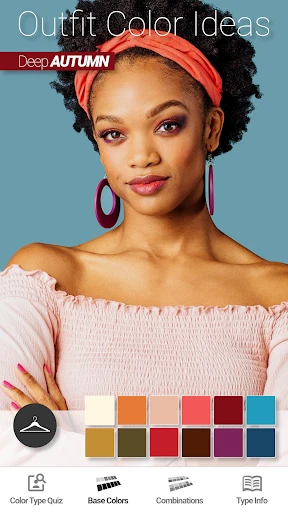
Have you ever found yourself staring at a beautiful sunset or a vibrant garden and thought, "I wish I could capture this palette for my designs"? That's exactly where Show My Colors: Color Palettes comes into play. This nifty app is a game-changer for designers, artists, or anyone who appreciates the subtle nuances of color in everyday life.
Discovering the World of Colors
First off, let's talk about the app's main feature: capturing color palettes from your surroundings. Imagine pointing your phone's camera at anything that catches your eye, and voila! The app instantly generates a palette of colors from the scene. It's like having a personal color assistant in your pocket, ready to inspire at a moment's notice.
What I love about Show My Colors is its user-friendly interface. Even if you're someone who isn't tech-savvy, navigating through the app feels as intuitive as swiping through your photo gallery. The design is sleek, with a minimalistic approach that doesn't overwhelm you with options. Instead, it focuses on doing one thing exceptionally well—identifying and displaying color palettes.
Features That Stand Out
One of the standout features for me is the ability to save and organize palettes. You can create collections based on themes, projects, or even moods. Feeling inspired by a recent trip to the beach? Save those blues and sandy hues in a "Beach Vibes" collection. Planning a new interior design project? Create a "Living Room Makeover" palette. This organizational feature makes it easy to revisit and use your favorite palettes whenever creativity strikes.
Additionally, Show My Colors offers integration with other design apps. You can easily export your palettes to your favorite design software, whether it's Adobe Photoshop or another tool, making this app a seamless part of your creative workflow.
Exploring Beyond the Basics
Beyond just capturing colors, the app also educates. It provides information about each color, like its HEX, RGB, and CMYK values. For someone who often works with digital and print mediums, having these details at your fingertips is invaluable. Plus, the app offers suggestions for complementary and contrasting colors, helping you make informed design decisions.
Now, if you're like me and love a bit of community feedback, you'll appreciate the feature that allows you to share your palettes with others. You can explore palettes shared by fellow users, which is a great way to find new inspiration and see how others interpret the world of colors.
Wrapping It Up
In summary, Show My Colors: Color Palettes is not just an app; it's a creative companion. Whether you're a professional designer or just someone who loves to experiment with color, this app offers tools that are both powerful and accessible. It beautifully bridges the gap between the real world and digital design, making it easier than ever to incorporate the colors we see around us into our creative projects.
So, if you're looking to inject a bit of vibrancy into your creative process or simply want to explore the spectrum of colors that surround us every day, give Show My Colors a try. It's like seeing the world through a more colorful lens, and who wouldn't want that?
- Developer
- BrilliantSeasons
- Version
- 1.45
- Installs
- 500,000+
- Android Version
- 9
- Content Rating
- Everyone
- Price
- Free
- Intuitive interface for easy color selection.
- Wide range of palettes for diverse needs.
- Custom palette creation for unique projects.
- Smooth integration with design tools.
- Fast performance with minimal lag.
- Limited free features without subscription.
- Occasional bugs in color rendering.
- No offline mode available.
- High battery usage on prolonged use.
- Ads in free version can be distracting.