Photo Lock App - Hide Pictures
Ever wondered what it would be like to have your very own secret vault on your phone? Well, look no further than the Photo Lock App - Hide Pictures. I’ve spent some time with it, and let me tell you, it’s like having a trusty sidekick that keeps your private photos and videos under wraps. Let's dive into the nitty-gritty of this app and see if it’s worth the download.
Your Digital Safe Haven
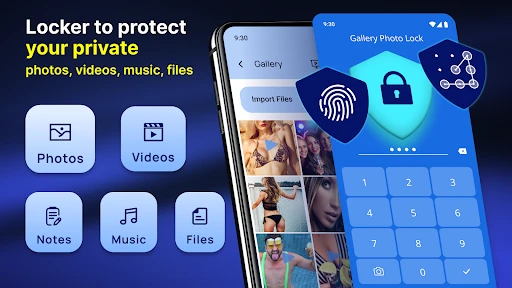
First things first, the Photo Lock App is designed with one primary mission: to secure your media files. The app creates a separate, password-protected folder where you can stash away all those pictures and videos you’d rather not share with the world—or accidental snoopers. The interface is incredibly user-friendly, making it easy even for those who aren’t exactly tech-savvy. And trust me, that’s a huge plus!
Getting Started
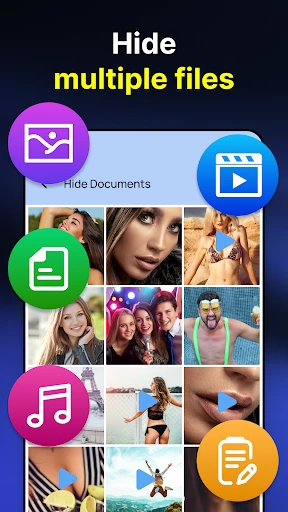
Setting up the app is a breeze. Once you download and install it, you’ll be prompted to set up a password or pattern lock. It feels just like setting up a lock on your phone, so nothing too complicated here. The app even offers a recovery option via email, so you're covered if you ever forget your passcode. Once you’re in, the app lets you import photos and videos from your gallery into the secure vault. Easy-peasy!
Features That Stand Out
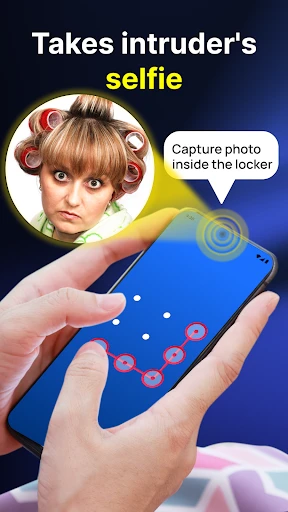
Now, let’s talk about the features. Besides the obvious photo and video hiding, the app comes with some nifty extras. For instance, you can create multiple vaults with different passwords. This is perfect for those of us who like to keep things organized or separate. There’s also a handy break-in alert feature that snaps a photo of anyone trying to access your vault with the wrong credentials. It’s like having your own digital bouncer!
More Than Just a Lock
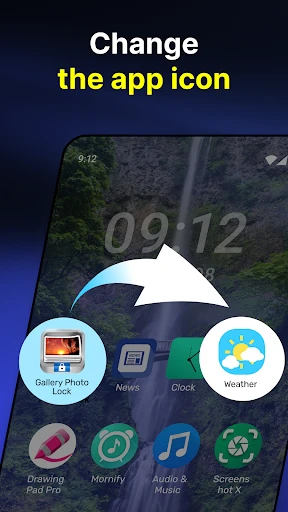
What I found particularly cool is the app’s ability to disguise itself. It can appear as a simple calculator or another mundane app, which is a clever way to throw off anyone who might be snooping around. Plus, there’s an option to sync your secured media with cloud storage, ensuring that your files are safe even if you lose your phone.
Performance and Usability
The Photo Lock App performs smoothly, without any noticeable lag or crashes during my time using it. It’s lightweight and doesn’t hog your phone’s resources, which is always a bonus. Navigating through the app is straightforward, and I didn’t encounter any bugs or hiccups. From a usability standpoint, it ticks all the right boxes.
Final Thoughts
So, is the Photo Lock App - Hide Pictures worth your time? In my opinion, absolutely. It’s a solid choice for anyone looking to keep their private media just that—private. With its suite of features, intuitive design, and reliability, it’s hard to find reasons not to give it a shot. Whether you’re a privacy buff or just someone with a few photos that need hiding, this app has got your back. Give it a whirl and see for yourself!
And there you have it—a digital vault at your fingertips, keeping your secrets safe and sound. That’s peace of mind, right there.
- Developer
- Battery Stats Saver
- Version
- 2.1.4
- Installs
- 100,000,000+
- Android Version
- 5.0
- Content Rating
- Everyone
- Price
- Free
- User-friendly interface
- Strong encryption for security
- Supports multiple file types
- Fast performance
- No ads in premium version
- Limited free version features
- Occasional bugs in updates
- No cloud backup option
- Customer support response is slow
- Premium version is relatively expensive