NextLog
Hey there, app enthusiasts! Today, I’m diving into the world of productivity with an intriguing app that’s been making waves—NextLog. If you’re anything like me, juggling a million tasks and trying to keep everything organized can feel like a circus act. That’s where NextLog comes in, promising to be your trusty sidekick in turning chaos into order. Let’s see if it lives up to the hype!
Getting Started with NextLog
So, what exactly is NextLog? In a nutshell, it’s a comprehensive task management app designed to streamline your life. From the moment you open it, you’re greeted with a clean, intuitive interface that’s easy on the eyes. Setting up your account is a breeze, and before you know it, you’re ready to start organizing your tasks.
One of the first things I noticed was how customizable the app is. You can tailor your dashboard to fit your personal workflow, which is a godsend for someone as scatterbrained as I am. Whether you’re a list lover or prefer a more visual approach with boards, NextLog has got you covered.
Features That Stand Out
Let’s talk features, because NextLog is packed with them. First off, the task scheduling is top-notch. You can set deadlines, reminders, and even prioritize your tasks, ensuring that nothing slips through the cracks. The app also supports collaboration, which is perfect for team projects or just keeping your family in the loop.
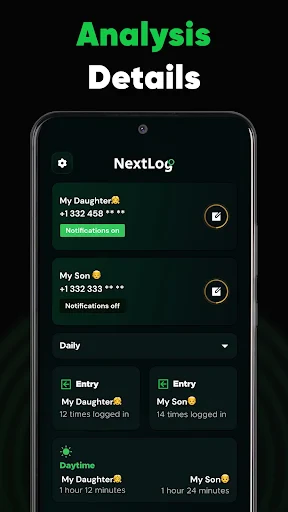
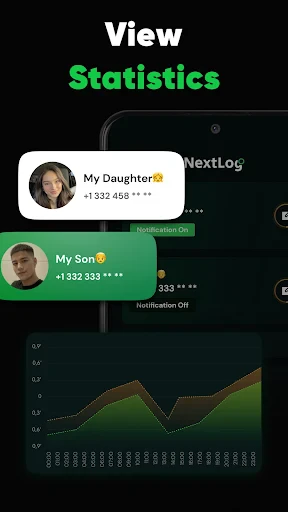
Another feature I absolutely love is the analytics dashboard. It provides insights into your productivity patterns, helping you identify when you’re most efficient. Armed with this knowledge, you can tweak your schedule for maximum output—a feature I didn’t know I needed until I had it.
Seamless Integration and Accessibility
In today’s digital age, integration is key, and NextLog doesn’t disappoint. It syncs effortlessly with other tools like Google Calendar, Dropbox, and Evernote, making it a breeze to keep all your data in one place. Plus, it’s available on both Android and iOS, so you can switch between devices without missing a beat.
I also appreciate the offline access. Whether you’re commuting or find yourself in a signal dead zone, you can still view and edit your tasks—a lifesaver for those of us perpetually on the go.
The Final Verdict
All in all, NextLog is a powerhouse of productivity. It’s packed with features that cater to both individuals and teams, and its seamless integration with other tools is a major plus. The only downside? It might take a bit of time to explore and fully utilize all its capabilities, but once you do, it’s well worth the effort.
If you’re looking to up your productivity game and bring some order to your chaotic life, give NextLog a try. It just might become your new favorite app, as it has for me. Happy organizing!
- Developer
- CODEWALL DIJITAL HIZMETLER LIMITED SIRKETI
- Version
- 1.1.4
- Installs
- 500,000+
- Android Version
- 8.0
- Content Rating
- Everyone
- Price
- Free
- User-friendly interface for easy navigation.
- Customizable features enhance user experience.
- Supports integration with other apps.
- Fast performance with minimal lag.
- Regular updates with new features.
- Limited free version features.
- Occasional bugs during updates.
- Requires internet for full functionality.
- Some features are behind a paywall.
- In-app ads can be intrusive.