
MuseScore: sheet music
Imagine being able to access a vast library of sheet music right from your phone or tablet. That's exactly what MuseScore: sheet music offers. Whether you're a budding musician or a seasoned composer, this app is like having a personal music library in your pocket. Let me take you through my experience with it.
Unveiling the Treasure Trove of Sheet Music
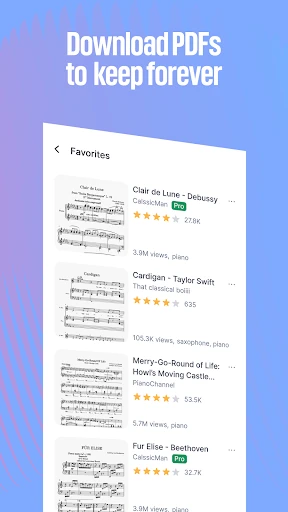
When I first opened MuseScore: sheet music, I was greeted by an impressive array of sheet music options spanning different genres and instruments. It's like walking into a music store and finding everything you need right there. From classical to pop, jazz to rock, the app caters to every musical taste.
I particularly loved the user-friendly interface. The search function is intuitive, allowing you to filter by instrument, level, and genre. This made finding the exact piece I wanted a breeze. Plus, the app offers a preview option, so you can take a sneak peek at the sheet before diving in. It's these small details that make the user experience so smooth and enjoyable.
Interactive and Customizable Features
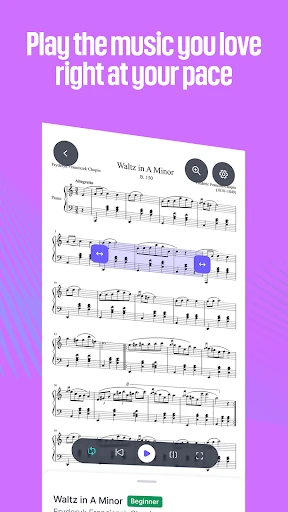
One of the standout features of MuseScore is its interactive capabilities. As someone who likes to play along with sheet music, the playback feature was a game-changer. You can adjust the tempo, enabling you to play at your own pace. Whether you're a beginner trying to keep up or an expert looking to perfect a piece, this feature is incredibly beneficial.
Moreover, the app allows for customization. You can annotate your sheets with fingerings, dynamics, and other notations. This customization extends to the display settings too. If you ever found the standard black and white sheet music a bit dull, you can switch it up with different background colors and themes. It's about making the experience as personalized as possible.
Connecting Musicians Worldwide
Another aspect of MuseScore that I found amazing is the community-driven approach. The app not only lets you access scores but also connect with musicians around the world. You can share your compositions, get feedback, and collaborate on projects. It's like being part of a global network of musicians, which is both inspiring and motivating.
There's also a feature where you can follow other users. This allows you to stay updated with their latest compositions and performances. It's a great way to discover new music and gain inspiration for your own work. The sense of community and shared passion for music is palpable, making the app a must-have for anyone serious about their musical journey.
In conclusion, MuseScore: sheet music is more than just an app; it's a comprehensive tool for musicians of all levels. With its extensive library, interactive features, and global community, it elevates the way we interact with sheet music. Whether you're practicing at home, on the go, or looking to connect with fellow musicians, this app has got you covered. Don't just take my word for it, dive in and explore the musical wonders yourself!



- Developer
- Musescore Limited
- Version
- 2.13.66
- Installs
- 5,000,000+
- Android Version
- 8.0
- Content Rating
- Teen
- Price
- Free
- Vast library of sheet music.
- User-friendly interface.
- Offline access available.
- Supports various instruments.
- Community sharing options.
- Limited free features.
- Occasional app crashes.
- Ads in free version.
- Requires internet for updates.
- Some premium content.