Land Nav Assistant
Navigating through the wilderness can be both exhilarating and daunting, especially when you’re relying on traditional methods like maps and compasses. Enter Land Nav Assistant, an app that promises to be your digital guide through nature’s labyrinth. Let’s dive into what makes this app a must-have for navigation enthusiasts.
Getting Started with Land Nav Assistant
First off, if you’re like me and the thought of getting lost in the woods sends shivers down your spine, Land Nav Assistant is going to be your new best friend. The app is available on both Android and iOS, making it accessible to a wide range of users. Downloading and installing the app is a breeze, and within minutes, you’re ready to embark on your next adventure.
Features That Stand Out
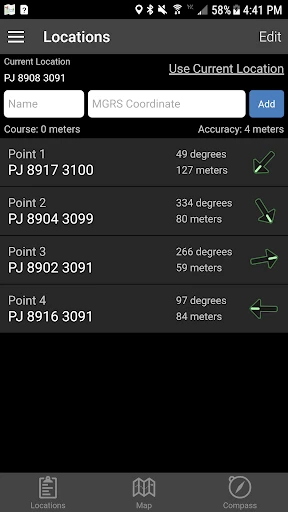
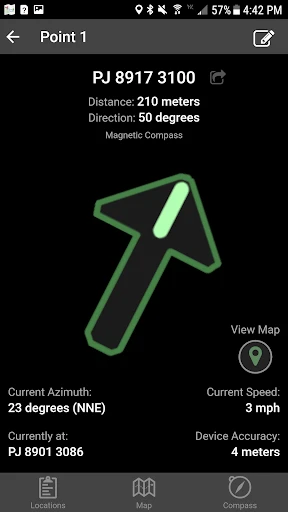
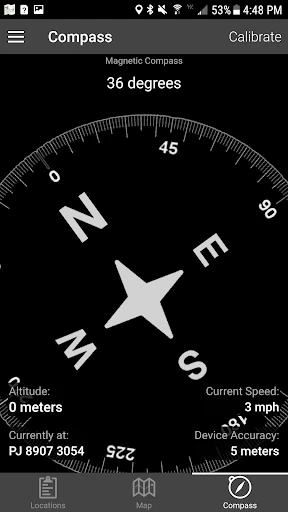
What sets Land Nav Assistant apart from other navigation apps is its focus on traditional land navigation techniques. It offers tools like UTM/MGRS coordinate systems, compass navigation, and waypoint tracking. For those of us who love the idea of blending technology with old-school navigation, this app is a dream come true.
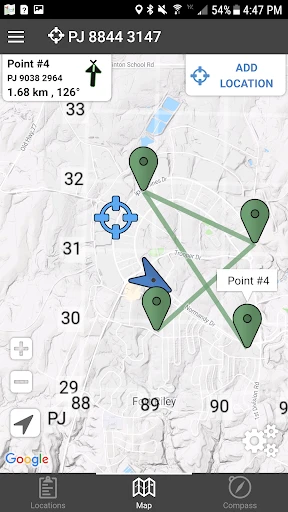
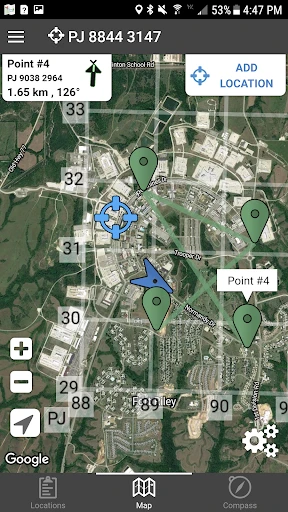
The app also features a comprehensive offline mode. This means that even when you’re deep in the wilderness, far from any cell towers, Land Nav Assistant has got your back. Just make sure to download the necessary maps before heading out. Trust me, you don’t want to be the person stuck in the middle of nowhere without a map!
User Experience
Let’s talk about the user interface. It’s intuitive and straightforward, which is crucial when you’re out and about. You don’t want to be fiddling with complicated menus when you’re trying to find your way back to camp. The design is clean, with a focus on functionality over flashy graphics, which I absolutely appreciate.
Another cool aspect is the app’s ability to record your tracks. Whether you’re hiking, biking, or just taking a leisurely walk, you can track your path and save it for future reference. It’s perfect for those moments when you discover a hidden gem and want to revisit it later.
Why You’ll Love It
So, why should you give Land Nav Assistant a try? Well, if you’re someone who enjoys outdoor activities and values the reliability of traditional navigation methods, this app is a no-brainer. It seamlessly blends technology with tried-and-true techniques, providing a safety net for your adventures.
Plus, there’s something incredibly satisfying about mastering the art of navigation with just your smartphone and a bit of know-how. It’s like having a personal guide who’s always ready to help you find your way.
In conclusion, Land Nav Assistant is more than just a navigation app; it’s a tool that empowers you to explore the world with confidence. Whether you’re a seasoned explorer or a newbie to the great outdoors, this app is definitely worth checking out. So go ahead, download it, and let your adventures begin!
- Developer
- Gammon Applications
- Version
- 2024050107
- Installs
- 50,000+
- Android Version
- 5.1
- Content Rating
- Everyone
- Price
- $2.99
- User-friendly interface for easy navigation
- Comprehensive waypoint and route management
- Offline maps available for remote areas
- Real-time GPS tracking for precise location
- Customizable settings for personalized use
- Requires GPS signal; less effective in dense areas
- Battery consumption can be high
- Limited to outdoor navigation tasks
- In-app purchases for premium features
- Initial setup can be time-consuming