MetaTrader 5 — Forex, Stocks
If you're diving into the world of trading and need a robust tool to navigate the forex and stock markets, let me introduce you to MetaTrader 5. This app is not just your average trading platform; it’s a comprehensive ecosystem designed to cater to both novice and experienced traders.
Getting Started with MetaTrader 5
Starting with MetaTrader 5 is a breeze. As I installed it on my phone, the intuitive design immediately stood out. The app doesn’t bombard you with unnecessary clutter, which is often the case with trading platforms. Instead, it offers a clean and organized interface, making navigation straightforward and user-friendly. Whether you're on Android or iOS, the app delivers a seamless experience.
Feature-Packed Trading Experience
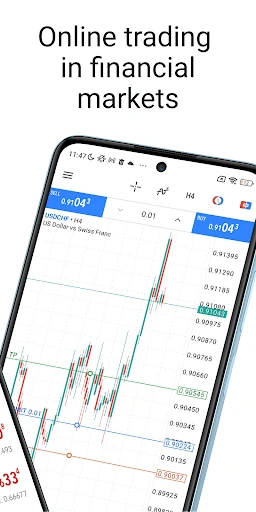
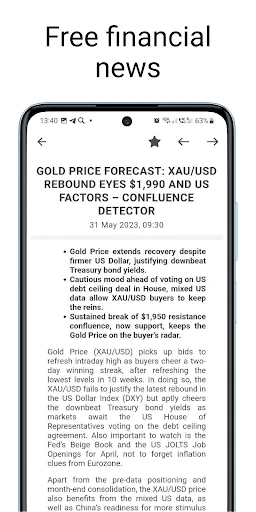
Now, let’s get into the meat of what makes MetaTrader 5 a standout choice. First off, the app supports multiple asset classes, from forex to stocks, futures, and even cryptocurrencies. This versatility is a major plus for those who like to diversify their portfolios. I found the availability of different timeframes and technical indicators incredibly helpful. It allows you to analyze market trends in multiple ways, giving you the upper hand in making informed trading decisions.
The app is equipped with advanced charting capabilities. I spent some time exploring the various chart types and analysis tools, and it’s clear that MetaTrader 5 is built with detail-oriented traders in mind. Each chart is customizable, so you can tailor it to fit your trading style. Plus, the app supports automated trading through the use of trading robots (or Expert Advisors), which is a game-changer if you're looking to automate your strategies.
User Experience and Performance
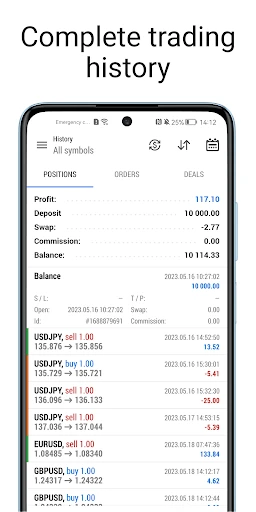
Performance-wise, MetaTrader 5 did not disappoint. It’s quick, responsive, and handles real-time data efficiently. I didn’t experience any lag or crashes, which is crucial when you’re executing trades that require split-second timing. The app also offers a demo account feature, which I found super useful for testing strategies without the risk of losing real money. It’s a nice touch that helps build confidence, especially for beginners.
Another aspect worth mentioning is the community support within the app. MetaTrader 5 allows you to connect with other traders, share insights, and even copy successful strategies. This social aspect adds a layer of engagement that’s often missing in similar apps. It feels like you’re part of a larger community, learning and growing together.
Final Thoughts
In conclusion, MetaTrader 5 is a powerhouse of a trading app. Its comprehensive features, coupled with its user-friendly interface and robust performance, make it a top choice for anyone serious about trading. Whether you’re just starting or you’re a seasoned trader, this app has the tools and capabilities to help you succeed in the dynamic world of trading.
If you’re looking to step up your trading game, MetaTrader 5 is definitely worth checking out. It’s more than just an app; it’s a complete trading solution. Happy trading!


- Developer
- MetaQuotes Software Corp.
- Version
- 500.4980
- Installs
- 10,000,000+
- Android Version
- 5.0
- Content Rating
- Everyone
- Price
- Free
- Comprehensive trading tools available.
- Supports multiple asset classes.
- User-friendly interface design.
- Real-time market data provided.
- Cross-platform compatibility.
- Steep learning curve for beginners.
- Requires stable internet connection.
- Limited customer support options.
- Complex for casual traders.
- In-app purchases can be pricey.