Cash App
Cash App is a versatile financial application that has gained significant popularity for its ease of use and wide range of features. It’s designed to cater to both personal and business financial needs, providing a seamless way to send, spend, save, and invest money, all from the convenience of your smartphone. Available on both Android and iOS, Cash App has become a go-to app for many, whether it’s for splitting a dinner bill or investing in stocks. Here’s a deep dive into what makes Cash App a standout choice in the crowded field of financial applications.
Getting Started with Cash App
Jumping into the world of Cash App is as simple as pie. The app's interface is clean and straightforward, making it easy even for the least tech-savvy among us to navigate. Once you’ve downloaded the app, setting up your account is a breeze. You’ll need to link your debit card or bank account to make full use of the app. Don’t worry; the process is secure and encrypted for your peace of mind.
Features That Make Cash App Shine
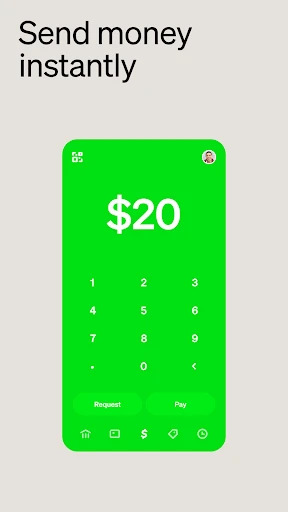
One of the coolest features is the ability to send and receive money instantly. Whether you’re paying your friend back for coffee or receiving payment for a freelance gig, it’s all done in a snap. Plus, there’s no waiting for days for the money to appear in your account. You can even request a free debit card from Cash App, known as the Cash Card, which allows you to spend your balance directly from the app.
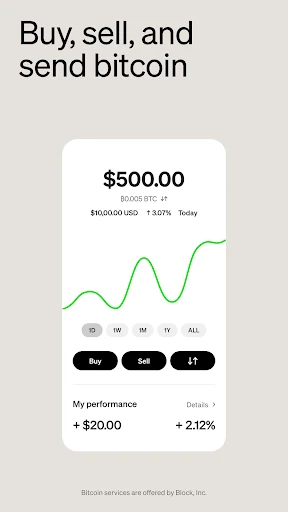
But that’s not all! Cash App also lets you invest in stocks and Bitcoin, right from your phone. For those of us who like to dabble in the stock market or cryptocurrency, this feature is a game-changer. You don’t need to be a Wall Street expert to get started; the app provides enough guidance to help you make informed decisions.
Security and Support
Security is a top priority for Cash App. With features like PIN entry, fingerprint scanning, and encryption, your financial information is well-guarded. Plus, Cash App is known for its reliable customer support. Whether you have a question about a transaction or need help with the app, their support team is just a message away.
One thing to keep in mind, though, is to always double-check the recipient’s information before you hit send. Unlike some other payment platforms, transactions on Cash App are instant and can’t be canceled once processed. A little caution goes a long way here!
Final Thoughts
Overall, Cash App is a solid choice for anyone looking to streamline their financial transactions. It packs a punch with its combination of ease of use, security, and versatile features. Whether you're sending money to friends, investing in the stock market, or simply managing your day-to-day expenses, Cash App makes it all feel like a walk in the park. So, if you haven’t tried it yet, it might be time to dive in and see how it fits into your financial routine!
- Developer
- Block, Inc.
- Version
- 5.0.0
- Installs
- 100,000,000+
- Android Version
- 9
- Content Rating
- Everyone
- Price
- Free
- User-friendly interface for easy navigation.
- Fast and secure money transfers.
- Supports Bitcoin and stock trading.
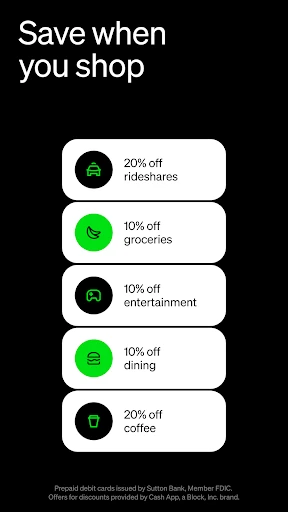
- Instant discounts with Cash Boost program.
- No fees for basic transactions.
- Limited international usage.
- Customer support can be slow.
- Cash Card requires manual activation.
- Occasional app glitches.
- Limited banking features.