

GPS Speedometer Odometer (Pro)
Have you ever felt the need to track your speed while cruising down the highway or perhaps while cycling through the countryside? Well, if you haven’t yet explored the world of speed tracking apps, let me introduce you to a nifty little app called GPS Speedometer Odometer (Pro). Think of it as your personal speed detective, always on the lookout, ensuring you’re not breaking any speed limits or just letting you know how fast you’re going, even when your car’s speedometer decides to take a day off.
Setting the Pace: First Impressions
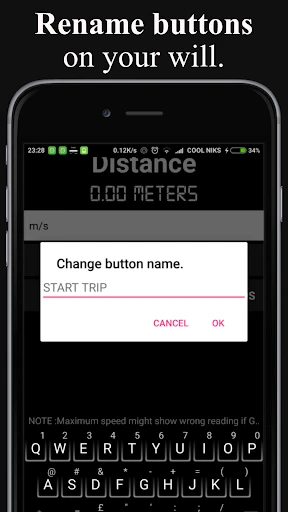
The first thing that struck me about GPS Speedometer Odometer (Pro) was its sleek and simple interface. No unnecessary clutter, just a clean dashboard that’s ready to display your speed in real-time. Installing the app was a breeze – a few taps and it was ready to roll. The visually appealing design is not just aesthetic; it’s functional. You get to choose between digital and analog displays, which is a neat touch, catering to both the tech-savvy millennials and the old-school souls who appreciate a classic speedometer look.
Features That Rev Up the Experience
Now, let’s talk features because this app is packed with them. It uses your phone’s GPS to track your speed, but it does so much more than that. One of my favorite features is the HUD (Head-Up Display) mode. You can place your phone on the dashboard, and it reflects your speed onto your windshield. This is particularly handy for night drives when you want to keep your eyes glued to the road.
Another standout feature is the ability to set speed limits. If you’re someone who occasionally forgets to ease off the gas pedal, this feature is a lifesaver. The app gives you a gentle reminder through notifications when you’re going a bit too fast. Also, the trip meter function is perfect for those long road trips, allowing you to track distances and time elapsed, which can be pretty handy for keeping tabs on fuel efficiency.
Accuracy and Performance
Now, you might be wondering, “How accurate can a phone app be?” Surprisingly, quite accurate! I took it for a spin, literally, and compared it with my car’s speedometer. The readings were almost identical, with just a minor variance that’s pretty negligible. The app updates speed data in real-time, so there’s no annoying lag, which is crucial when you’re zipping down the freeway.
User Experience: A Smooth Ride
Using the GPS Speedometer Odometer (Pro) feels intuitive. The app is user-friendly, even if you’re not a tech guru. Navigation through the options is straightforward, and setting up the app to your preferences takes no more than a couple of minutes. Plus, it doesn’t hog your phone’s battery, which is a huge plus for an app that relies heavily on GPS.
Final Thoughts: To Speed or Not to Speed?
Overall, I’d say the GPS Speedometer Odometer (Pro) is a solid choice for anyone needing to keep an eye on their speed. Whether you’re driving, cycling, or just curious about how fast that morning jog is, this app’s got you covered. It’s reliable, easy to use, and offers a cool set of features that enhance the overall experience.
In a world where safety and convenience go hand in hand, having an app like this in your pocket is not just smart; it’s essential. So why not give it a try? You might just find yourself enjoying the journey a little more when you know exactly how fast you’re going.



- Developer
- COOL NIKS
- Version
- 16.0
- Installs
- 10,000+
- Android Version
- 4.4
- Content Rating
- Everyone
- Price
- $4.49
- Accurate speed tracking in real-time.
- User-friendly interface with clear visuals.
- Customizable settings for personal preferences.
- Works offline without internet connection.
- Provides detailed trip statistics.
- Consumes battery quickly during use.
- Ads can be intrusive in free version.
- Limited features without purchase.
- May not work well in all locations.
- Requires GPS permission to function.


