

Brave Private Web Browser, VPN
Discovering Privacy with Brave Private Web Browser
In today’s digital age, we’re all getting a little more conscious about our online privacy. Enter Brave Private Web Browser, a breath of fresh air for those of us who value our digital footprints. I’ve spent some time exploring this app, and let me tell you, it’s been quite the journey.
First Impressions
From the get-go, Brave makes a solid impression. It’s not just another browser claiming to protect your privacy; it genuinely walks the walk. The installation process was a breeze, and I was up and running in no time. One thing that stood out immediately was the sleek and intuitive interface. It’s clean, straightforward, and doesn’t bombard you with unnecessary clutter. For someone who’s tired of seeing too many ads, Brave is like a cool breeze on a hot day.
Browsing in Stealth Mode
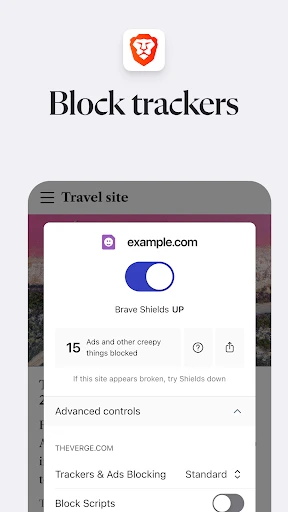
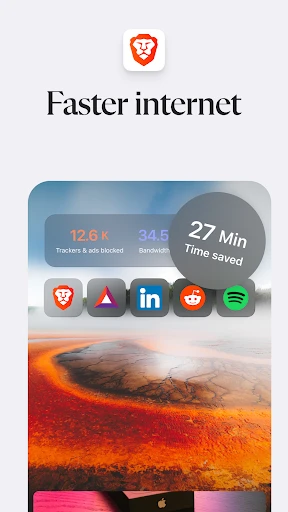
The most significant selling point for Brave is its privacy features. The app blocks trackers and creepy ads that seem to follow you everywhere. And yes, it does this automatically, without needing you to dive into settings or configurations. Simply put, it’s like having your own digital bodyguard. I’ve noticed my browsing speed improved significantly because there’s less junk to load.
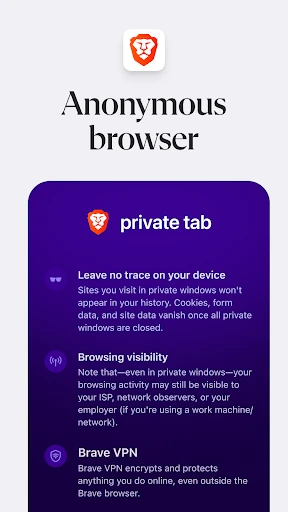
One of the coolest features is the built-in VPN. It’s like having a secret tunnel that lets you browse without leaving any trace. I tested it while accessing some geo-restricted content, and it worked like a charm. No more annoying error messages telling you that you can’t watch a video because of your location. Freedom at last!
Performance and User Experience
The performance of Brave is quite impressive. It’s fast, efficient, and doesn’t hog your device’s resources. I’ve been using it on my Android device, and I haven't experienced any lag or crashes, which is a huge win in my book. The browsing experience feels smooth and seamless, almost like gliding through a digital wonderland.
Another neat feature is the ability to earn rewards by opting into Brave’s advertisement system. Now, I was skeptical at first, but it’s actually pretty cool. You get to choose whether you want to view ads, and in return, you earn some tokens. It’s a nice way to feel like you’re getting something back, rather than just being the product.
Security: Because Privacy Matters
Brave doesn’t just stop at blocking ads and trackers. It’s built on Chromium, which means it’s pretty secure by default. Plus, it has some nifty features like HTTPS Everywhere and script blocking. For someone like me who’s a bit paranoid about online security, these features are like a warm blanket on a cold night.
Final Thoughts
In a world where privacy is becoming increasingly rare, Brave Private Web Browser stands out as a true guardian of your online presence. It’s more than just a browser; it’s a statement. If you’re tired of being followed around by ads and want to take control of your privacy, Brave is worth a try. Plus, the added bonus of a built-in VPN just sweetens the deal.
So, if you’re on the lookout for a browser that respects your privacy and offers a smooth, ad-free experience, give Brave a shot. It might just become your new favorite app.

- Developer
- Brave Software
- Version
- 1.78.102
- Installs
- 100,000,000+
- Android Version
- Varies With Device
- Content Rating
- Everyone
- Price
- Free
- Strong privacy features with built-in VPN.
- Blocks ads and trackers effectively.
- Fast browsing experience.
- Cross-platform sync available.
- Earn rewards through Brave Rewards.
- Limited VPN server locations.
- Some sites may not function properly.
- Rewards system can be complex.
- Consumes significant battery power.
- Heavy on device resources.


