Animation Creator: Flipbook 2D
Hey there, fellow animation enthusiasts! If you’ve ever dreamed of creating your own animations but didn’t know where to start, let me introduce you to a little gem I stumbled upon – Animation Creator: Flipbook 2D. This app is like a playground for anyone who has even the slightest itch to bring their doodles to life. Let’s dive into what makes this app a must-try for both budding and seasoned animators.
Getting Started with a Splash of Creativity
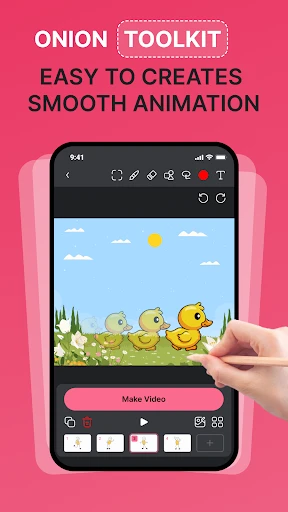
First off, let’s talk about the interface. The moment I opened Animation Creator: Flipbook 2D, I was hit with a wave of nostalgia. Remember those flipbooks we used to make in the corners of our notebooks? This app is a digital reincarnation of that simple joy. The interface is clean, intuitive, and incredibly user-friendly, so you don’t need to be a tech wizard to get started.
You’ll find a variety of brushes and colors at your disposal, making it easy to sketch out frames. The onion skinning feature is a real lifesaver here, allowing you to see the previous frame while drawing the next. It’s like having a ghost guide you through the animation process. Trust me, it makes the whole experience smooth and far less intimidating.
Features That Keep You Hooked
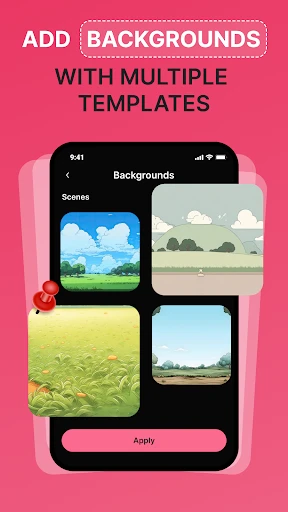
One of the things I absolutely love about this app is its layer functionality. You can add multiple layers to your animations, which is perfect if you want to separate your character from the background or add some complex details. It’s almost like having a mini version of professional animation software right in your pocket.
Oh, and did I mention the timeline feature? This is where you can really get creative with your animations. Adjusting the speed and timing of your frames is as simple as dragging your finger. It’s super satisfying to see your creation come together in real-time.
Sharing Your Masterpiece
Once you’ve crafted your masterpiece, sharing it with the world is a breeze. The app allows you to export your animations in various formats, including GIFs and videos. Whether you’re looking to post on social media or send it to a friend, you’ve got options.
Plus, there’s a community feature where you can share your animations and get feedback from other users. It’s a great way to get inspired by others and improve your skills. Who knows, you might even pick up a few fans along the way!
Why You Should Give It a Go
In a world where animation tools can often be overwhelming and costly, Animation Creator: Flipbook 2D stands out as an accessible and fun option for everyone. Whether you’re killing time on a long commute or seriously diving into animation, this app offers the perfect balance of simplicity and functionality.
So, if you’ve got a story to tell or just want to experiment with bringing your drawings to life, give Animation Creator: Flipbook 2D a shot. It might just unleash your inner animator!

- Developer
- CEM SOFTWARE LTD
- Version
- 1.3.2
- Installs
- 1,000,000+
- Android Version
- 7.0
- Content Rating
- Everyone
- Price
- Free
- User-friendly interface for beginners.
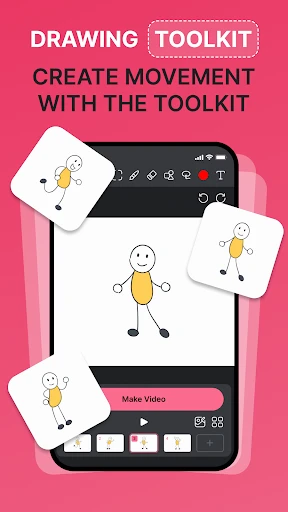
- Wide range of drawing tools available.
- Supports onion skinning for animations.
- Easy export to various formats.
- Regular updates and improvements.
- Limited advanced features for professionals.
- Occasional app crashes reported.
- No cloud storage integration.
- Ads can be intrusive at times.
- Requires in-app purchases for full features.