FL STUDIO MOBILE
When it comes to music creation on the go, FL Studio Mobile is a name that resonates with both budding and experienced music producers. This app, available on both Android and iOS, transforms your mobile device into a full-fledged digital audio workstation (DAW). Let’s dive into what makes FL Studio Mobile a must-have for music enthusiasts and professionals alike.
Getting Started with FL Studio Mobile
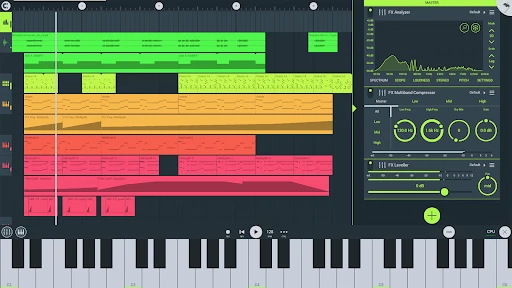
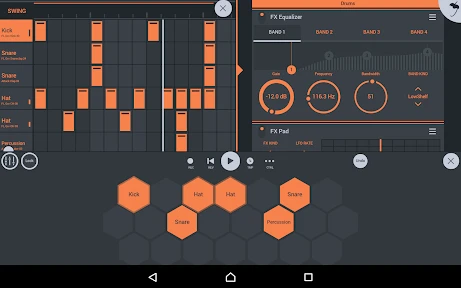
Upon launching the app, you’re greeted with a sleek and intuitive interface. The developers have done a fantastic job of replicating the desktop experience of FL Studio, albeit in a more compact form. For someone like me who’s always on the move, the portability of this app is a game-changer. The setup process is straightforward, allowing you to jump right into beat-making without any hassle.
Features That Stand Out
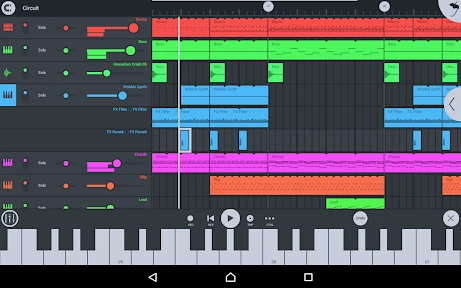
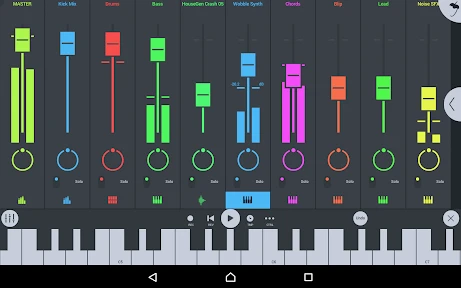
FL Studio Mobile is packed with features that cater to both novice and advanced users. One of the standout features is its multi-track editing capability. You can layer multiple sounds, instruments, and effects to create a rich and textured soundscape. The app comes loaded with high-quality synthesizers, drum kits, and sliced-loop beats. Plus, with in-app purchases, you can expand your library even further.
Another impressive feature is the integration with FL Studio’s desktop version. You can start a project on your mobile and seamlessly transfer it to your computer for further refinement. This cross-platform compatibility ensures that your creativity is never stifed by the limitations of a single device.
User Experience
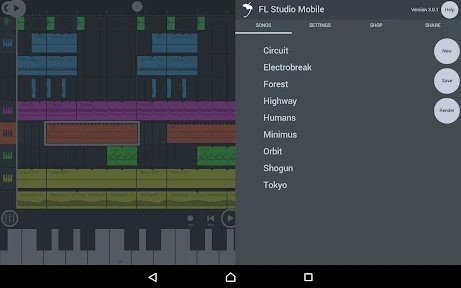
From my experience, using FL Studio Mobile is a breeze. The touch controls are responsive, making it easy to tweak parameters and adjust effects with precision. The app also supports MIDI controllers, which is a huge plus for those who prefer a more tactile approach to music production. The learning curve is minimal, thanks to the app’s demo projects and tutorials that guide you through the basics.
Moreover, the app’s performance is stellar. It runs smoothly without any noticeable lag, even when handling complex projects with multiple tracks and effects. This reliability is crucial, especially during live performances or when you’re in the zone and don’t want any interruptions.
Final Thoughts
In conclusion, FL Studio Mobile is a powerhouse app that brings professional-grade music production to your fingertips. Whether you’re a seasoned producer or just starting, this app has something for everyone. Its robust feature set, seamless integration with the desktop version, and user-friendly interface make it a top choice for music creators on the go.
If you’re looking to unleash your musical creativity anytime, anywhere, FL Studio Mobile is definitely worth the investment. It’s not just an app; it’s a portable studio that ensures your musical ideas are captured and developed, no matter where inspiration strikes.
- Developer
- Image-Line
- Version
- 4.6.17
- Installs
- 1,000,000+
- Android Version
- 5.0
- Content Rating
- Everyone
- Price
- $14.99
- Professional-grade music production.
- Wide range of instruments and loops.
- Intuitive touch interface.
- Regular updates with new features.
- Cross-platform compatibility.
- Paid app with in-app purchases.
- Steep learning curve for beginners.
- Limited free trial options.
- Requires substantial storage space.
- Occasional performance lags on older devices.