SMS Auto Reply - Autoresponder
Ever wished you could have your own personal assistant to respond to your messages while you're busy? That's exactly how I felt before I stumbled upon SMS Auto Reply - Autoresponder. This app is like having a mini-you, always ready to send a quick response when you're caught up in meetings, driving, or just enjoying some well-deserved downtime.
Setting Up Your Auto Buddy
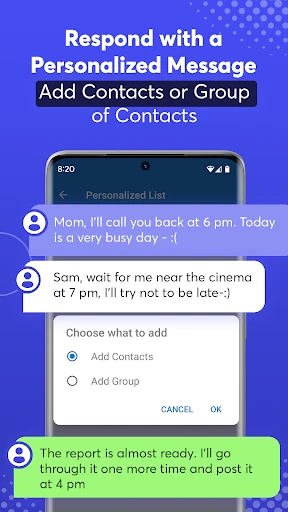
Let’s dive right in. Setting up the app was a breeze. After downloading it from the Play Store, I was greeted with a straightforward interface that guided me through the setup process. You don’t need to be tech-savvy to get this rolling. I simply selected the contacts I wanted to auto-reply to and crafted my personalized message. Whether you're telling your friends you’ll get back to them soon or letting clients know you're currently unavailable, the app handles it all.
Features That Shine
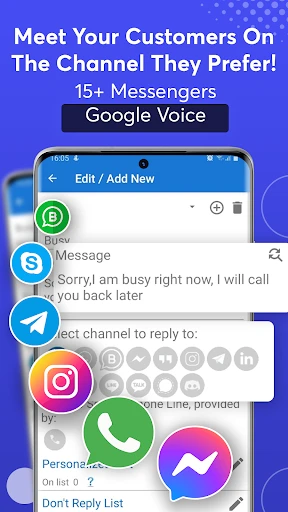
What really caught my eye are the features. The app doesn’t just stop at replying to SMS. It extends its magic to auto-replying on WhatsApp, Messenger, and even Instagram! Talk about versatility. You can customize responses based on specific keywords, which is pretty cool if you ask me. For instance, if someone texts "urgent", you can set a different auto-response that assures them you’ll reach out ASAP.
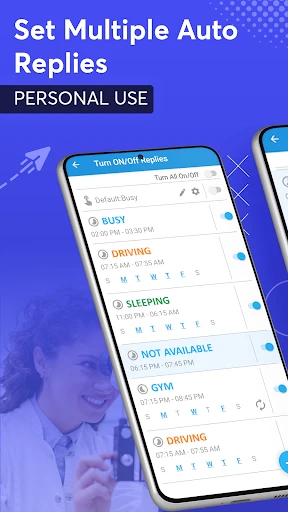
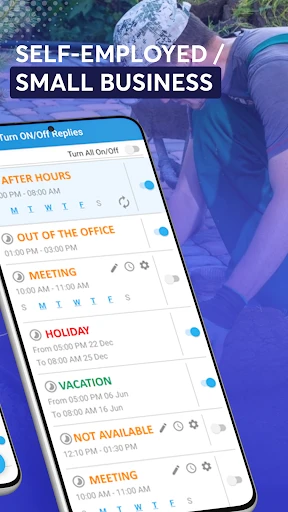
Another neat feature is scheduling. You can set specific times for the auto-responder to be active. So, let’s say you’re in a meeting every Monday from 9 AM to 11 AM. Just schedule it, and voilà, the app takes care of your messages during that time.
Why You’ll Love It
I’ve found the app particularly useful when I'm on the road. It syncs effortlessly with my driving app, ensuring I’m not distracted by constant notifications. Plus, the "Do Not Disturb" mode is a lifesaver during family dinners or movie nights. It allows me to be present without feeling guilty about unread messages piling up.
Potential Tweaks
Of course, like any app, there's room for improvement. While the interface is user-friendly, I think the design could use a modern touch. A few more themes or color options would be a nice way to personalize the experience further. Also, while it supports multiple languages, a bit more flexibility in customization for each language would enhance its usability globally.
Final Thoughts
All in all, SMS Auto Reply - Autoresponder is a solid choice for anyone looking to manage their communication without breaking a sweat. It’s reliable, efficient, and covers all the bases for a smooth auto-reply experience. Whether you're a busy professional, a student, or just someone who values their personal time, this app has got your back. So go ahead, give it a try, and enjoy a little extra peace of mind knowing your messages are in good hands.
- Developer
- LeMi Apps / Easy Life Automation
- Version
- 8.6.5
- Installs
- 10,000+
- Android Version
- 6.0
- Content Rating
- Everyone
- Price
- $6.49
- Easy to set up and use for all users.
- Supports multiple languages for global use.
- Customizable auto-reply messages.
- Works offline without internet access.
- Integrates with various messaging apps.
- Limited free version features available.
- Occasional delays in sending replies.
- May not support all messaging platforms.
- Frequent updates needed for bug fixes.
- Consumes battery with prolonged use.