CBS
Alright folks, let’s dive into the world of CBS, the official app of the CBS Television Network. Whether you’re a die-hard fan of reality shows, dramas, or the classic late-night talk shows, CBS has got something for everyone. But, does their app live up to the hype? Let’s find out!
Getting Started with CBS App
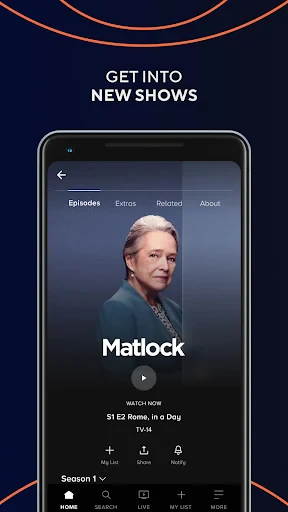
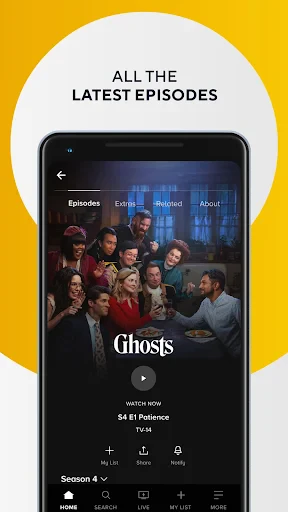
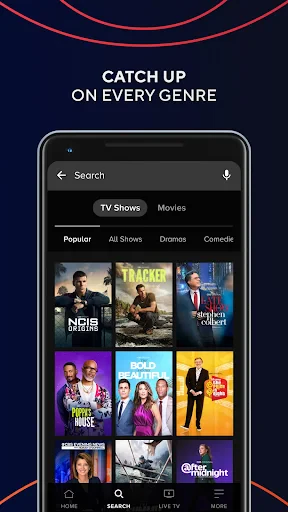
First things first, downloading the CBS app is a breeze. It’s available on both Android and iOS, so no worries there. Once you’ve got it installed, you’ll be greeted with a sleek, intuitive interface that’s easy to navigate even if you’re not a tech guru. Setting up your account is straightforward, and as soon as you’re in, you have a world of entertainment at your fingertips.
Features Galore
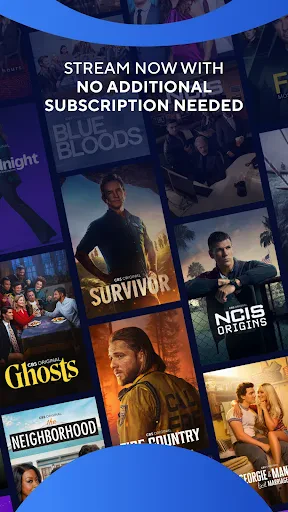
Now, let’s talk features. The CBS app offers live streaming of their network, which means you can watch your favorite shows as they air. This is a huge plus for those of us who hate waiting. Plus, the on-demand library is pretty extensive. Whether you missed the latest episode of NCIS or want to binge-watch Big Brother, CBS has got you covered.
The app also supports Chromecast, so you can easily stream content to your TV. This is a game changer for family movie nights or when you just want to enjoy a show on the big screen. Additionally, the app allows you to download episodes for offline viewing, perfect for those long flights or road trips.
User Experience
In terms of user experience, CBS has done a commendable job. The app runs smoothly without any noticeable lags or crashes, which is crucial for uninterrupted viewing pleasure. The video quality is top-notch, and there’s a helpful feature to adjust the streaming quality based on your internet connection, ensuring you have a seamless experience.
However, like any other app, it’s not without its quirks. Some users have reported occasional buffering issues, particularly during live streams. But in my experience, these instances are rare and generally resolved quickly.
Subscription and Pricing
Let’s chat about the elephant in the room—subscription costs. CBS offers a free version of the app, but to access all the premium content, you’ll need to subscribe to their CBS All Access plan. It’s reasonably priced, and considering the vast library of shows and exclusive content, I’d say it’s worth the investment if you’re a frequent viewer.
They also offer a free trial period, which is a great way to test the waters before committing. Just be sure to cancel if it’s not your cup of tea, or you’ll be automatically billed once the trial ends.
In conclusion, the CBS app is a solid choice for anyone looking to stay connected with their favorite CBS shows on the go. With its user-friendly interface, extensive content library, and the convenience of live streaming, it’s definitely a must-have for TV enthusiasts. Sure, it has its minor hiccups, but overall, it delivers a satisfactory viewing experience. So, go ahead and give it a whirl!

- Developer
- CBS Interactive, Inc.
- Version
- 15.0.50
- Installs
- 5,000,000+
- Android Version
- 5.0
- Content Rating
- Teen
- Price
- Free
- Wide variety of TV shows and movies.
- User-friendly interface for easy navigation.
- High-quality video streaming.
- Supports offline viewing for select content.
- Live TV streaming available.
- Requires subscription for full access.
- Limited content available offline.
- Ads present in free version.
- Occasional streaming lags.
- Some content is region-locked.