Carrier Services icon

Carrier Services

Communication

Related searches

Ever wondered how your Android phone keeps its communication game so tight? Well, let me introduce you to a little behind-the-scenes app that might not flaunt a flashy interface but is just as crucial as your favorite social media apps. Meet Carrier Services. If you're curious about what this app does and why it might just be the unsung hero of your smartphone, stick around as I spill the beans.

What Exactly is Carrier Services?

Okay, so picture this: you're chilling, catching up with your friends over text or maybe sharing memes, and everything just works seamlessly. Ever wondered why? That's because of apps like Carrier Services doing the heavy lifting in the background. This nifty app is developed by Google and is essentially a mediator between your phone and your carrier's network. It ensures that you can send and receive messages and calls without any hiccups. Pretty neat, right?

Why Should You Care?

Now, I know what you're thinking. "Why should I care about an app that doesn't even have an icon on my home screen?" Well, my friend, imagine your phone is a grand concert, and Carrier Services is the sound technician. You might not see them, but without their expertise, the show would be a mess. This app is responsible for enabling the latest communication services from your mobile carrier, including support for advanced messaging features like RCS (Rich Communication Services). This means you can enjoy features like group chats, high-res photo sharing, and read receipts, bringing your texting experience closer to popular messaging apps.

Do You Need It?

Here's the thing: whether you realize it or not, your phone needs Carrier Services to function optimally. It's like having a backstage pass to a smooth smartphone experience. This app updates automatically, ensuring that your device stays in sync with the latest advancements from your carrier. And while it doesn't require any direct interaction from you, its role is pivotal for seamless communication.

So, if you're wondering whether you should keep Carrier Services on your phone, the answer is a resounding yes! It's a small yet mighty component that keeps your digital life running smoothly. Next time you're texting away without a care in the world, remember to give a silent nod to this unsung hero working tirelessly behind the scenes. It's the glue that holds your communication in place, and honestly, we'd be a little lost without it.
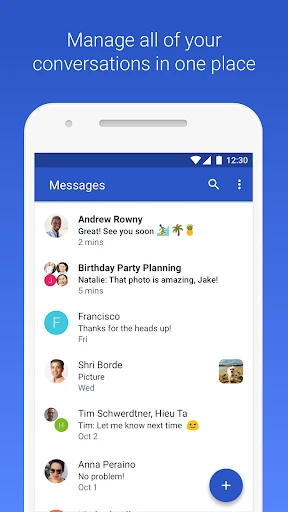
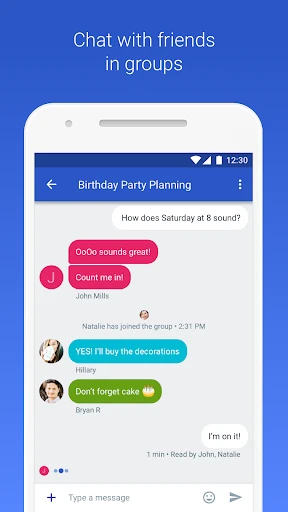
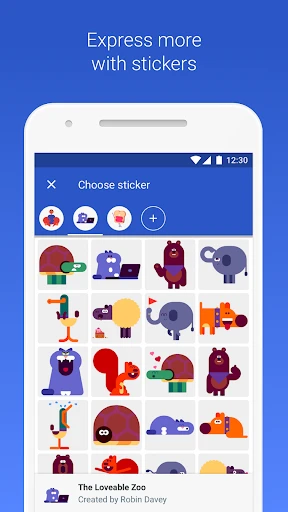
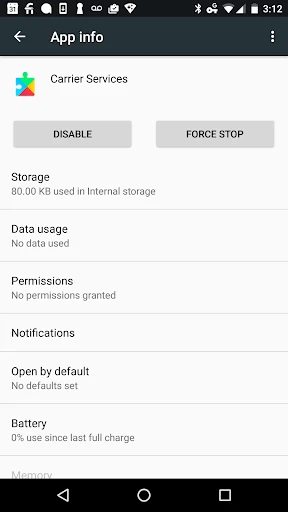
Carrier Services screenshot Carrier Services screenshot Carrier Services screenshot Carrier Services screenshot
Developer
Google LLC
Version
Varies With Device
Installs
5,000,000,000+
Android Version
Varies With Device
Content Rating
Everyone
Price
Free
Pros
  • Enhances network connectivity.
  • Improves messaging apps' performance.
  • Automatic updates for efficiency.
  • Supports latest communication features.
  • Optimizes battery usage.
Cons
  • Limited user interface interaction.
  • Not available on all devices.
  • Occasional compatibility issues.
  • Requires regular updates.
  • Minimal user control options.

Ratings

4.3

Similar Apps

Meeting - Video Meeting

Meeting - Video Meeting

4.1
Get
Torque Pro (OBD 2 & Car)

Torque Pro (OBD 2 & Car)

4.2
Get
Ecosia - Safe Internet Browser

Ecosia - Safe Internet Browser

4.2
Get
GettingOut Visits

GettingOut Visits

3.2
Get
Speak and Translate Languages

Speak and Translate Languages

4.5
Get
Messenger: Text Messages, SMS

Messenger: Text Messages, SMS

4.3
Get
Messages: SMS Message Text App

Messages: SMS Message Text App

4.3
Get
Firefox Fast & Private Browser

Firefox Fast & Private Browser

4.6
Get
XBrowser - Mini & Super fast

XBrowser - Mini & Super fast

4.6
Get
Marco Polo - Video Messenger

Marco Polo - Video Messenger

4.6
Get

Frequently Asked Questions

What is Carrier Services and what does it do?

Carrier Services is an essential app for Android devices that provides the necessary support for enhanced network capabilities. It facilitates the latest communication services from mobile carriers, including battery optimization, network management, and secure communications. It's an integral part of the Android ecosystem that helps ensure smooth and efficient network operations on your device.

Do I need to install Carrier Services manually on my Android device?

Carrier Services is usually pre-installed on Android devices, so you typically don't need to download it manually. However, if it's not present, you can easily download it from the Google Play Store. Keeping it updated is crucial as it ensures your device can support the latest network features and improvements provided by your carrier.

How does Carrier Services affect my phone's performance and battery life?

Carrier Services operates in the background to manage network-related functionalities, which might slightly affect battery life due to its ongoing processes. However, it is designed to optimize network usage and can contribute to better battery efficiency by improving how your device connects and communicates with the network, ensuring minimal impact on overall performance.

Is Carrier Services safe to use on my Android device?

Yes, Carrier Services is safe to use and is a trusted component of the Android operating system. It is developed by Google and works closely with mobile carriers to deliver necessary updates and enhancements. It ensures secure communication and network management, contributing to the overall security of your device's network interactions.

Can I uninstall Carrier Services from my Android device?

While you may be able to disable Carrier Services if you experience issues, uninstalling it is generally not recommended. Carrier Services is integral to maintaining network functionality and performance. Removing it could lead to connectivity problems and hinder your device's ability to leverage carrier-provided updates and features.