
Campus Parent
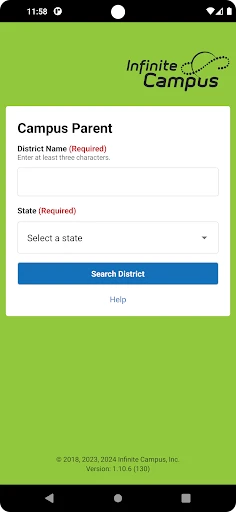
Picture this: you've just dropped off your kiddo at school, and as you drive away, you realize you have no idea when their next science project is due or how they're really doing in their classes. Enter Campus Parent, the app that's about to become your new best friend. This app, designed specifically for parents, brings the school right to your fingertips. Let’s dive into what makes it a game-changer for keeping up with your child’s academic life.
Seamless Access to Academic Records
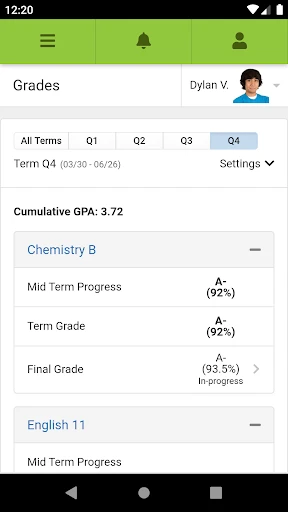
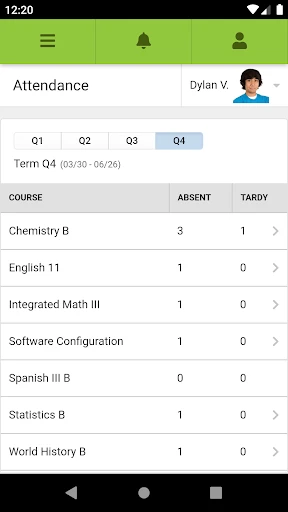
With Campus Parent, you can forget about those frantic searches for report cards or missed parent-teacher meetings. This app lays out all the academic records you need in one easy-to-navigate platform. From tracking grades to checking attendance, it’s all there. And let me tell you, the real-time updates are a lifesaver. You’ll know right away if your child aced that math test or if there’s an unexpected absence.
Managing Assignments and Schedules
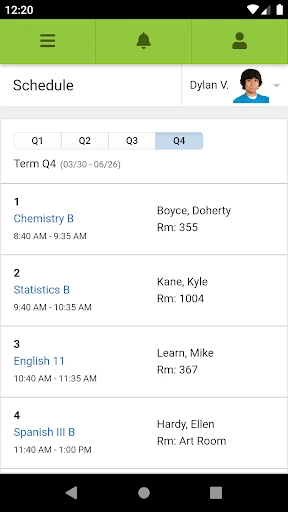
Gone are the days of surprise "I have a project due tomorrow" revelations from your kids. The app’s assignment tracker is like having a personal assistant. It keeps tabs on upcoming assignments and their deadlines. You can even set reminders to nudge your little ones into action. Plus, the integrated calendar syncs with school events, so you’ll never miss another bake sale or school play.
Communication Made Easy
Ever felt out of the loop when it comes to school announcements? With its built-in messaging system, Campus Parent ensures you’re always in the know. You can quickly contact teachers, school staff, or even other parents. It’s like having the school in your pocket, ready to answer your questions at any moment. The app’s user-friendly interface makes communication a breeze, even for those who aren’t tech-savvy.
Now, I know what you might be thinking: "Do I really need another app?" But trust me, Campus Parent is worth the space on your phone. It’s not just about keeping tabs on grades; it’s about being an active participant in your child’s education. Plus, it fosters a stronger connection between you, your child, and their school.
In conclusion, if you’re a parent looking to stay engaged with your child’s academic journey, Campus Parent is a must-have. It transforms how you interact with the school system, making it more accessible and less stressful. So go ahead, give it a try, and watch how it simplifies your life.
- Developer
- Infinite Campus, Inc.
- Version
- 1.10.8
- Installs
- 1,000,000+
- Android Version
- 5.0
- Content Rating
- Everyone
- Price
- Free
- User-friendly interface for easy navigation
- Real-time access to grades and attendance
- Customizable notifications for updates
- Secure login with multi-factor authentication
- Supports multiple languages for inclusivity
- Limited offline functionality
- Occasional sync issues with school servers
- Advertisements in free version
- Requires constant internet connection
- Limited customization for dashboard layout