Bose Connect
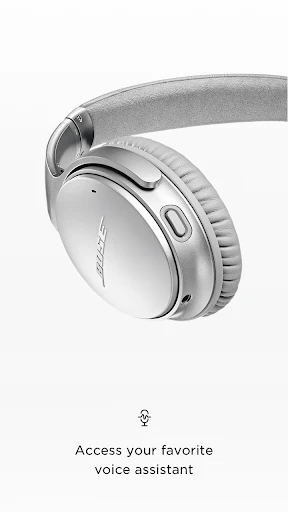
If you've recently invested in a pair of Bose headphones or speakers, you might want to squeeze every last drop of performance out of them. That's where the Bose Connect app comes into play. I've spent some time fiddling around with this app and, I must say, it has its ups and downs, but overall, it’s a solid companion for Bose users.
Getting Started with Bose Connect
First things first, setting up the app is a breeze. You just need to download it from the App Store or Google Play, and it pairs seamlessly with your device. I was impressed by how quickly it recognized my Bose headphones. The interface is pretty straightforward, which is a big plus for someone like me who isn't always tech-savvy.
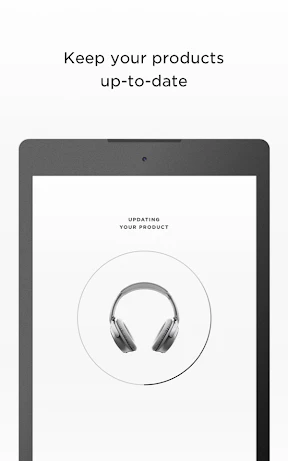
Once you're in, the app provides a step-by-step guide to connect your Bose devices. The whole process is intuitive, and I found myself connected in no time. You also get notified whenever there's a firmware update, which is super handy to keep your gear running smoothly.
Features That Stand Out
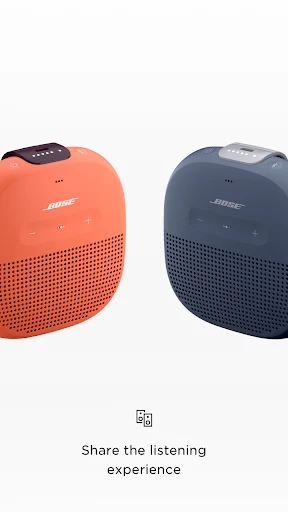
Now, onto the features. Bose Connect offers some nifty options that enhance the user experience. The "Music Share" feature is particularly cool. It lets you share your audio with a friend, as long as they also have Bose headphones. I tried it with a buddy, and we both enjoyed listening to the same playlist during our jog.
Another feature that I find useful is the noise cancellation control. You can adjust the level of noise cancellation directly from the app. Whether you're in a crowded café or flying high, having the ability to tweak this on the go is pretty sweet.
The Little Things Matter
While the major features are great, Bose Connect also pays attention to the little things. For instance, you can rename your devices, which might seem trivial but is actually quite handy if you own multiple Bose products.
The app also displays battery life prominently, so you don’t have to guess when it’s time for a charge. It may not seem like a game-changer, but trust me, it's the sort of detail that makes a difference in daily use.
Room for Improvement
Of course, no app is perfect. One thing I noticed is that Bose Connect can sometimes be a bit sluggish. There were moments when the app lagged, especially when accessing some of the more advanced settings. It’s not a deal-breaker, but it can be mildly annoying.
Also, while the app covers the basics well, some users might crave more advanced customization options. Those who are into tweaking every aspect of their audio experience might find the app somewhat lacking in that department.
Overall, though, Bose Connect does a commendable job of enhancing the Bose experience. It's user-friendly, offers some neat features, and takes the hassle out of managing your Bose devices. If you’re a Bose user, it's definitely worth giving it a shot to see if it meets your needs.
So, there you have it, my two cents on the Bose Connect app. It's not perfect, but it adds value to your Bose gadgets without making things overly complicated. If you’re using Bose gear, this app is like the cherry on top, rounding out the whole experience nicely.

- Developer
- Bose Corporation
- Version
- Varies With Device
- Installs
- 10,000,000+
- Android Version
- Varies With Device
- Content Rating
- Everyone
- Price
- Free
- Enhances audio experience significantly.
- User-friendly interface and navigation.
- Seamless device pairing process.
- Customizable sound settings.
- Regular updates for new features.
- Limited compatibility with non-Bose devices.
- Occasional connectivity issues.
- Battery drain can be noticeable.
- Requires frequent app updates.
- Limited advanced features.