Baby Language
Have you ever wished your little one could just tell you what’s on their mind? Enter Baby Language, an app claiming to be the bridge between you and your non-verbal infant. As a new parent, I was both skeptical and intrigued by the promise of understanding my baby’s cues better. So, I decided to give it a whirl, and here’s how it went down.
Deciphering Baby Talk: Is it Possible?
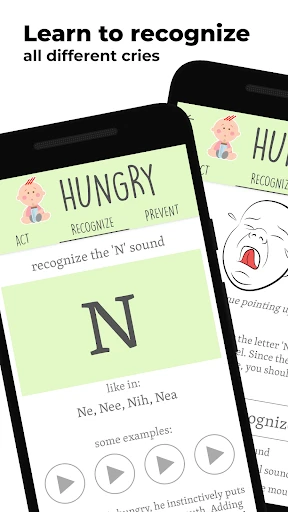
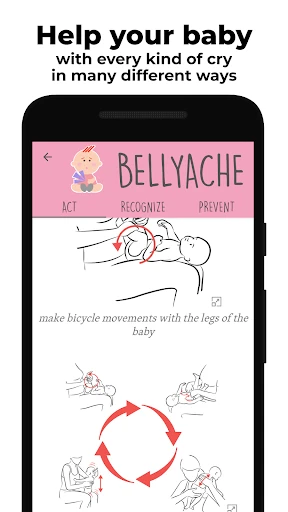
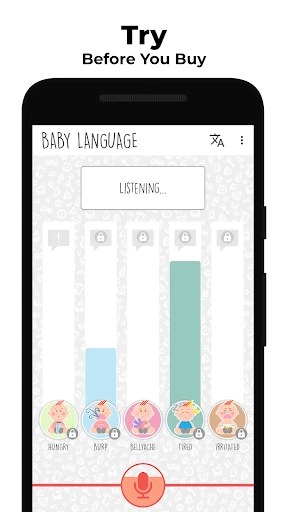
First off, let me say that the idea behind Baby Language is nothing short of genius. As I opened the app, I was greeted with a clean and intuitive interface. It guides you through understanding different cries, coos, and gurgles. The app offers detailed explanations and audio samples of common baby sounds, claiming to help you identify whether your baby is hungry, tired, or just needs a diaper change. I mean, how cool is that?
Getting to Know the Features
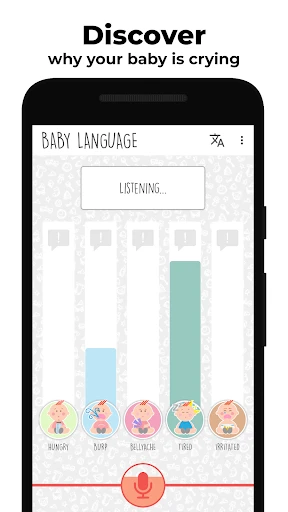
After setting up, I dove right into the heart of the app. Baby Language provides a recording feature where you can capture your baby’s sounds and get real-time feedback. This function is supposed to analyze the sound patterns and give you a probable cause. I tried it when my little one was in full meltdown mode, and the app suggested it was a hunger cry. After a quick bottle, peace was restored. Coincidence? Maybe. But it felt like a small victory.
Another nifty feature is the community forum embedded within the app. It’s like having a support group in your pocket, where parents share their experiences and tips. I found myself scrolling through and picking up on advice I hadn’t thought of before. It’s comforting to know you’re not alone in the chaotic world of parenting.
Does it Really Work?
So, does Baby Language truly decode baby talk? In my experience, it’s a helpful tool, but not a miracle worker. There were times the app’s feedback didn’t quite match up with what my baby needed. However, it did encourage me to pay closer attention to the nuances of my baby’s sounds and cues, which is a win in itself. Plus, anything that helps me feel more connected to my baby is a bonus.
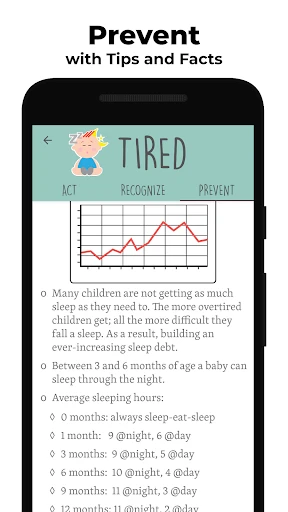
The app also offers educational content, teaching you about baby milestones and developmental stages. I found this particularly helpful as it reassured me about my baby’s growth and what to expect next. Staying informed is key when you’re new to this parenting gig.
Final Thoughts
In conclusion, Baby Language won’t turn you into a baby whisperer overnight, but it’s a worthwhile tool in the parenting arsenal. It’s easy to use, informative, and offers a sense of community which is invaluable for new parents. If you’re looking for a way to feel more attuned to your little one’s needs, it’s definitely worth a try. Just remember, there’s no substitute for parental instinct, but a little technological help never hurts!
- Developer
- Enbyin
- Version
- 4.264
- Installs
- 1,000,000+
- Android Version
- 5.0
- Content Rating
- Everyone
- Price
- Free
- Intuitive interface for easy navigation.
- Comprehensive database of baby sounds.
- Real-time translation of baby cries.
- Supports multiple languages for parents.
- Provides helpful parenting tips.
- Requires internet connection for full features.
- Some translations may not be accurate.
- Limited free features available.
- Ads can be intrusive at times.
- Not all baby sounds are included.