All Document Plus
Have you ever needed a reliable app to manage all your document needs on the go? Well, let me tell you about All Document Plus. This app is like having a mini office right in your pocket, and it’s been a real game-changer for me.
First Impressions and User Interface
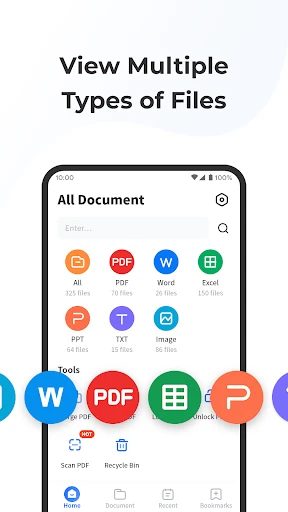
Right off the bat, All Document Plus greets you with a clean and intuitive interface. I was pleasantly surprised by how easy it was to navigate. The developers have done a stellar job ensuring that even those who aren’t tech-savvy can find their way around. Everything is neatly categorized, making it a breeze to access different document types.
Features Galore
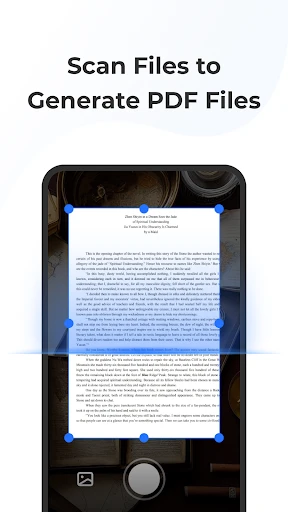
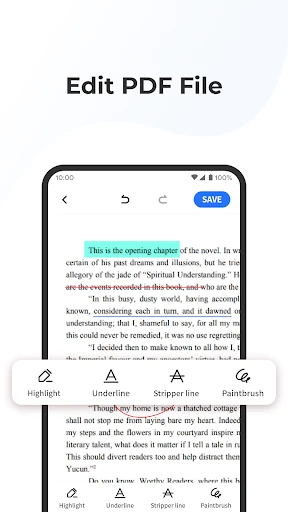
Let’s dive into what makes this app stand out. The feature list is quite impressive. You can easily view, edit, and share documents of various formats, including PDF, Word, Excel, and even PowerPoint. I found the editing tools particularly handy. Whether it’s making quick edits or annotating PDFs, this app has got you covered.
Another feature I thoroughly enjoyed is the cloud integration. You can connect the app to your cloud storage accounts, which means you have access to your documents anytime, anywhere. How cool is that? Plus, the app supports multiple languages, adding to its global appeal.
Performance and Reliability
In terms of performance, I was impressed. The app runs smoothly without any noticeable lag. It handles large files quite efficiently, which is a big plus for users dealing with heavy documents. Plus, it doesn’t drain your phone’s battery like some other document apps do.
The developers seem to have focused heavily on reliability. I haven’t experienced any crashes or bugs during my time using it, which speaks volumes about its stability. It’s nice to have an app that you can depend on, especially when dealing with important documents.
Accessibility and Support
Accessibility is another area where this app shines. It’s available on both Android and iOS, so no one is left out. The app also offers a variety of customization options to suit different needs and preferences. From adjusting the font size to switching themes, it’s all about making the user experience as comfortable as possible.
If you ever run into any issues, their support team is just a click away. I reached out once with a minor query, and they responded promptly with a helpful solution. It’s always reassuring to know that help is available when you need it.
Final Thoughts
In conclusion, All Document Plus is a robust and versatile app that caters to all your document needs. Whether you’re a professional needing to handle documents on the go, or a student wanting to keep your notes organized, this app has something for everyone. It’s reliable, user-friendly, and packed with features that make document management a breeze. Give it a try; you won’t be disappointed!


- Developer
- Wind Rider
- Version
- 1.1.3
- Installs
- 1,000,000+
- Android Version
- 5.0
- Content Rating
- Everyone
- Price
- Free
- User-friendly interface for quick document editing.
- Wide range of supported file formats.
- Seamless cloud integration for easy access.
- Efficient document conversion features.
- Regular updates with new tools and features.
- Requires internet for full functionality.
- Some features locked behind a paywall.
- Occasional syncing issues with cloud services.
- Ads in the free version can be intrusive.
- Limited offline features available.