Tap Color Pro: Color By Number
When I first stumbled upon Tap Color Pro: Color By Number, I was in the mood for something relaxing and fun to pass the time. If you're anything like me, a coloring enthusiast at heart, then you're in for a treat with this app. Let me walk you through why this app has become my go-to for unwinding after a long day.
Getting Started with Tap Color Pro
First things first, downloading and setting up Tap Color Pro is a breeze. Available on both Android and iOS, you simply hop onto your respective app store, hit download, and voila, you're ready to dive into a world of colors. The app doesn't bombard you with complicated sign-ups or lengthy tutorials, which I find refreshing. It’s all about getting you straight into the zen zone.
A Variety of Artworks to Choose From
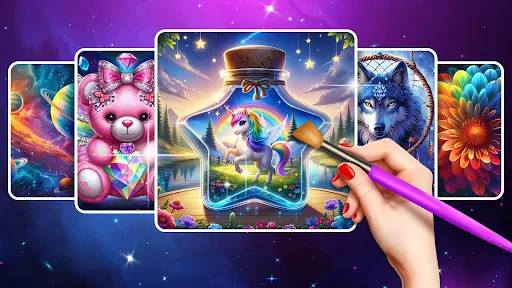
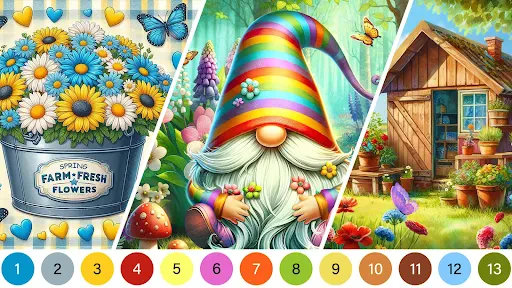
What caught my eye immediately was the sheer variety of artworks available. From intricate mandalas to serene landscapes and cute animals, there's something for every mood. The app updates its gallery regularly, so you’re never short of new images to color. Whether you’re a seasoned colorist or a newbie, Tap Color Pro offers a range of difficulties to suit your skill level. I personally love the challenge of the more detailed pieces – they’re like a puzzle waiting to be solved.
User-Friendly Interface
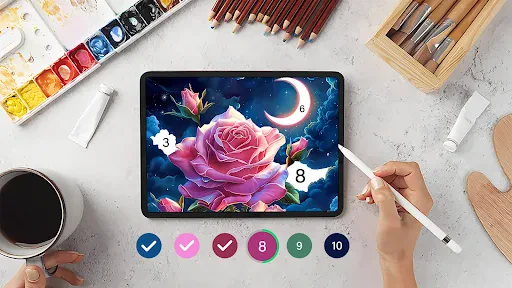
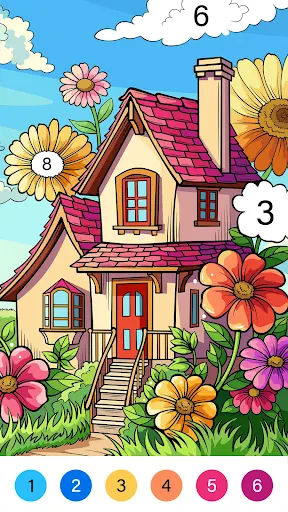
The interface is simplistic and intuitive. The color palette is neatly organized at the bottom, and selecting colors is as simple as tapping your desired shade. The app ensures you don’t go over the lines by highlighting your chosen section, which is super helpful when you’re in the zone and want to avoid any mishaps. Plus, the zoom feature is a godsend for those tiny, intricate areas that need a steady hand.
Unwind and Relax
One of the standout features for me is the relaxing background music and sound effects. It’s like a spa day for your mind. The ambient sounds are optional, but I recommend giving them a try for the full experience. It’s these little touches that elevate the app from a simple coloring book to a holistic relaxation tool.
Offline Mode and Social Sharing
Another perk is the offline mode. Whether you’re on a flight or in a remote area without internet, Tap Color Pro has got you covered. You can download your favorite artworks and color them anywhere, anytime. And when you’ve created a masterpiece, sharing it with friends and family is just a tap away. The app integrates seamlessly with social media platforms, making it easy to showcase your artistic flair.
In conclusion, Tap Color Pro: Color By Number is more than just a coloring app – it's a delightful escape from the hustle and bustle of daily life. Whether you're looking to de-stress, tap into your creative side, or simply pass the time, this app delivers in spades. So why not give it a try? You might just find it to be your new favorite pastime.

- Developer
- Tap Color Studio
- Version
- 7.6.4
- Installs
- 50,000,000+
- Android Version
- 5.1
- Content Rating
- Everyone
- Price
- Free
- Wide variety of coloring templates.
- Easy-to-navigate user interface.
- Offline mode available.
- Regular updates with new art.
- Soothing music and sound effects.
- Contains in-app purchases.
- Frequent ads disrupt experience.
- Limited free content.
- Requires significant storage.
- No custom coloring options.