Solitaire Pro
Have you ever found yourself in need of a quick game to pass the time, something both engaging and soothing? Well, let me introduce you to Solitaire Pro, the app that’s become my trusty companion in those moments of boredom. If you’ve ever played Solitaire on your old Windows PC, you know the deal, but this app offers so much more than just nostalgia.
The Classic Game Reimagined
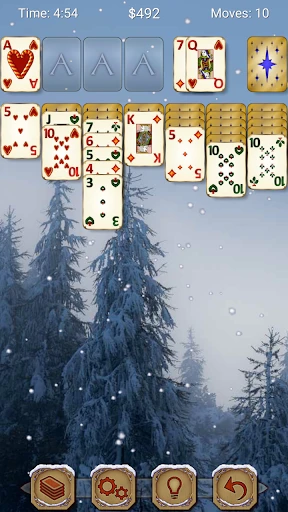
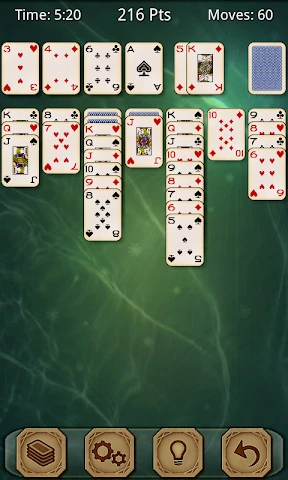
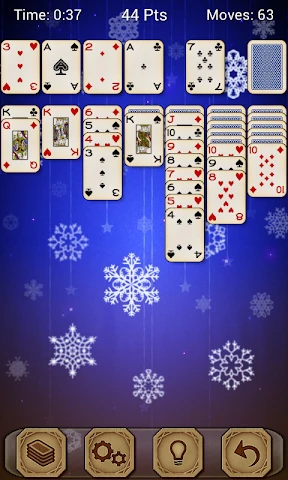
Solitaire Pro isn’t just a digital rendition of the classic card game; it’s a beautifully designed app that makes playing Solitaire feel fresh again. When I first opened it, I was greeted with a clean, intuitive interface that didn’t overwhelm me with too many options. The cards are easy to read, and you have a few themes to choose from, so you can customize the look to your liking.
Game Modes Galore
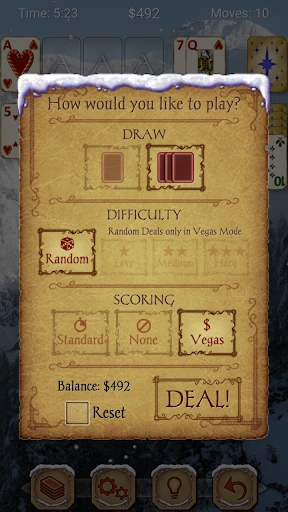
One of the standout features for me is the variety of game modes. Sure, you have your standard Klondike, but there’s also Spider, FreeCell, and Pyramid for when you’re in the mood to switch things up. I found myself gravitating to Spider Solitaire whenever I wanted a bit more of a challenge. Each mode offers its own unique twist, keeping the game interesting and engaging no matter how many times you play.
Seamless User Experience
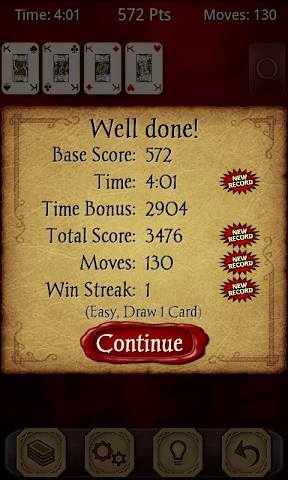
Playing Solitaire Pro is a breeze. The touch controls are super responsive, which makes dragging and dropping cards feel natural. I also appreciate the undo and hint features; they’ve saved me more times than I’d like to admit when I got stuck! Plus, the app runs smoothly without any annoying ads popping up every few minutes, a rare find these days.
Perfect for Offline Play
Another huge plus for me is that Solitaire Pro works offline. Whether I’m on a plane or just trying to conserve data, I can enjoy my game without needing an internet connection. This feature alone makes it a must-have on my phone.
In conclusion, Solitaire Pro is more than just a game; it’s a delightful experience that brings a modern touch to a timeless classic. Whether you’re a Solitaire veteran or a newcomer, this app has something for everyone. It’s become my go-to game for unwinding after a long day, and I highly recommend giving it a try if you’re in the market for a new mobile game. So, what are you waiting for? Shuffle those cards and get started!
- Developer
- AI Factory Limited
- Version
- 1.51
- Installs
- 10,000+
- Android Version
- 4.4
- Content Rating
- Teen
- Price
- $4.99
- User-friendly interface enhances gameplay.
- Multiple themes for personalized experience.
- Daily challenges keep the game engaging.
- Offline mode available for uninterrupted play.
- Leaderboard to compete with friends.
- Contains ads in the free version.
- Limited features without in-app purchases.
- Occasional bugs disrupt gameplay.
- Requires frequent updates for new content.
- No multiplayer option available.