Pixel Art - Color by Number
Pixel Art - Color by Number is the kind of game that makes you feel like an artist, even if you can barely draw a stick figure. Trust me, I know the struggle! But this app is here to save the day and make coloring digitally as easy as pie.
Getting Started with Pixel Art
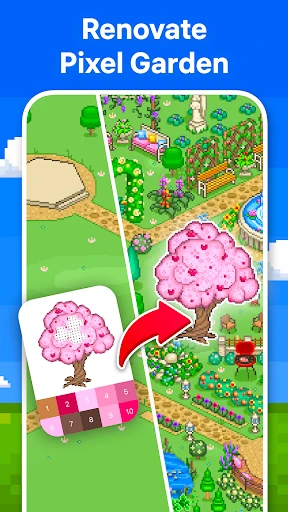
Once you dive into Pixel Art - Color by Number, the first thing you'll notice is how intuitive the interface is. The app doesn’t bombard you with unnecessary options or complicated menus. Instead, it invites you into a colorful world where you can choose from a wide array of images to color. It’s like having a coloring book with endless pages, right in your pocket!
The Joy of Coloring
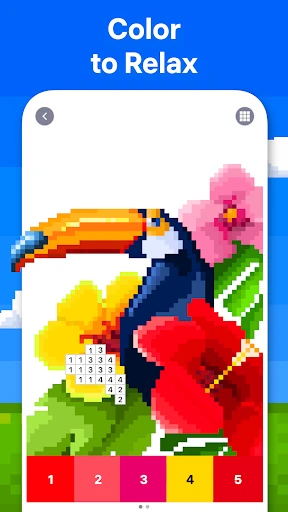
Remember those days when coloring was just about filling spaces with colors without a care in the world? Pixel Art brings back that joy with a modern twist. Each image is divided into tiny boxes, each marked with a number. Your job? Simply match the numbers with colors and watch as your masterpiece comes to life! It’s so satisfying to see the image transform with every tap, and honestly, it’s a fantastic way to unwind after a long day.
Features that Stand Out
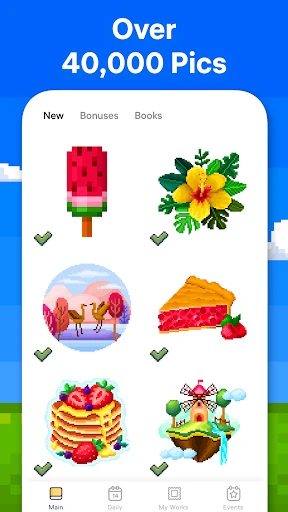
The app offers a huge library of images, catering to all tastes and preferences. Whether you're into cute animals, intricate mandalas, or vibrant landscapes, there's something for everyone. And the best part? New images are added regularly, so you never run out of things to color. Plus, if you're feeling adventurous, you can even import your own images and turn them into pixel art. Talk about creativity at your fingertips!
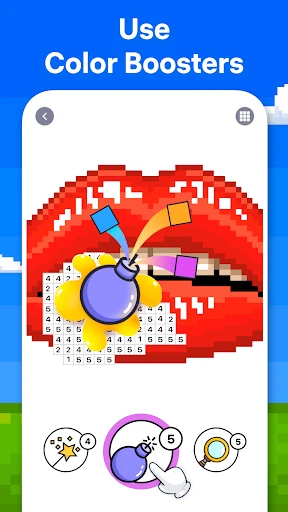
Another nifty feature is the hint system. If you ever find yourself stuck or unable to find that one stubborn pixel, the app’s hint feature comes to the rescue. It’s like having a little helper that ensures you’re never too frustrated and can continue enjoying the coloring process without interruptions.
Why You’ll Love It
Pixel Art - Color by Number is more than just a game; it’s a stress-reliever, a creative outlet, and a fun pastime all rolled into one. I love how it doesn’t require a steep learning curve. You can jump in, start coloring, and immediately feel the therapeutic effects. Whether you have five minutes on a coffee break or a lazy Sunday afternoon, this app is perfect for a quick escape.
The app also promotes a sense of accomplishment. Completing a picture, especially the more complex ones, gives you a little dopamine rush. It’s the kind of app that makes you feel productive even when you’re just relaxing.
Final Thoughts
In a world where everything is fast-paced and often stressful, Pixel Art - Color by Number offers a delightful pause. It’s simple yet incredibly engaging, and the sense of calm it brings is priceless. Whether you're an adult looking for a way to de-stress or a kid wanting to explore colors, this app is a perfect companion.
So, if you haven’t tried it yet, grab your device and give Pixel Art a go. Who knows? You might discover a hidden love for digital coloring and create stunning artworks while you’re at it. Happy coloring!

- Developer
- Easybrain
- Version
- 9.11.0
- Installs
- 100,000,000+
- Android Version
- 7.0
- Content Rating
- Everyone
- Price
- Free
- User-friendly interface with intuitive controls.
- Wide variety of images to choose from.
- Regular updates with new content.
- Offline mode available for coloring.
- Suitable for all age groups.
- Ads can be intrusive and frequent.
- Limited free content available.
- Some images require in-app purchases.
- Occasional app crashes reported.
- Color palette could be more diverse.